
Omni AI Video
Multi-modal AI video generatorText, image, and audio into one video
Highlights
What you can do with it
- Marketers building product promotion video
- Bloggers creating social content from prompts
- Corporate teams producing brand video
How to use it
- 1 Open the generator workspace
- 2 Write prompts and upload reference media
- 3 Select model, resolution, and duration
- 4 Generate, preview, and download
Who it is for
Pros
- Daily free credit to try it
- One workspace for the full workflow
- Fast generation without queueing
- Flexible resolution and duration
Limitations
- 1 free credit per day is very limited
- Paid plans needed for regular use
- Clips are short, 5 to 15 seconds
What Omni AI Video is
Omni AI Video is a multi-modal video generation system built on the Omni AI Model. Its premise is that video creation should not require switching between tools for text, images, and audio, so the model reads all of those input types at once and produces a coherent clip. You can start from a written prompt, animate a reference image, or combine several inputs. It supports real human reference images, which many platforms restrict, and it generates video within 5 to 8 minutes without a queue. Resolution options run from 480p to 1080p, and clips last 5 to 15 seconds. Uploads accept up to 9 images or 3 videos in common formats.
What you can do with it
- Generate video from text prompts
- Animate reference images into clips
- Combine text, image, audio, and video input
- Choose resolution from 480p to 1080p
- Set duration between 5 and 15 seconds
Who it is for
- Video creators who want multi-modal input in one place
- Marketers producing product and campaign clips
- Social media creators making short content
What to watch out for
The free allowance is a single credit per day, which is enough to test but not to work with, so regular use means a paid plan and the page notes prices may rise. Clips are capped at 5 to 15 seconds, so longer narratives need editing outside the tool, and stitching several generations together takes extra effort. Because it supports real human reference images, you must have the right to use any face you upload, and generating video of a real person without consent can violate platform rules and the law, with consequences falling on the user. Output quality varies with prompt detail, so plan for iteration, and a single free credit per day makes serious experimentation slow unless you upgrade.
FAQ
What is Omni AI Video?
A multi-modal AI video generator that accepts text, image, audio, and video input and outputs finished clips.
Is there a free option?
Yes, a daily free credit limit of 1 credit is offered, with paid plans for more.
How long does generation take?
The page states videos generate within 5 to 8 minutes without queueing.
What resolutions and lengths are supported?
Resolutions from 480p to 1080p and durations from 5 to 15 seconds.
Why it is free
What the official page says: 免费
Free limits, trial length and features are decided by the official site and can change at any time.
Product preview
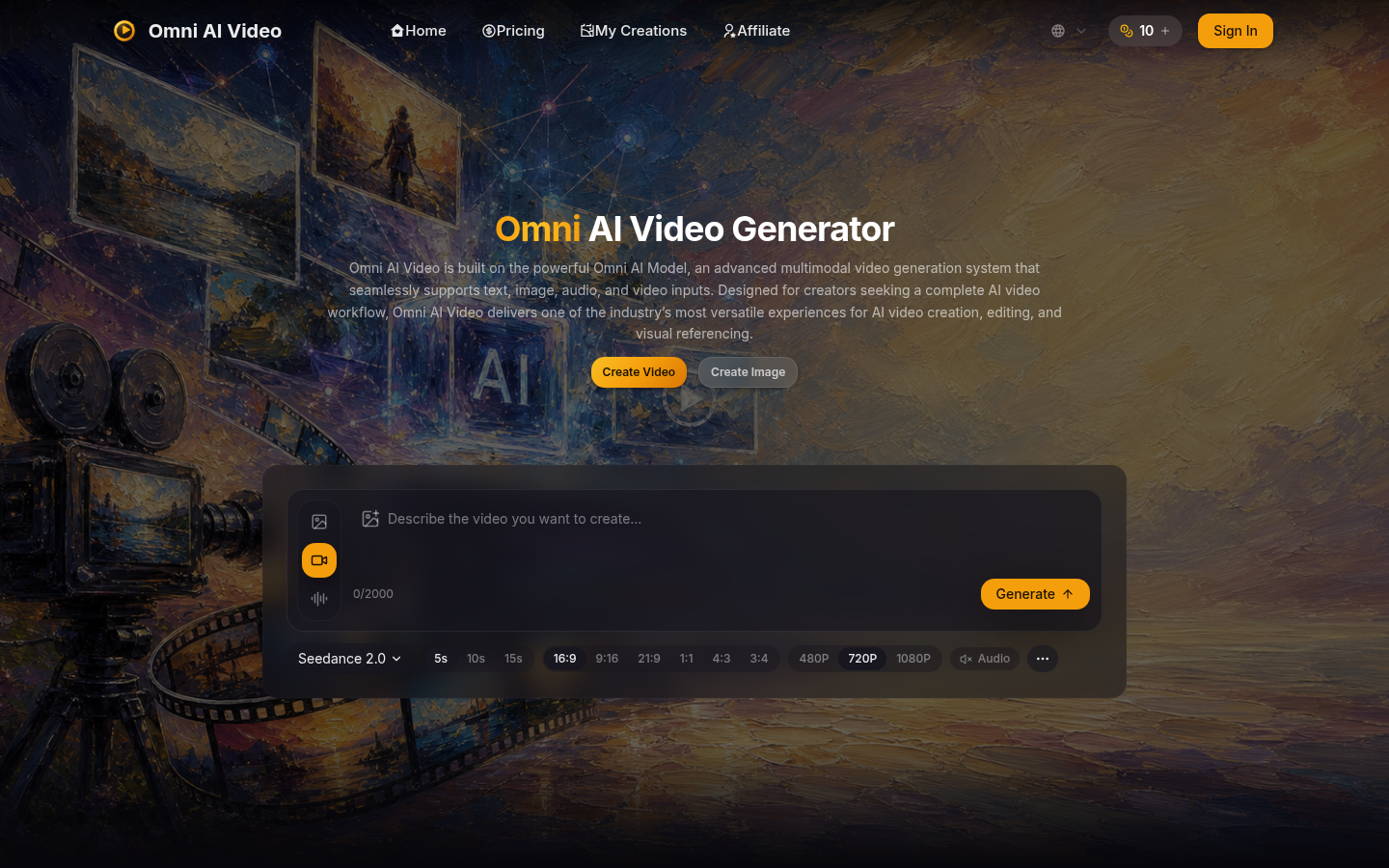
Screenshot archived from the listing page, for preview only.











