
omni 1.1 flash
AI video generator with native audioText or images to 4K video with sound
Highlights
What you can do with it
- Create a product demo video from a product image and script
- Turn a song's theme into a music video
- Draft a short-story film scene by scene with text-to-video
How to use it
- 1 Choose text-to-video or image-to-video mode
- 2 Describe the scene, motion, camera, light, and sound
- 3 Generate, review, and adjust the prompt or start image
- 4 Extend the scene or move to a full-quality render
Who it is for
Pros
- Native audio plus up to 4K output
- Scene extension and frame control give real direction
- Fast 360p draft speeds up composition tests
Limitations
- A free trial is offered, but credits per video and terms can change
- Motion and audio quality vary by prompt
- Long or complex scenes still need review and edits
What Omni 1.1 Flash is
Omni 1.1 Flash is an AI video generator that turns text or images into video with controllable motion, native audio, and output up to 4K. You can extend an existing scene in 10-second increments, up to a maximum of 40 seconds, and you can set a first frame and last frame while describing how the camera and subject move between them. It also offers a draft-to-4K workflow: you test composition and motion in a lightweight 360p draft that generates faster, then move to a full-quality render. A free trial is offered, with the annual plan noted at 23 credits per video.
What you can do with it
- Turn text or an image into video with native audio
- Extend a scene in 10-second steps up to 40 seconds
- Control motion with first-frame and last-frame settings
- Test composition in a fast 360p draft before full render
Who it is for
- Video creators who need motion and audio control
- Marketers presenting products in video form
- Enterprises making demo and training videos
What to watch out for
A free trial is offered, but the credits per video and overall terms can change, so confirm current pricing before regular use. Motion and audio quality vary with the prompt, so expect to iterate to get coherent results. Long or complex scenes still need review and manual edits, especially where motion or timing feels off. Use the fast draft to lock composition before spending credits on a full 4K render. Features and interface details may change between versions, so review the latest notes on the page before you start. For team use, agree on naming and editing conventions in advance to avoid version conflicts or duplicated work.
FAQ
What is the output quality?
It supports output up to 4K with controllable motion and native audio.
Can I extend a clip?
Yes. You can continue a scene in 10-second increments, up to a maximum of 40 seconds.
Is there a free trial?
Yes. A free trial is offered, and the annual plan is noted at 23 credits per video.
Why it is free
What the official page says: free trial
Free limits, trial length and features are decided by the official site and can change at any time.
Product preview
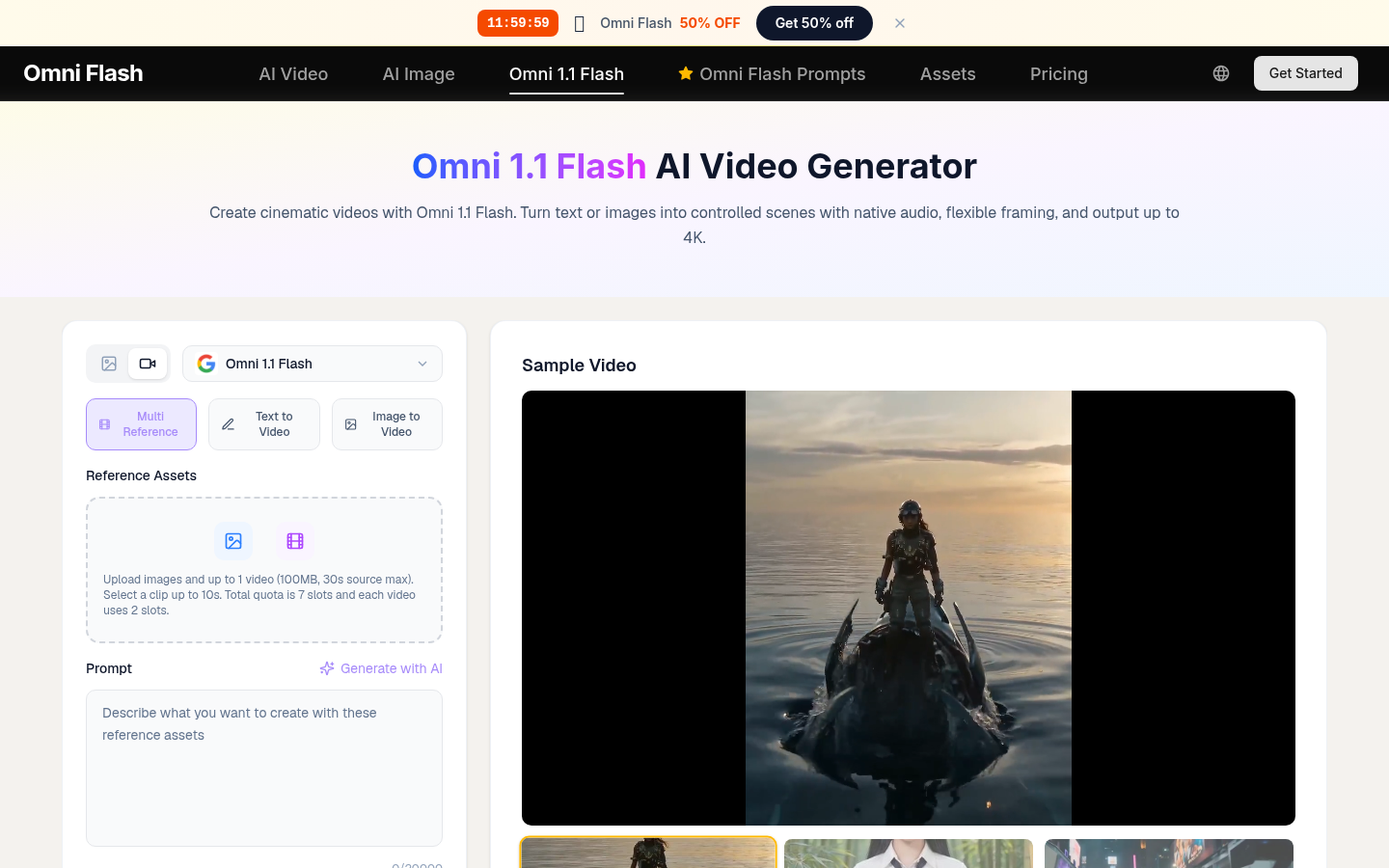
Screenshot archived from the listing page, for preview only.











