
Notion Faces
Notion's avatar creatorBuild a custom avatar, no login needed
Highlights
What you can do with it
- Make a Notion profile picture
- Create a custom avatar for sharing
- Browse others' avatars for ideas
How to use it
- 1 Open faces.notion.com in your browser
- 2 Randomize an avatar or start from scratch
- 3 Pick skin tone, features, and accessories
- 4 Save, download, then set it as your Notion profile picture
Who it is for
Pros
- Free to use
- No login needed to create an avatar
- Wide range of features and accessories
Limitations
- Avatar style is limited to the provided feature set
- Using it as a Notion profile picture needs a Notion account
- Free availability can change
What Notion Faces is
Notion Faces is a feature from Notion for creating personalized avatars. You combine facial features such as skin tone, eyes, eyebrows, glasses, nose, mouth, and hair with accessories, or press the random button for a surprise result. Titles, subtitles, and background colors can be layered on, and the finished avatar downloads with or without those extras. The design intentionally covers a wide range of identities for a global audience.
What you can do with it
- Build an avatar from facial features and accessories
- Generate a random avatar for inspiration
- Add a title, subtitle, and background color
- Download the avatar in a few variations
- Browse avatars created by other Notion users
- Set the result as your Notion profile picture
Who it is for
- Notion users who want a custom profile picture
- People who prefer not to use a photo of themselves
- Teams that want consistent, playful avatars
- Anyone who enjoys quick customization
What to watch out for
Creation needs no login, but using the avatar as a Notion profile picture means signing into Notion and uploading it, so the last step is not anonymous. The style is limited to the provided feature set, which is friendly but not a full illustration tool. It is free today, and as with any free feature, that can change. The avatars are simple graphics, so if you need a detailed portrait or brand asset, look elsewhere. Free tiers and usage limits can change, so check the current rules on the official page before relying on it long term. Processing speed depends on file size and network conditions, so retry later if a task stalls during peak hours.
FAQ
Do I need a Notion account?
No, you can create and download avatars without logging into Notion. Setting one as your profile picture does require signing in.
Can I download the avatar?
Yes, you can download the avatar with or without its title, subtitle, and background.
Is it free?
Yes, Notion Faces is free to use.
Why it is free
What the official page says: free to use
Free limits, trial length and features are decided by the official site and can change at any time.
Product preview
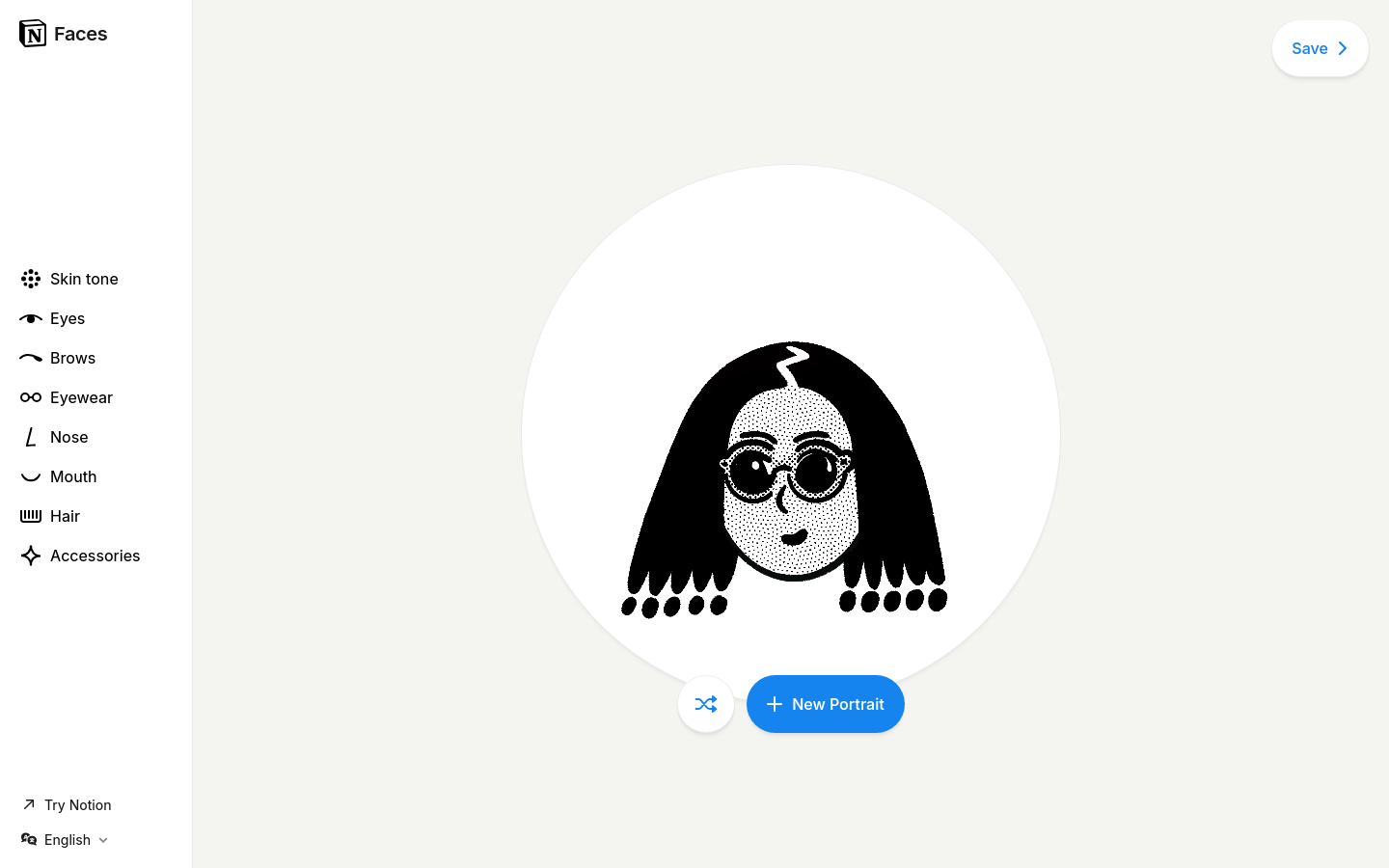
Screenshot archived from the listing page, for preview only.











