NotesAI
Turns YouTube and PDF into study notesVideo and PDF to structured notes
Highlights
What you can do with it
- Turning lecture videos into notes before an exam
- A teacher organizing course material to share with a class
- A self-learner generating notes from uploaded PDFs
How to use it
- 1 Create an account and start a course
- 2 Upload a PDF or paste a YouTube lecture link
- 3 Let the AI generate structured notes
- 4 Export the notes as a PDF or ask the chat assistant for clarification
Who it is for
Pros
- Handles both video and PDF source material
- Notes can be exported as PDF for offline use
- AI chat helps with follow-up questions
- Course structure keeps material organized
Limitations
- Free trial then paid, so it is not permanently free
- Generated notes can miss context, so check against the source
- Works best with clear, well-structured material
- Long lectures take longer to process
What NotesAI is
NotesAI is an AI learning tool that turns YouTube video lectures and PDF documents into structured notes. Instead of watching a lecture twice or rereading a chapter, you upload the material and get a written summary you can study from. The platform also manages courses so material stays organized, exports notes as PDF for offline reading, and includes an AI chat assistant for follow-up questions and deeper explanations of a concept. It is aimed at students and educators who want to process learning material faster, and a free trial is currently available.
What you can do with it
- Convert a YouTube lecture into written notes.
- Generate notes from uploaded PDF documents.
- Organize material into separate courses.
- Export notes as PDF and ask the chat assistant follow-up questions.
Who it is for
- Students revising from lectures and reading lists.
- Teachers preparing material to share with a class.
- Self-learners working through PDF resources.
What to watch out for
Generated notes are a summary written by a model, not a replacement for the source. Important context, worked examples, and caveats can drop out, so check the notes against the original before an exam. The tool works best on clear, well-structured material; a rambling lecture or a scanned, messy PDF produces messier notes. A free trial is available, but continued use is paid, so decide after the trial rather than during it. Long lectures take longer to process, so start the conversion well before you need the notes. Generated suggestions are for reference only, so verify anything that affects professional judgment or important data. Start with a small sample to confirm the output meets your expectations before processing the full batch.
FAQ
Is NotesAI free?
A free trial is currently available.
What can it convert?
YouTube video lectures and PDF documents, including handwritten and printed PDFs.
Can I read the notes offline?
Yes, notes can be downloaded as PDF files.
Why it is free
What the official page says: free trial
Free limits, trial length and features are decided by the official site and can change at any time.
Product preview
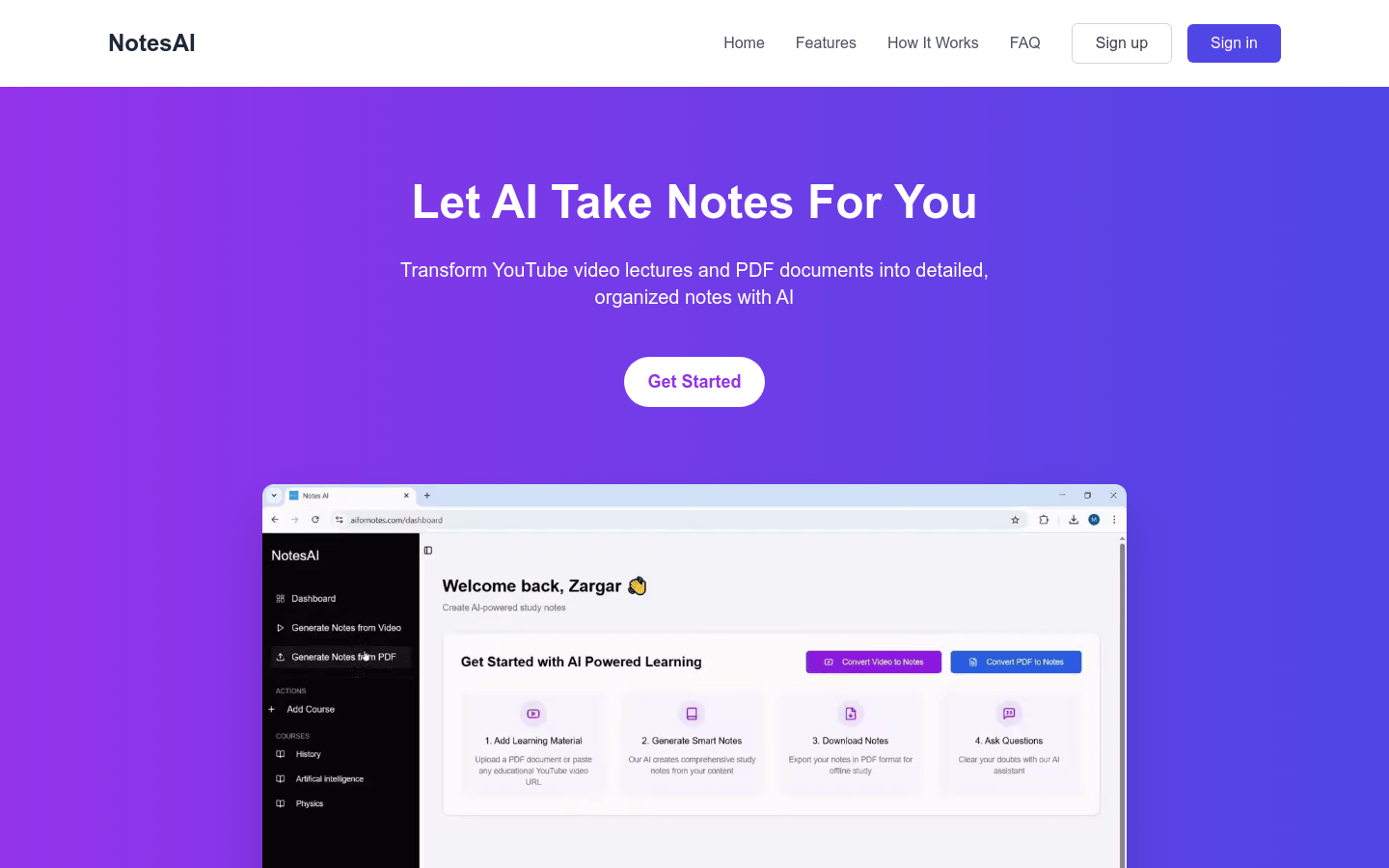
Screenshot archived from the listing page, for preview only.











