
NoteAI
One click summaries for videos, PDFs, and pagesSummarize, translate, and map what you read
Highlights
What you can do with it
- Summarizing a long lecture or tutorial video before an exam
- Turning a PDF report into a mind map for faster review
- Translating a foreign language article while keeping its structure
- Building knowledge cards from course material or documentation
How to use it
- 1 Create an account and start the free trial
- 2 Paste a link or upload the file you want processed
- 3 Choose summary, translation, or mind map output
- 4 Review the result and export what you need
- 5 Subscribe to a monthly or annual plan if you keep using it
Who it is for
Pros
- Handles video, PDF, web page, and audio input in one place
- Mind maps and knowledge cards go beyond plain text summaries
- Multilingual support helps with foreign sources
- All plans include 24/7 support
Limitations
- The free trial is limited and continued use needs a subscription
- Summaries can miss nuance, so verify important details in the source
- Output quality depends on how clear the original material is
- Plan pricing is not listed on the page, so budget carefully
What NoteAI is
NoteAI is an all in one knowledge assistant built around one click processing. You give it a YouTube video, a PDF, a web page, or an audio file, and it returns a summary or a translation. Beyond text, it can also produce mind maps and knowledge cards, which helps when you want structure instead of a paragraph. The vendor lists fast processing, high accuracy, multilingual support, and a wide feature set as the main advantages. It is aimed at students, researchers, professionals, and anyone who deals with a large amount of information. Plans are billed monthly or annually, all of them include 24/7 support and the core experience, and a free trial is available.
What you can do with it
- Summarize a long video, document, or article in one click
- Translate content into another language while keeping the structure
- Turn dense material into a mind map or a set of knowledge cards
- Process several input types through one tool instead of several
Who it is for
Students with heavy reading lists and recorded lectures are the clearest fit, since the tool compresses long sources into reviewable notes. Researchers processing papers and reports can use summaries for triage before a full read. Professionals who receive long documents and need a quick digest will save time on routine reading. Language learners and anyone reading foreign sources get extra value from the translation side.
What to watch out for
The free trial is limited, and after it ends you need a monthly or annual plan, so decide whether your volume justifies the cost. Summaries are a starting point, not a replacement for the source: important numbers, quotes, and caveats can be lost, so verify anything that matters. Quality depends on the original material, and a poorly recorded lecture or a scanned PDF will produce weaker output. Since plan pricing is not listed on the page, check current rates and trial limits on the site before you commit.
FAQ
What can it summarize?
YouTube videos, PDF documents, web pages, audio, and similar content types.
Does it make mind maps?
Yes, it can generate mind maps and knowledge cards from the source material.
Is there a free trial?
Yes, and the page states that all plans include 24/7 support and the core NoteAI experience.
Who is it for?
Students, researchers, professionals, and anyone who processes a lot of information.
Why it is free
What the official page says: 免费免费体验
Free limits, trial length and features are decided by the official site and can change at any time.
Product preview
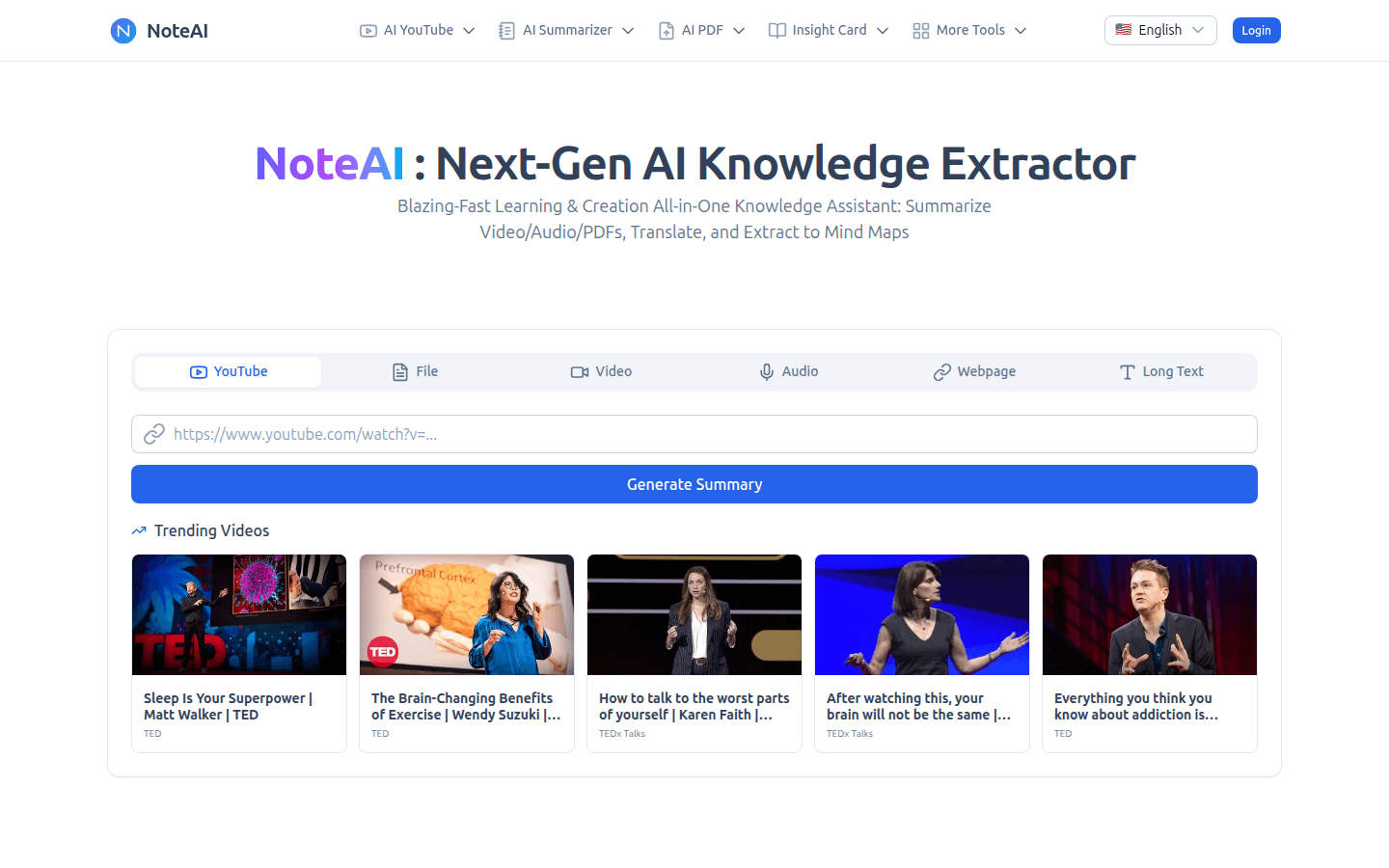
Screenshot archived from the listing page, for preview only.