No More Copyright
Upload an image and get a copyright-free versionTurn uploaded images into fresh, reusable visuals
Highlights
What you can do with it
- Generate reusable visuals for advertising drafts
- Create images for social media posts
- Make illustrations for teaching materials
How to use it
- 1 Visit the No More Copyright website
- 2 Upload an image and choose an aspect ratio
- 3 Generate the image, preview it, and save it
- 4 Enter your email to keep the creation
Who it is for
Pros
- Simple upload and generate flow
- Several aspect ratios for different placements
- Tutorial videos help you get started
Limitations
- Pricing is not clearly stated on the page
- Saving a creation requires an email address
- The copyright-free claim is the platform's own, verify terms before commercial use
What No More Copyright is
No More Copyright is an online platform that transforms an uploaded image into a unique version it describes as copyright-free. The process is deliberately simple: upload a picture, pick an aspect ratio, and generate. The output is intended for inspiration and creative exploration rather than as a copy of the original. Aspect ratios cover common placements, and tutorial videos walk through the steps. If you want to keep a result, the site asks for an email address, which hints that an account may be involved.
What you can do with it
- Upload an image by click or drag and drop
- Choose 1:1, 2:3, or 16:9 output ratios
- Generate a fresh version for creative exploration
- Save creations by entering your email
- Watch tutorial videos to learn the tips
Who it is for
- Designers needing fast visuals for advertising drafts
- Content creators producing images for social posts
- Educators making illustrations without licensing worries
- Anyone exploring visual variations of a picture
What to watch out for
The site does not publish clear pricing, so budget expectations are guesswork, and the email requirement for saving means your workflow depends on giving contact details. More importantly, the copyright-free statement is the platform's own declaration. If a project carries legal or commercial risk, read the terms of service and consider independent advice rather than relying on a label on a landing page. Generated results are for inspiration, so review each image before you publish it. When quality matters, export a small draft first to confirm the result before producing the final file. Generated suggestions are for reference only, so verify anything that affects professional judgment or important data.
FAQ
Are the generated images really free of copyright?
The platform declares that they are, but read its terms before any commercial use.
Do I need to register?
The email input box for saving creations suggests registration or a subscription may be required.
What aspect ratios are supported?
Options include 1:1, 2:3, and 16:9.
Why it is free
What the official page says: free version
Free limits, trial length and features are decided by the official site and can change at any time.
Product preview
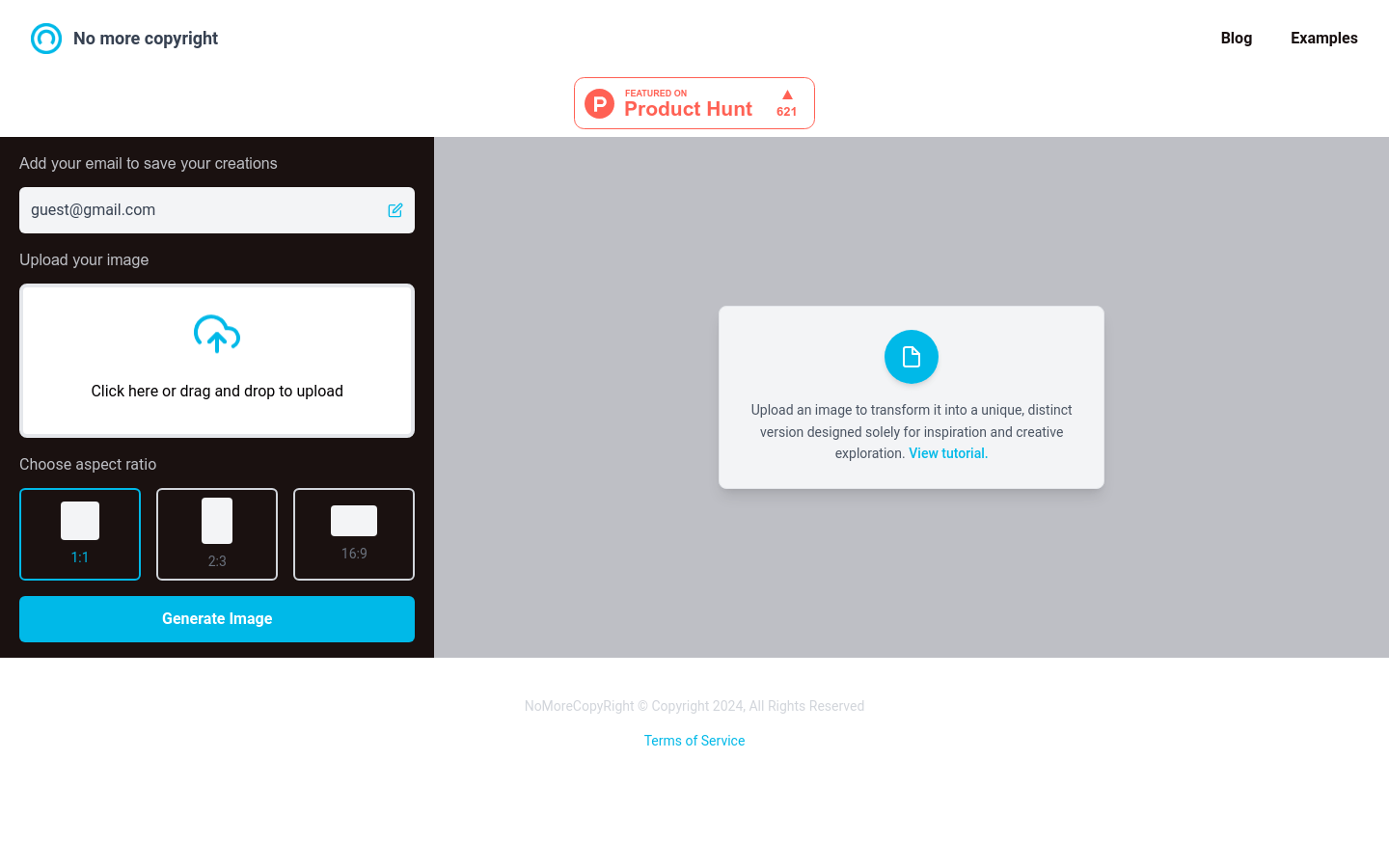
Screenshot archived from the listing page, for preview only.











