
NetEase AI Creativity Studio
Browser-based AI painting tool with an SD interfaceAI painting in the browser, nothing to install
Highlights
What you can do with it
- Generate portrait, product, or illustration artwork by picking a matching model
- Create game icons, anime characters, and multi-view concept images
- Learn AI painting basics through the open online course
How to use it
- 1 Open the NetEase AI Creativity Studio page in your browser
- 2 Pick a creation model that matches the style you want
- 3 Enter your prompt, adjust settings, and generate
- 4 Refine the result and download your image
Who it is for
Pros
- Runs in the browser with a native SD interface, so there is nothing to install
- Model selection covers many commercial styles in one place
- The AI painting course is free to join
Limitations
- The tool sits inside NetEase's study platform, so access depends on that ecosystem
- Free availability and course access can change without notice
- Model quality varies by style, so expect to test several before settling on one
- The Stable Diffusion interface takes some learning if you have not used it before
What NetEase AI Creativity Studio is
NetEase AI Creativity Studio is an AI painting tool built by NetEase that runs with a native Stable Diffusion interface. Because it works in the browser, there is no installation step and output comes faster than a typical local setup. The tool ships with a wide selection of creation models, from ultra-realistic portraits and game icons to landscape design, clothing, game anime characters, multi-view effects, commercial illustration, realistic product images, blind box figures, interior decoration, text fusion, and personalized QR code designs. A set of plugins extends what you can do beyond basic generation. The product is listed as free, and it also includes an open online course on AI painting that is free to enroll in, so beginners can learn while they create.
What you can do with it
- Pick a model that matches your target style, from portraits to product shots
- Generate icons, anime characters, and multi-view concept images
- Use plugins to push results further than plain text-to-image
- Follow the free AI painting course to learn prompting and model choice
Who it is for
- Illustrators and designers who need concept images quickly
- Game and animation teams producing character and icon art
- E-commerce sellers who need product and illustration visuals
- Beginners who want structured lessons alongside the tool
What to watch out for
The service lives inside NetEase's study platform, so your access is tied to that ecosystem rather than a standalone app. If NetEase changes the course or the tool's free status, you will feel it directly. Model quality also varies by style, and it is normal to test several before finding one that suits your work. The Stable Diffusion interface has its own vocabulary, so first-time users should expect a short learning curve even with the course available. As with any hosted AI service, availability and free terms can shift, so check the official page for current conditions.
FAQ
Do I need to install anything?
No. It runs in the browser with a native Stable Diffusion interface.
Is it free?
The tool and the AI painting course are described as free. Confirm current terms on the official page.
What kinds of models are available?
Portrait, game icon, landscape, clothing, anime character, multi-view, illustration, product, blind box, interior, text fusion, and QR code models.
Why it is free
What the official page says: 免费
Free limits, trial length and features are decided by the official site and can change at any time.
Product preview
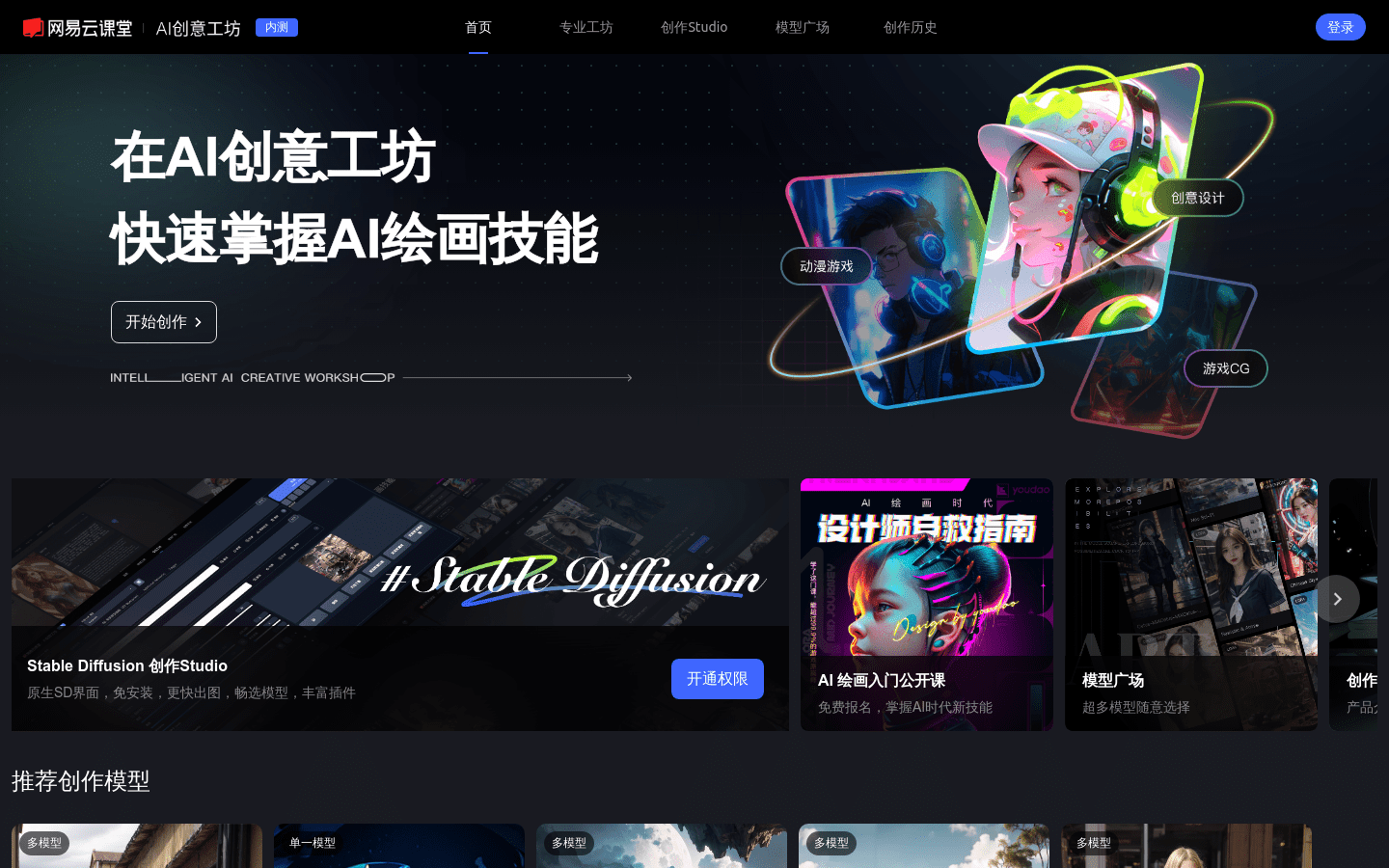
Screenshot archived from the listing page, for preview only.











