
Nano Banana AI Image Editor
Free online AI image editorText prompts for social-ready visuals
Highlights
What you can do with it
- A photographer editing photos quickly
- An e-commerce merchant generating product visuals
- A digital artist creating social media illustrations
How to use it
- 1 Open the Nano Banana AI editor site
- 2 Upload an image or type a text prompt
- 3 Choose the effect you want, such as 2D to 3D or a comic grid
- 4 Adjust settings, characters or poses as needed
- 5 Generate, wait for processing, then download the result
Who it is for
Pros
- Free to use according to the listing
- Prompt-based editing needs no design skills
- Several effects cover common social formats
- Batch processing keeps a set of images consistent
Limitations
- The site returned an error when this entry was last checked, so availability is uncertain
- Compositing people or celebrity likenesses raises consent and legal issues that sit with you
- Free tools often add limits, queues or watermarks that are not documented here
- Output is generated and can be factually or visually wrong
What Nano Banana AI Image Editor is
Nano Banana AI Image Editor is a free online image editor built on Google Gemini 2.5 technology. You upload an image or type a prompt, choose an effect, and get a generated result back. The effects target social formats: a flat photo can be turned into a 3D-looking character, several images can be fused into one, a photo can become a multi-panel comic, and a nine-grid layout can be produced for feeds. Characters and poses can be customised, and multiple images can be processed in one pass so a set stays visually consistent. Editing is done in plain language rather than with layers and masks, which the vendor says makes it usable by beginners as well as professionals. The listing marks the tool as free. Note that the site returned an error when this entry was last checked, so availability is unconfirmed.
What you can do with it
- Edit images using plain text prompts
- Convert a 2D photo into a 3D-looking character
- Fuse several images into a single visual
- Turn photos into comic grids and nine-grid social layouts
- Process multiple images at once for consistency
Who it is for
- Social media users who need scroll-stopping visuals
- Marketers and merchants producing quick creative assets
- Hobbyists experimenting with AI image effects
What to watch out for
The site returned an error when this entry was last checked, so confirm it is live and read the current terms before uploading anything. The celebrity photoshoot and character compositing features are the sensitive part: placing your face alongside a real person's likeness, or generating images that resemble identifiable individuals, can breach platform rules and local law, and the consequences fall on you as the user. Only use images you have the right to use, and get consent where a person is recognisable. Free tools may also add limits, queues or watermarks that are not documented here, and generated output can be wrong in ways that look convincing, so review before publishing.
FAQ
Is it free?
The listing marks the editor as free. Because the site returned an error during the last check, confirm current access and any limits on the live page.
What effects are available?
2D to 3D conversion, celebrity-style photoshoots, custom characters and poses, image fusion, comic grids, nine-grid layouts and natural language editing.
Is it safe to upload photos of people?
Be careful. Combining your photo with a celebrity or another identifiable person can violate platform rules and local law, and the responsibility for that sits with you. Use images you have the right to use.
Why it is free
What the official page says: 免费
Free limits, trial length and features are decided by the official site and can change at any time.
Product preview
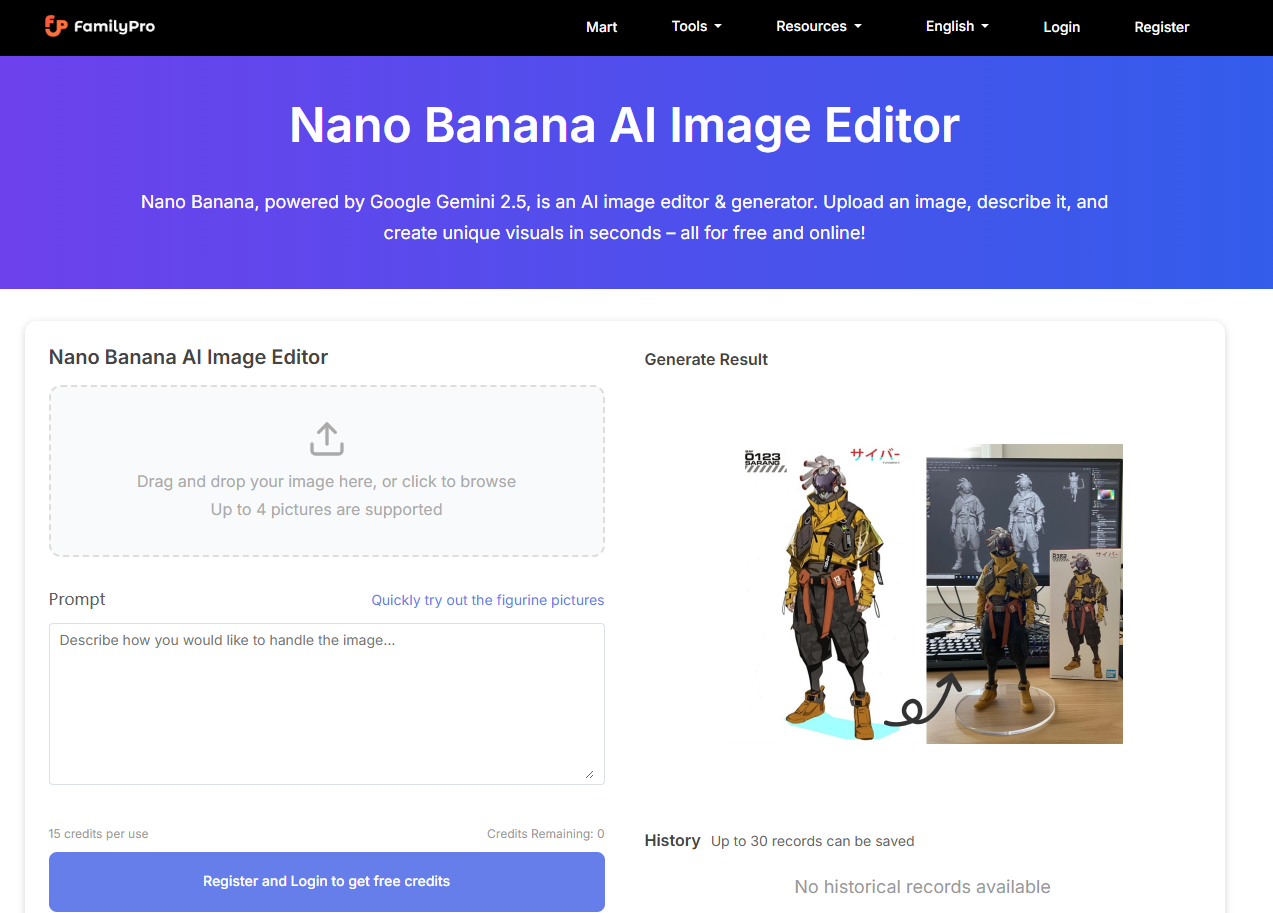
Screenshot archived from the listing page, for preview only.











