
Highlights
What you can do with it
- Product and marketing visuals that need recognizable detail
- Multi-image sets where the same characters or objects must stay consistent
- Social posts and ads that need 4K output in several aspect ratios
How to use it
- 1 Open the Nano Banana 2 website and start with the free option
- 2 Write a prompt or upload references for the image you want
- 3 Pick a resolution tier and one of the 14 aspect ratios
- 4 Generate the image and review the result
- 5 Download the file or refine the prompt and generate again
Who it is for
Pros
- Very fast generation, about 4 to 6 seconds per request
- 4K output with many resolution and aspect ratio choices
- Strong character and object consistency across images
- Free access to get started before paying anything
Limitations
- The free option and the 50% unlimited discount are current promotions and may change
- Output quality still depends on how clearly you write prompts
- The service runs on Google's Gemini architecture, so upstream updates can affect availability
- Heavy or unlimited use moves into paid plans
What Nano Banana 2 is
Nano Banana 2 is Google's latest AI image generation and editing model, built on the Gemini 3.1 Flash architecture. It is designed for speed: each request takes about 4 to 6 seconds, which the site describes as 3 to 5 times faster than the professional version. The model uses advanced world knowledge and search-based rendering, so it can accurately render products, people, landmarks, and current events. It supports multi-image theme consistency for up to 5 characters and 14 objects in a single workflow, and it outputs up to 4K, with four resolution tiers and 14 aspect ratios. The product is aimed at creators, marketers, and developers who need high-quality images quickly. There is a free starting option, and an unlimited generation plan is currently offered at a 50% discount.
What you can do with it
- Turn a short text prompt into a finished image in seconds
- Edit generated images with follow-up instructions
- Keep the same characters and objects consistent across a set
- Export at up to 4K in one of 14 aspect ratios
Who it is for
- Creators who need quick, high-quality images
- Marketers building product and campaign visuals
- Developers testing image generation in their own workflows
- Teams that need the same subject across many images
What to watch out for
The free starting option and the 50% discount on unlimited generation are current promotions, so the pricing rules can change at any time. Output quality still depends on how clearly you write prompts, and getting the exact consistency you want may take several attempts. The service runs on Google's Gemini architecture, so upstream model updates can affect speed, output, or availability. If you need heavy daily use, expect to move into a paid plan, and read the current plan details before you rely on any specific limit.
FAQ
Is Nano Banana 2 free to use?
You can start using it for free. An unlimited generation plan is also offered at a 50% discount at the time of writing.
How fast is image generation?
Each request takes about 4 to 6 seconds, described on the site as 3 to 5 times faster than the professional version.
What resolutions are supported?
It supports output up to 4K, with four resolution tiers and 14 aspect ratios to choose from.
Can it keep characters consistent?
Yes. It handles up to 5 characters and 14 objects with theme consistency in a single workflow.
Why it is free
What the official page says: 免费
Free limits, trial length and features are decided by the official site and can change at any time.
Product preview
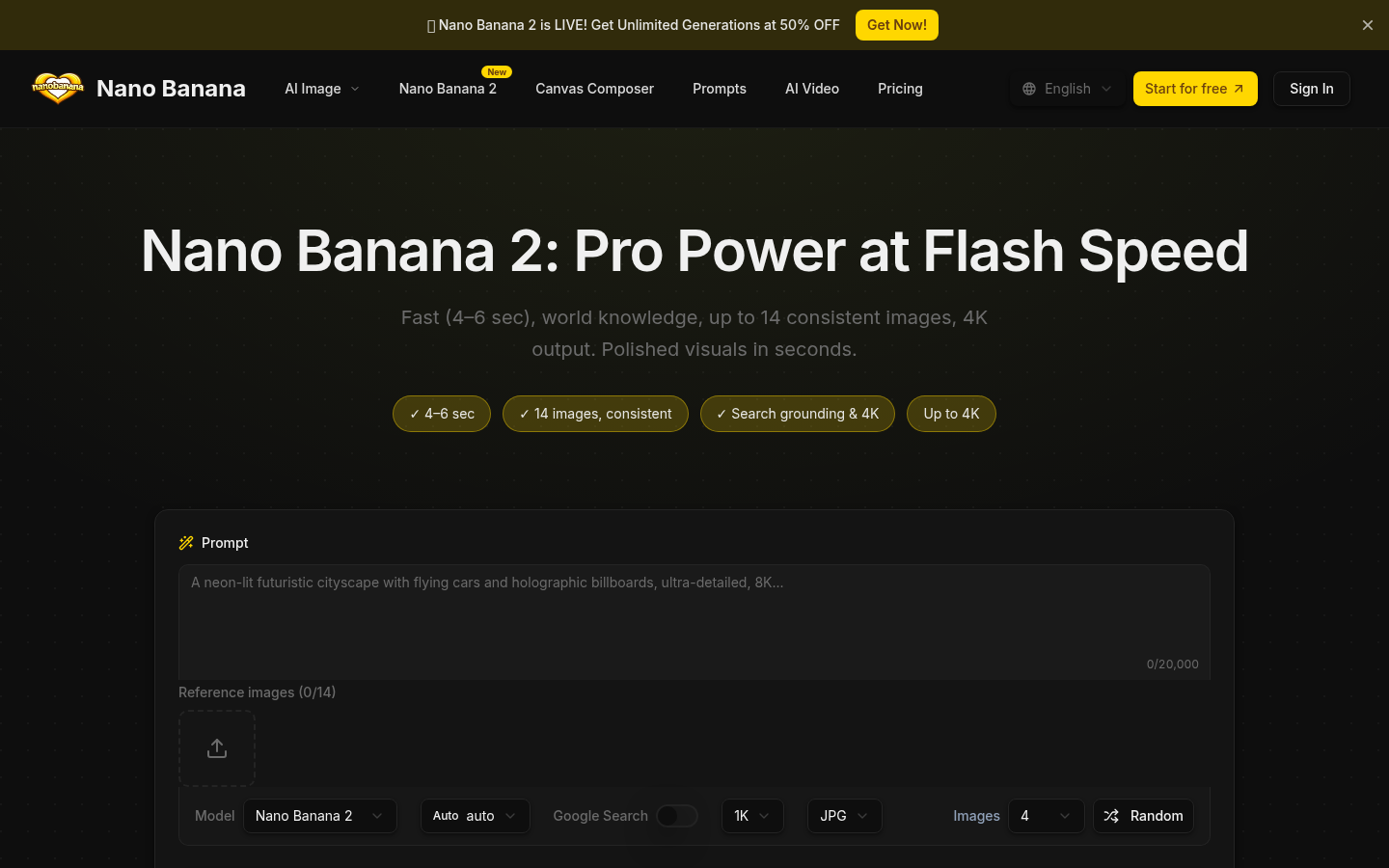
Screenshot archived from the listing page, for preview only.