
myink ai
Free AI tattoo design generatorTen styles, instant tattoo designs
Highlights
What you can do with it
- A first-timer generates a minimalist elephant design to take to an artist
- A tattoo artist explores styles for inspiration on a new piece
- Someone unsure about placement previews designs on their own arm
How to use it
- 1 Open myink.ai in your browser.
- 2 Describe your tattoo idea, including theme and elements.
- 3 Pick one of the 10 styles.
- 4 Optionally select the body placement.
- 5 Generate, then review and regenerate if needed.
- 6 Try the virtual try-on with credits if you want a preview.
Who it is for
Pros
- Free to start with monthly credits and no card
- Fast generation, usually under 30 seconds
- Style choice plus body placement gives useful control
- Community gallery for browsing other designs
Limitations
- Free credits are limited, so heavy use needs a subscription
- Generated designs are references, not finished stencils
- Try-on and comparison features consume credits
- Final work should always go through a professional artist
What MyInk.ai is
MyInk.ai is a free AI tattoo generator. You describe an idea, pick a style, and get a design back in roughly 15 to 30 seconds. Ten curated styles are available, covering traditional, minimalist, watercolor, geometric, realistic, Japanese, tribal, dotwork, blackwork, and new traditional, and you can specify a body placement such as the forearm, shoulder, or back so the composition suits the area. The image model is described as fine-tuned for tattoo art rather than being a general-purpose generator. New users get free credits each month without a card, and the virtual try-on and dual-model comparison features draw on that allowance. A community gallery shows what other people have made.
What you can do with it
- Turn a written idea into a tattoo design in under a minute.
- Choose from ten tattoo-specific styles.
- Set a body placement so the composition fits the area.
- Compare output from two different models side by side.
- Preview a design on skin with the virtual try-on feature.
Who it is for
- Tattoo enthusiasts who like the idea but not the design.
- Tattoo artists hunting for inspiration and style variations.
- First-timers comparing styles and placements.
What to watch out for
Generated designs are references, not production-ready stencils. Line weight, spacing, and how ink sits on skin are things a model does not understand, and the site itself recommends handing a final design to a professional tattoo artist. Free credits are a monthly allowance rather than unlimited access, and the try-on and comparison features consume them, so decide which ones you actually need. Regeneration is normal and expected, so budget credits for a few attempts rather than one. The community gallery is useful for inspiration, but do not copy another user's design without asking; a tattoo is permanent and so are the awkward conversations about borrowing someone else's art.
FAQ
Is MyInk.ai free?
The listing says it is free to start, with new users receiving free credits each month and no credit card required.
How long does generation take?
Usually 15 to 30 seconds, longer for complex prompts.
Can I take a generated design straight to a tattoo artist?
You can use it as a reference, but the site recommends handing it to a professional for final work.
Why it is free
What the official page says: free credits
Free limits, trial length and features are decided by the official site and can change at any time.
Product preview
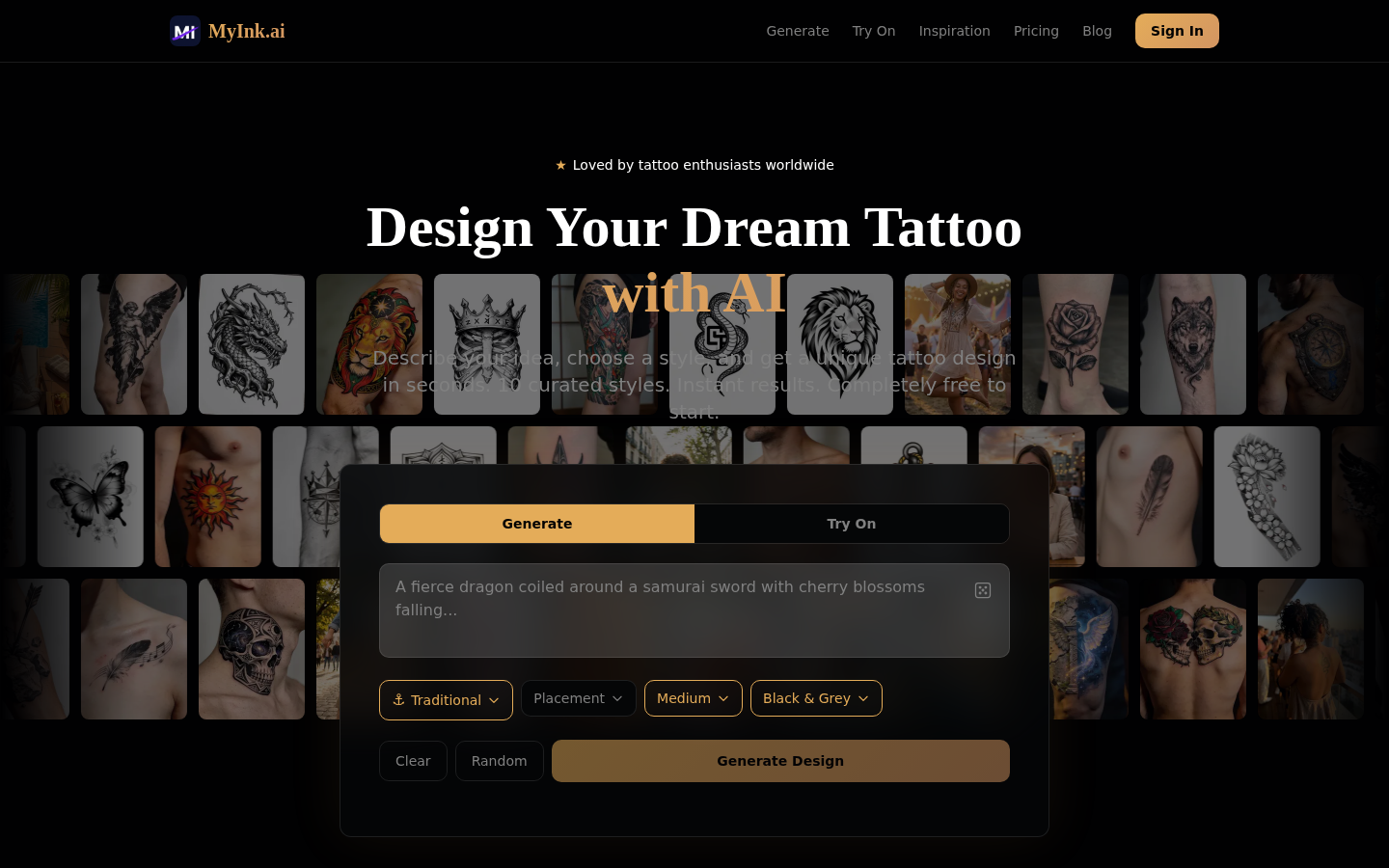
Screenshot archived from the listing page, for preview only.











