
myBeat
Vinyl music video makerCreate vinyl music videos for free
Highlights
What you can do with it
- Turn a new track into a vinyl video for Spotify Canvas
- Make a promo clip with your own footage and a vinyl look
- Create shareable music visuals for social posts
How to use it
- 1 Open myBeat.io in your browser
- 2 Pick a track and generate the vinyl cover art
- 3 Add video or GIF clips if you want them
- 4 Customize the look, then publish to Spotify or save
Who it is for
Pros
- Completely free to use
- No watermark on the videos
- Direct Spotify Canvas publishing
Limitations
- Free status may change; confirm the current terms on the site
- Focused on a vinyl style, so it is not a general video editor
- One main output depends on Spotify, so its value ties to that platform
What myBeat is
myBeat, at mybeat.io, is a free tool for making vinyl style music videos. You give it a track and it uses AI to generate a vinyl cover, then turns that into a short looping video. According to the product, this is completely free and the videos carry no watermark. Beyond the cover art, you can insert your own video and GIF clips, choose tracks, and personalize the final look. It is built with Spotify Canvas publishing in mind, so musicians can push a finished video straight to their Spotify presence. The intended users are musicians, content creators, and marketing professionals who want fast, eye-catching audio visuals.
What you can do with it
- Generate a vinyl cover and turn a track into a music video
- Insert your own video and GIF footage into the clip
- Publish the result to Spotify Canvas to boost exposure
Who it is for
Musicians releasing new songs can use myBeat to produce a Spotify Canvas quickly, without opening a full video editor or hiring anyone. Content creators who post music or audio snippets can build a consistent vinyl look across their clips so their feed feels cohesive. Marketers running short campaigns may find it handy for lightweight promo videos that need to grab attention in a few seconds. Anyone who wants a stylized music visual in minutes, and who does not need frame-by-frame control, will get the most out of it.
What to watch out for
The free offering could change at any time, so check the site before you build a regular workflow around it. It is a focused tool for one vinyl aesthetic rather than a general video editor, so it will not replace a timeline editor for complex or multi-scene projects. Because one of its main outputs is Spotify Canvas, its value depends on you actively using that platform and posting there. Results also hinge on the track and the assets you bring, so plan to spend a little time picking clips, choosing a track, and adjusting the customization until the look feels right.
FAQ
Does myBeat cost anything?
It is described as completely free to use.
Can I add my own clips?
Yes, it supports video and GIF insertion.
Does it add a watermark?
No, the product states there is no watermark.
Why it is free
What the official page says: completely free
Free limits, trial length and features are decided by the official site and can change at any time.
Product preview
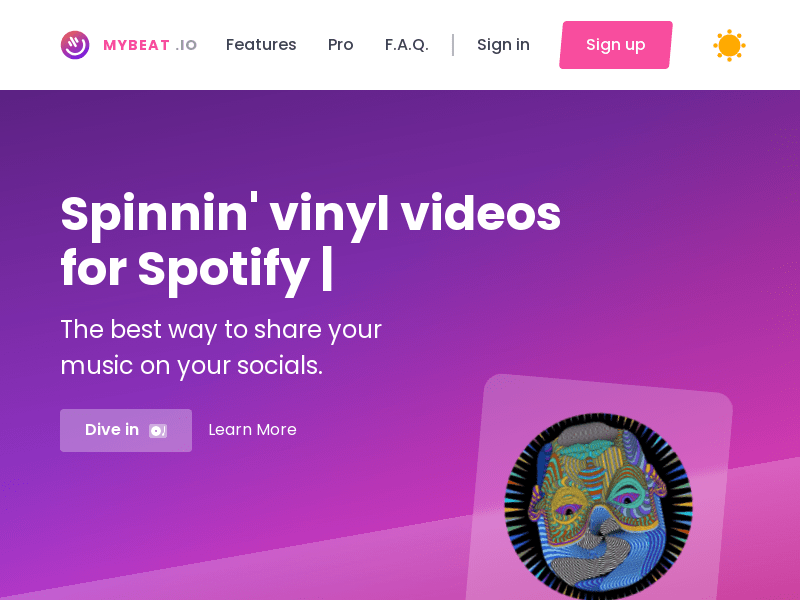
Screenshot archived from the listing page, for preview only.











