
My Tattoo Ideas
AI tattoo design generator with previewDesign and preview a tattoo before you commit
Highlights
What you can do with it
- Turning a dragon concept into a black and gray back piece
- Letting studio customers preview designs before an appointment
- Breaking a creative block with fresh design ideas
How to use it
- 1 Open the My Tattoo Ideas generator page
- 2 Enter the concept and add any lettering
- 3 Pick a style, body part, and detail level
- 4 Click generate concept
- 5 Refine with AI remix prompts until it fits
- 6 Preview on the body, then export the file
Who it is for
Pros
- Free credits let you test the generator
- Style, body part, and detail options give real control
- Exports files a tattoo artist can actually use
Limitations
- Free credits run out after roughly three full runs
- Unlimited use and professional tools need payment
- Final placement and sizing must be confirmed with your artist
What My Tattoo Ideas is
My Tattoo Ideas is an AI tattoo generator that turns a written concept into a design you can look at on a body. You enter the subject, choose a style and a body part, pick a detail level, and the tool generates a concept you can keep refining with text prompts. It offers twelve professional tattoo styles spanning traditional and modern work, previews across thirteen body parts with automatic adaptation to anatomy, and three detail levels from simple line work to dense composition. Exports come as 4K PNG files with prompt metadata and a template ready line drawing, which is meant to hand something usable to a tattoo artist. New users get six AI credits free, enough for about three full runs, and paid upgrades unlock unlimited use and professional tools.
What you can do with it
- Turn a concept into a tattoo design in a chosen style
- Preview the design on different body parts before committing
- Refine the result with text prompts as many times as you need
- Export a 4K PNG and a line drawing for your artist
Who it is for
- Tattoo enthusiasts who have an idea but no clear design
- Tattoo artists who want a quick draft or a creative nudge
- Studios that want to show customers a preview before booking
What to watch out for
Free credits cover roughly three full runs, so experimenting freely will push you onto a paid plan quickly. AI designs are a starting point, not a final piece: placement, sizing, spacing, and how the design ages on skin all need a professional eye, and a preview on a photo is not the same as skin. Check the licence terms before you use a generated design commercially, and never walk into a studio expecting an artist to copy an AI image exactly. Bring the preview as a conversation starter rather than a finished instruction.
FAQ
How many free uses do I get?
Six AI credits, which the site describes as enough for three full process uses.
How many styles and body parts?
Twelve tattoo styles and thirteen body parts.
What can I export?
A 4K PNG, prompt metadata, and a template ready line drawing.
Why it is free
What the official page says: for free
Free limits, trial length and features are decided by the official site and can change at any time.
Product preview
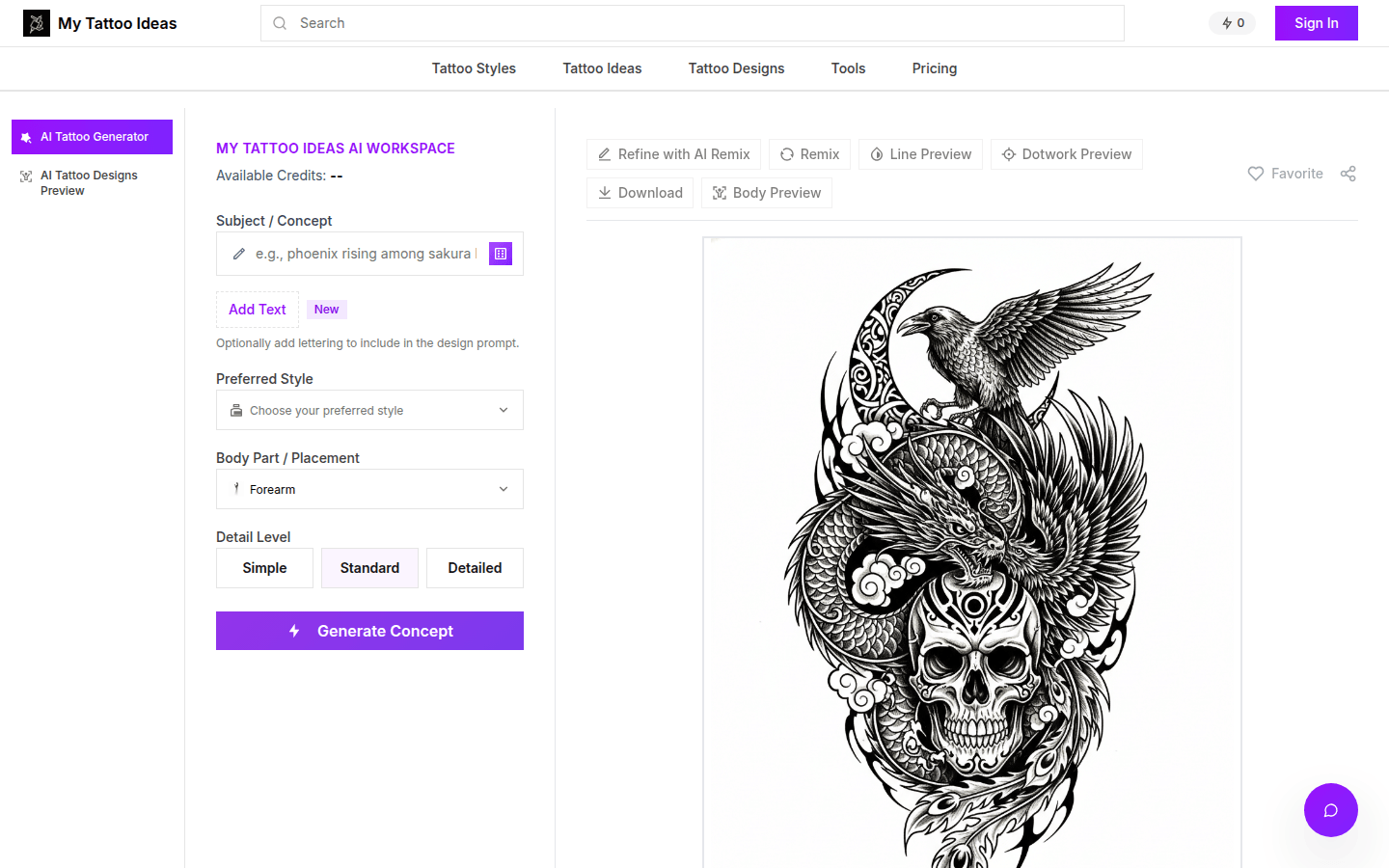
Screenshot archived from the listing page, for preview only.











