Music Prompt Studio
Build structured prompts for AI music generatorsPick genres, moods, and instruments, get a prompt.
Highlights
What you can do with it
- A video creator writes prompts for background music that fits a scene
- A music student sets the elements themselves to test what they have learned
- An independent musician breaks a creative block with prompts in new styles
How to use it
- 1 Open the site and pick a preset or start from scratch
- 2 Choose genre, mood, instruments, key, rhythm, and song structure
- 3 Preview each element with audio and adjust until it fits
- 4 Generate the prompt and switch the output format if you need to
- 5 Log in to generate a song in the studio, or copy the prompt elsewhere
Who it is for
Pros
- No music theory knowledge is needed to build a usable prompt
- Audio previews let you hear an instrument before committing to it
- The prompt builder, presets, and sharing links are free to use
Limitations
- Song generation needs an account and uses credits, 30 a month on the free tier
- Credit packs start from $1 and premium gives 1000 credits a month
- It is a prompt aid, not a full production setup
What Music Prompt Studio is
Music Prompt Studio is an online tool from ScholarSail for writing prompts for AI music generators such as Suno and Udio. Rather than staring at an empty prompt box, you work through guided controls: genre, mood, instruments, key, scale, rhythm, time signature, song structure, vocal character, lyric theme, and production style. Key and scale choices come with a keyboard visual, and every instrument has an audio preview so you can hear what you are selecting. The finished prompt can be read as natural language, as tags, or as JSON, which makes it easy to paste into a different model. The prompt builder, presets, reference guides, and sharing links are free to use. Free accounts get 30 AI credits a month for song creation, credit packs start from $1, and premium accounts include 1000 credits a month.
What you can do with it
- Build a prompt from presets or by choosing each element yourself
- Preview instruments and check key and scale on a visual keyboard
- Set song structure, vocal character, and lyric theme in one place
- Export as natural language, tags, or JSON, or generate a song in the studio
Who it is for
- Video creators who need background music that fits a scene
- Music learners who want to see how elements combine in practice
- Independent musicians looking for a way out of a creative block
What to watch out for
The tool writes prompts; it does not replace a full production setup. Song generation needs an account and consumes credits, and 30 free credits a month go quickly if you render several takes of the same idea. Credit packs and premium allowances are priced separately from the prompt builder, so it is worth being clear about which part you are paying for. The listing mentions ElevenLabs music generation in the studio flow, which means output quality depends on that upstream service as well as on your prompt. Free allowances and prices can change, and any generated track should be checked against the licensing terms of whichever model you use.
FAQ
Does it need music theory?
No. The controls are guided, and the listing says no music theory knowledge is required.
What does a free account include?
The prompt builder, audio preview, presets, reference guides, and sharing links, plus 30 AI credits per month for song creation.
Where do the prompts go?
Into the built-in studio or straight into another text-to-music model, since output can be copied as natural language, tags, or JSON.
Why it is free
What the official page says: free accountfree to use
Free limits, trial length and features are decided by the official site and can change at any time.
Product preview
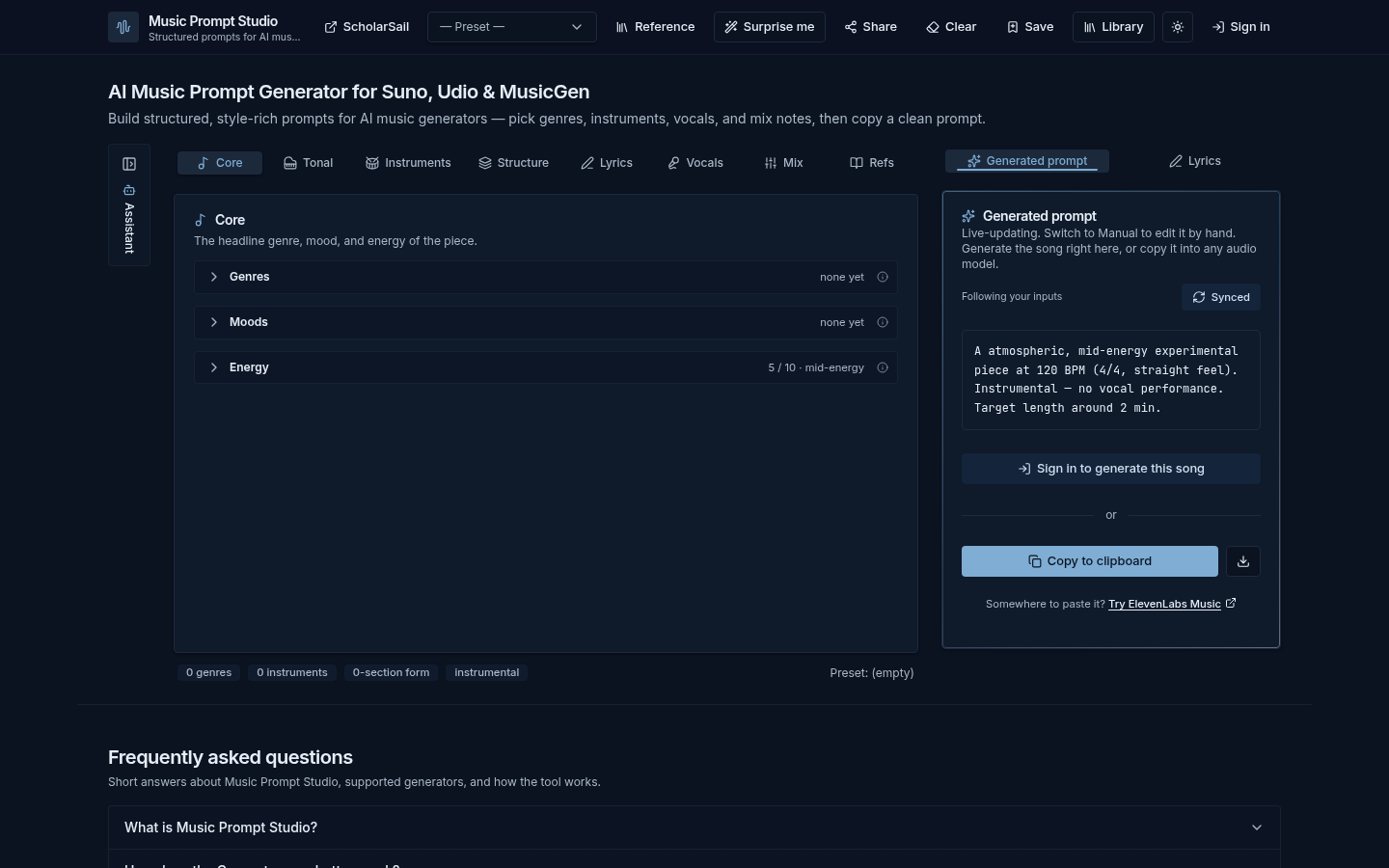
Screenshot archived from the listing page, for preview only.