
Muse Art AI
Multi-model AI image and video studioImage, video, and music from one prompt box
Highlights
What you can do with it
- Creating images and short videos for social accounts
- Turning product photos into promotional video
- Adding generated music to a video project
- Testing several models on the same prompt
How to use it
- 1 Open museartai.com and sign in or register
- 2 Choose the mode you need, such as text-to-video or text-to-image
- 3 Enter a detailed prompt or upload your image material
- 4 Pick a model or let the intelligent routing choose
- 5 Click generate and wait for the result
- 6 Preview, adjust, and regenerate if needed
- 7 Save or share the finished piece
Who it is for
Pros
- Many generation modes in one place
- Several model families behind one interface
- Templates and presets lower the prompt barrier
Limitations
- The site presents free and unlimited use, but rules can change
- Output quality varies between models and prompts
- Commercial use needs checking against the license terms
- Intelligent routing means less control over which model runs
What Muse Art AI is
Muse Art AI is an AI image and video creation platform that puts several model families behind one interface, including Z-Image, Flux 2, Qwen, Veo 3, Kling, Sora 2, and Nano Banana 2. It covers text-to-video, image-to-video, video-to-video, text-to-image, and image-to-image, plus AI music generation for soundtracks and ambient audio. On top of the generation modes there are templates and preset effects for one-click looks and an inspiration gallery with prompts you can borrow. The site presents the product as free and unlimited and describes intelligent routing that selects the appropriate model for your request, while also listing paid upgrade options. Free rules can change, so confirm current limits on the site.
What you can do with it
- Generate video from text or from a still image
- Restyle existing video footage into a new look
- Create images and edit them with image-to-image
- Add generated music and sound to a project
- Apply templates and presets without writing long prompts
Who it is for
- Creative professionals who need volume output
- Social media managers running several brand accounts
- Businesses producing product and advertising visuals
- Hobbyists experimenting with AI image and video creation
- Anyone who wants several models behind one prompt box
What to watch out for
The site presents free and unlimited use, but free rules can change, and intelligent routing means you have less control over which model actually runs your prompt. Output quality varies between models and between prompts, so expect to retry rather than get a usable result on the first attempt, and a prompt that works well on one model may not translate to another. If the output is going into commercial work, read the license terms first, because free access and paid plans often carry different rights over what you generate. Finally, a model list like this moves quickly, so check which models are actually available at the time you sign up rather than trusting the marketing page.
FAQ
Is Muse Art AI free?
The site presents it as free and unlimited, and it also lists paid upgrade options. Confirm current limits on the site.
Which models does it use?
It lists Z-Image, Flux 2, Qwen, Veo 3, Kling, Sora 2, and Nano Banana 2, with intelligent routing between them.
Can I generate music as well?
Yes. It can generate music, ambient sound effects, and short audio clips to accompany visuals.
Can I use the output commercially?
Check the license terms before commercial use. Free tiers often carry restrictions that differ from paid plans.
Why it is free
What the official page says: for free
Free limits, trial length and features are decided by the official site and can change at any time.
Product preview
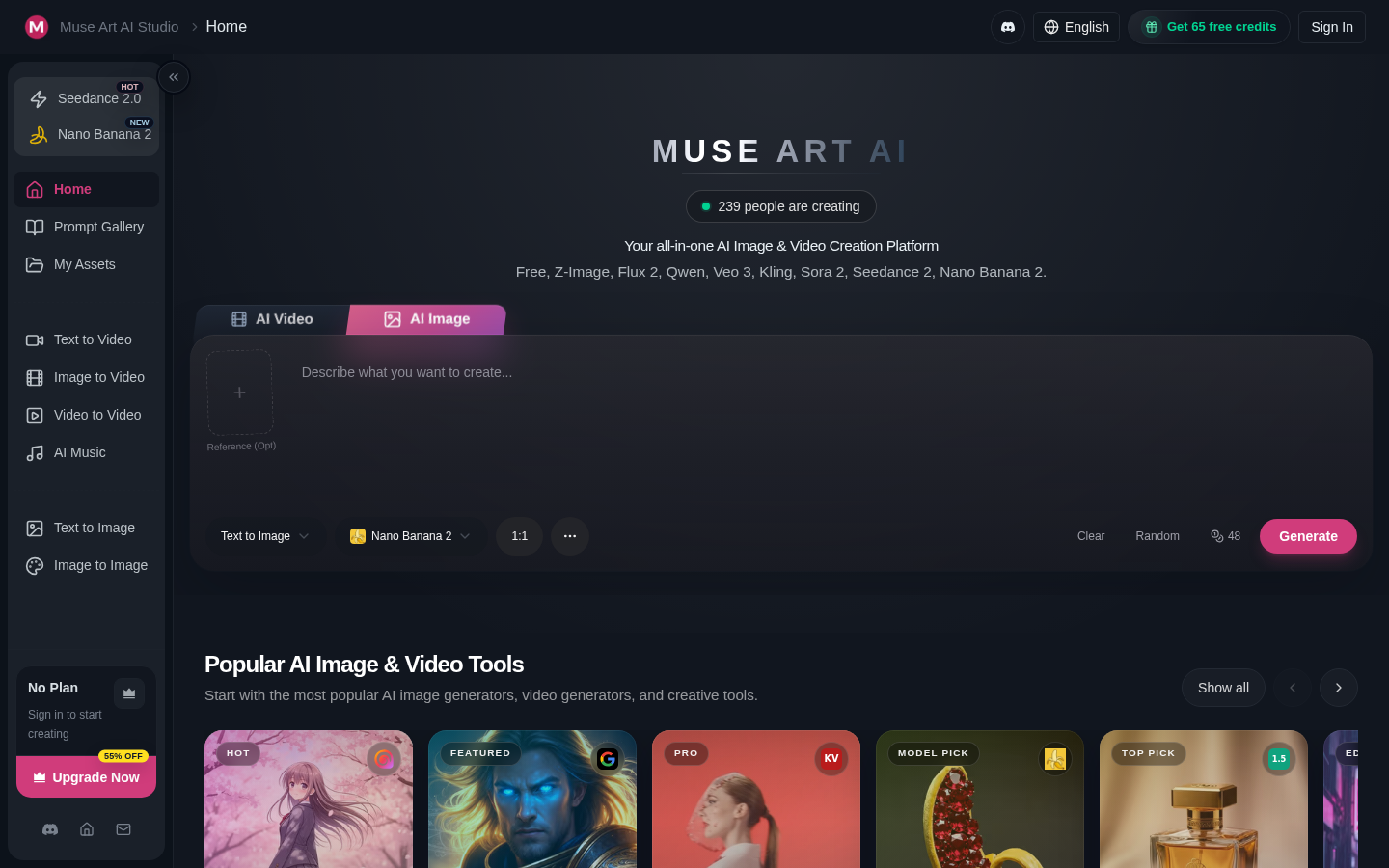
Screenshot archived from the listing page, for preview only.











