
Movmix AI
AI video and image studioPre-tuned templates, one-click results
Highlights
What you can do with it
- A product ad generated from a single product photo
- Cinematic B-roll for social edits
- An AI dance video for a challenge
- Extending a short product shot to a longer ad
How to use it
- 1 Register and claim 200 credits
- 2 Pick a tool such as text-to-video or image-to-video
- 3 Upload material or enter a description
- 4 Optionally apply a pre-tuned template
- 5 Generate, edit, and download
Who it is for
Pros
- Templates make results predictable
- Many models available in one place
- Free credits to start
Limitations
- Credits run out quickly on premium models
- Templates limit how far you can customize
- Dance and character features need consent from people shown
What Movmix is
Movmix is an online creation platform that combines AI video generation and AI image generation. The problem it targets is the usual one with generative tools: prompts are hard to tune and output is unstable. Movmix answers with pre-tuned templates for common jobs such as product ads, anime style, and fashion photography, so you can get a usable result without writing a careful prompt. Underneath, it offers text-to-video, image-to-video, reference-to-video, video extension, AI dance generation, editing, character replacement, and image generation, powered by several mainstream models.
What you can do with it
- Generate video from text, images, or reference images
- Extend an existing clip while keeping visual continuity
- Create dance videos from a photo or video of a person
- Edit results and generate images with built-in models
Who it is for
- Video creators and influencers who post frequently
- E-commerce sellers and brand marketers making product ads
- Social media managers maintaining a content calendar
- Designers, agencies, and small businesses without a video team
What to watch out for
Credits are consumed per generation and premium models cost more, so the 200 free credits go quickly. Templates give predictability but limit fine control, so unusual ideas may still need prompt work. The dance and character features use images of people, so only upload material you have the right to use and be careful about likeness and consent. Always review generated faces and voices before publishing, since misleading content can break platform rules. Features and interface details may change between versions, so review the latest notes on the page before you start. For team use, agree on naming and editing conventions in advance to avoid version conflicts or duplicated work.
FAQ
Which models does it use?
It integrates models such as GPT Images 2.5, Wan 3.0, Seedance 2.5, MiniMax H3, and Kling 3.0.
Is there a free trial?
New accounts receive 200 credits on first registration, with paid upgrade plans for more generation.
What can I make?
Product ads, cinematic clips, image sets, extended footage, and dance videos, among other visual content.
Why it is free
What the official page says: free trial
Free limits, trial length and features are decided by the official site and can change at any time.
Product preview
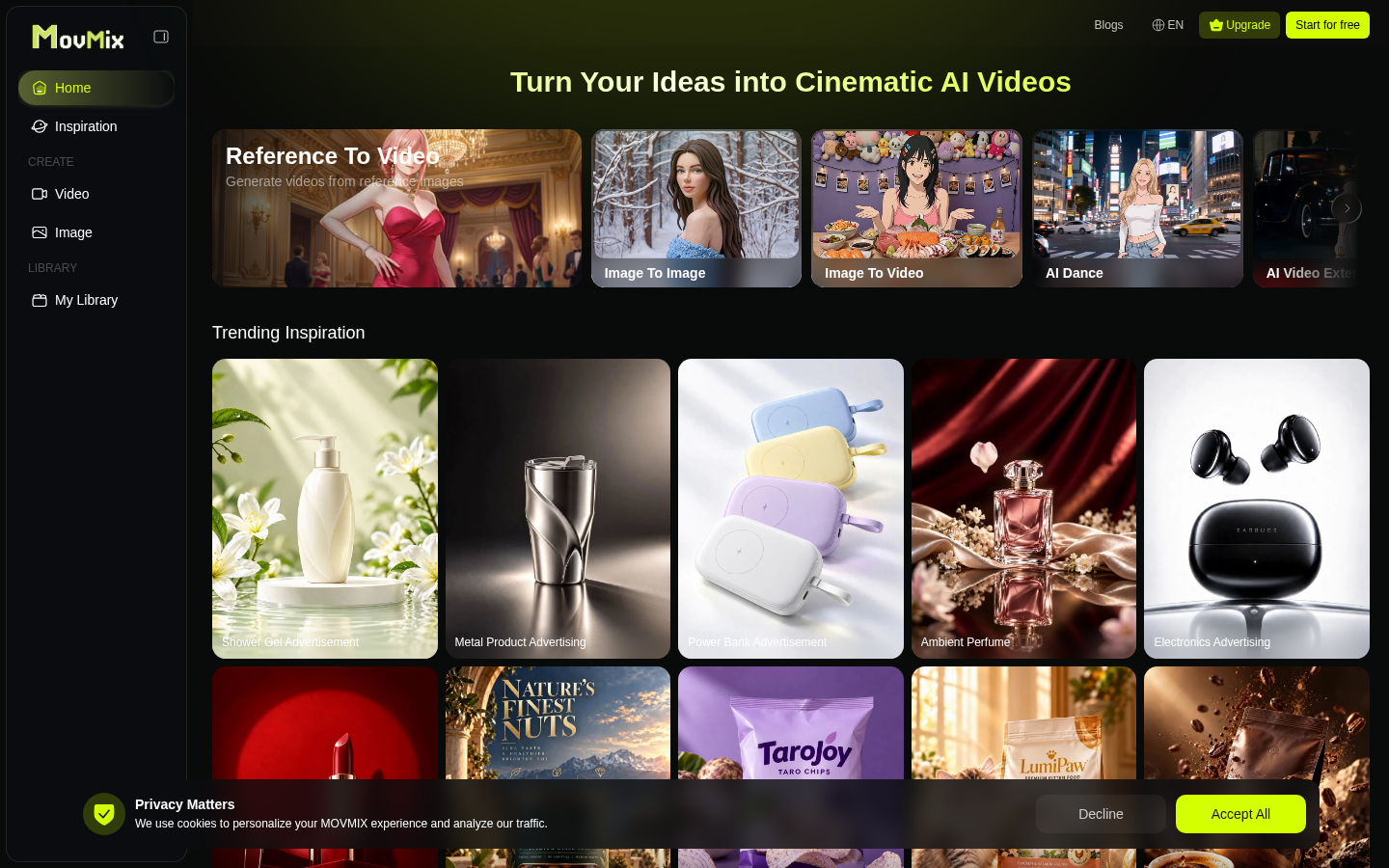
Screenshot archived from the listing page, for preview only.











