
Motion Control AI
AI motion transfer toolAnimate any character from a video
Highlights
What you can do with it
- Animate an anime or illustrated character with a real dance clip.
- Bring a company mascot to life in a promotional video.
- Turn a recorded teacher explanation into a character-led lesson video.
How to use it
- 1 Upload a character image in PNG, JPG, or WEBP format.
- 2 Upload a reference video of 3 to 30 seconds in MP4, MOV, or MKV.
- 3 Choose quality, add prompts if needed, then click Generate now.
Who it is for
Pros
- No motion capture equipment or keyframe work required.
- Automatic detection removes complex setup steps.
- Free usage plan with no credit card needed to try it.
Limitations
- Free plan limits and pricing rules may change over time.
- Quality depends on the reference video and how clearly the character is shown.
- Animating a real person likeness without consent can break school or platform rules, and consequences fall on the user.
What Motion Control AI is
Motion Control AI is a free online video generator that moves a still character using a reference video. You upload a character image in JPG, PNG, or WEBP, then a reference clip in MP4, MOV, or MKV lasting 3 to 30 seconds. The system reads the pose, timing, and camera movement in that clip and transfers the actions, gestures, and expressions onto your character while keeping its identity locked. Output comes in 720P or 1080P, you can align the character orientation with the reference, and prompts let you refine the final look. There is no motion capture gear, no keyframes, and no credit card required to try the free plan.
What you can do with it
- Make a static character perform the actions from any reference video.
- Animate mascots, avatars, portraits, or illustrated characters.
- Auto-detect pose, timing, and camera moves without manual setup.
- Choose 720P or 1080P and refine the result with text prompts.
Who it is for
- Video hobbyists who want animation without capture equipment.
- Professional animators who need fast action blocking from reference.
- Marketers who want a mascot or character acting in a promo clip.
What to watch out for
The free usage plan is a trial, and free limits or pricing can change as the service updates. Result quality depends on the reference clip and on how clearly your character image shows the body or face, so odd angles or heavy occlusion can distort the motion. Because this kind of tool can put a real person into motion, using it on someone without their agreement may violate school or platform rules, and any consequences fall on you. Review the site terms and only use material you have the right to use.
FAQ
What does Motion Control AI do?
It transfers actions, gestures, and expressions from a reference video onto a character image you upload.
What files can I upload?
Character images in JPG, PNG, or WEBP, and reference videos in MP4, MOV, or MKV between 3 and 30 seconds.
Is it free?
It offers a free usage plan, and no credit card is required to try the engine.
Why it is free
What the official page says: 免费使用免费
Free limits, trial length and features are decided by the official site and can change at any time.
Product preview
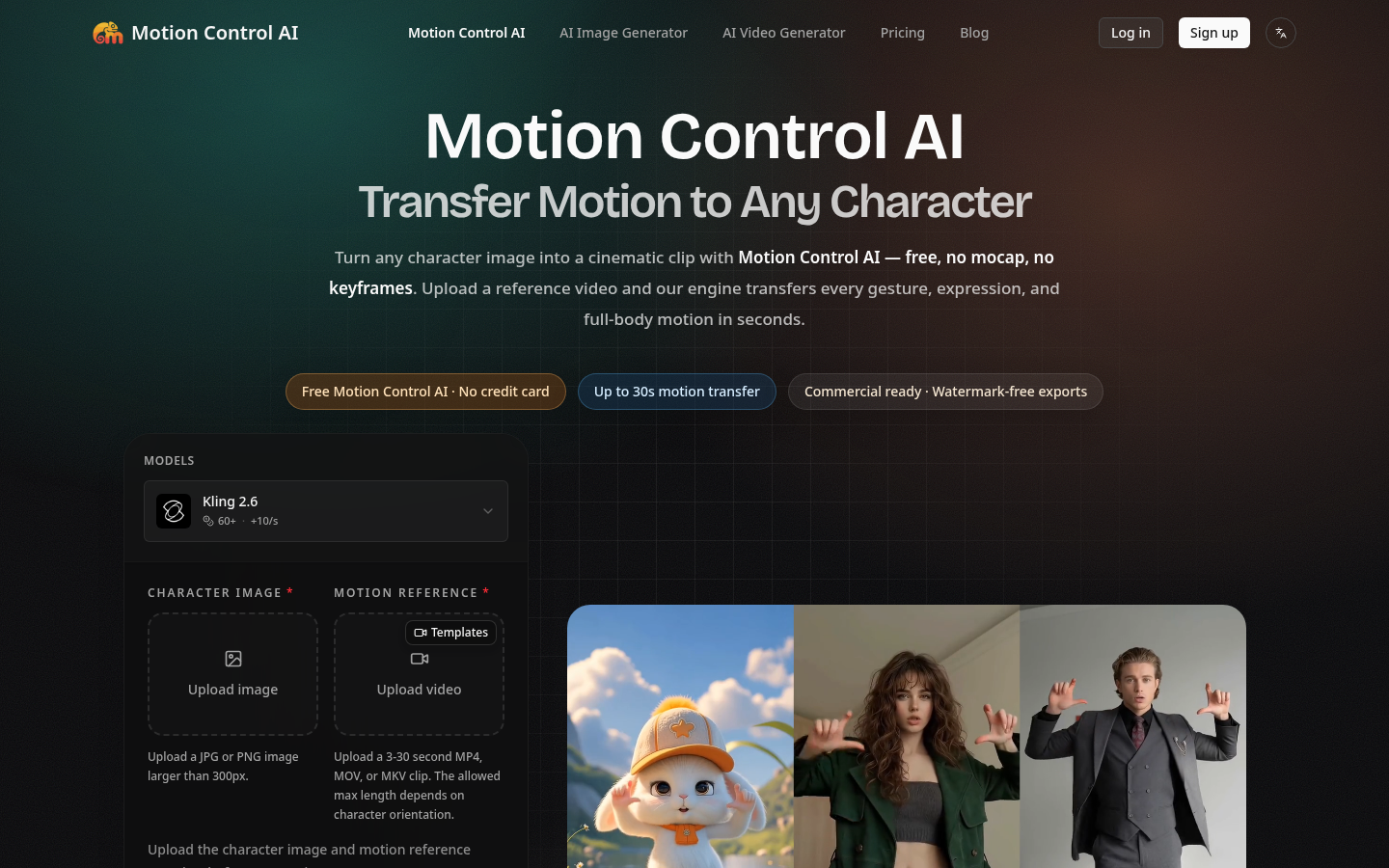
Screenshot archived from the listing page, for preview only.











