MirWork
AI mock interview platform for job seekers and recruitersPractice interviews with AI and get real-time feedback
Highlights
What you can do with it
- Practicing for a product management interview
- Recruiters pre-screening a batch of candidates
- Training communication with voice, video, and subtitle feedback
How to use it
- 1 Register an account on the MirWork site
- 2 Choose the type of mock interview you need
- 3 Install the MirWork Chrome extension
- 4 Open a job page on LinkedIn and start Quick Mock
- 5 Answer the AI interviewer, then review the feedback
Who it is for
Pros
- Free trial to test the interview flow
- Practice on demand rather than booking a person
- Instant, actionable feedback after each session
Limitations
- AI feedback is not the same as a human interviewer
- Free trial limits how much you can practice
- Needs a working camera, microphone, and quiet space
What MirWork is
MirWork is an AI mock interview and recruiting platform. Job seekers get personalized interview practice with real-time feedback, and recruiters get AI pre-screening tools to shortlist candidates. The site simulates scenarios of the kind used by large tech companies and runs around the clock, so you can practice whenever you have time. A Chrome extension lets you start a quick mock interview directly from a LinkedIn job page. One founder reportedly completed over 300 mock interviews before a final interview at a major tech company. A free trial is offered, and the team also explores AR and IoT hardware for more immersive sessions.
What you can do with it
- Run personalized mock interviews with real-time feedback
- Practice scenarios in the style of large tech companies
- Use the Chrome extension for a quick session from a job page
- Review feedback and repeat to build confidence
Who it is for
- Job seekers preparing for upcoming interviews
- Career switchers moving into a new role or industry
- Recruiters who want AI help with early candidate screening
What to watch out for
AI feedback is useful but it is not the same as a human interviewer reading the room, so treat scores as one signal among several. The free trial limits how much practice you get, and you need a working camera, microphone, and a quiet space to get value from the voice and video features. Plan several sessions rather than expecting one run to fix your interview skills. Generated suggestions are for reference only, so verify anything that affects professional judgment or important data. Start with a small sample to confirm the output meets your expectations before processing the full batch.
FAQ
Does MirWork offer a free trial?
Yes, the site offers a free trial of the platform.
How do the mock interviews work?
You answer questions from an AI interviewer and receive real-time feedback on your performance.
Can I practice for specific companies?
The site says it simulates interview scenarios of the kind used by large tech companies.
Is there a quick way to start?
Yes, the Chrome extension lets you open a quick mock interview from a LinkedIn job page.
Why it is free
What the official page says: free trial
Free limits, trial length and features are decided by the official site and can change at any time.
Product preview
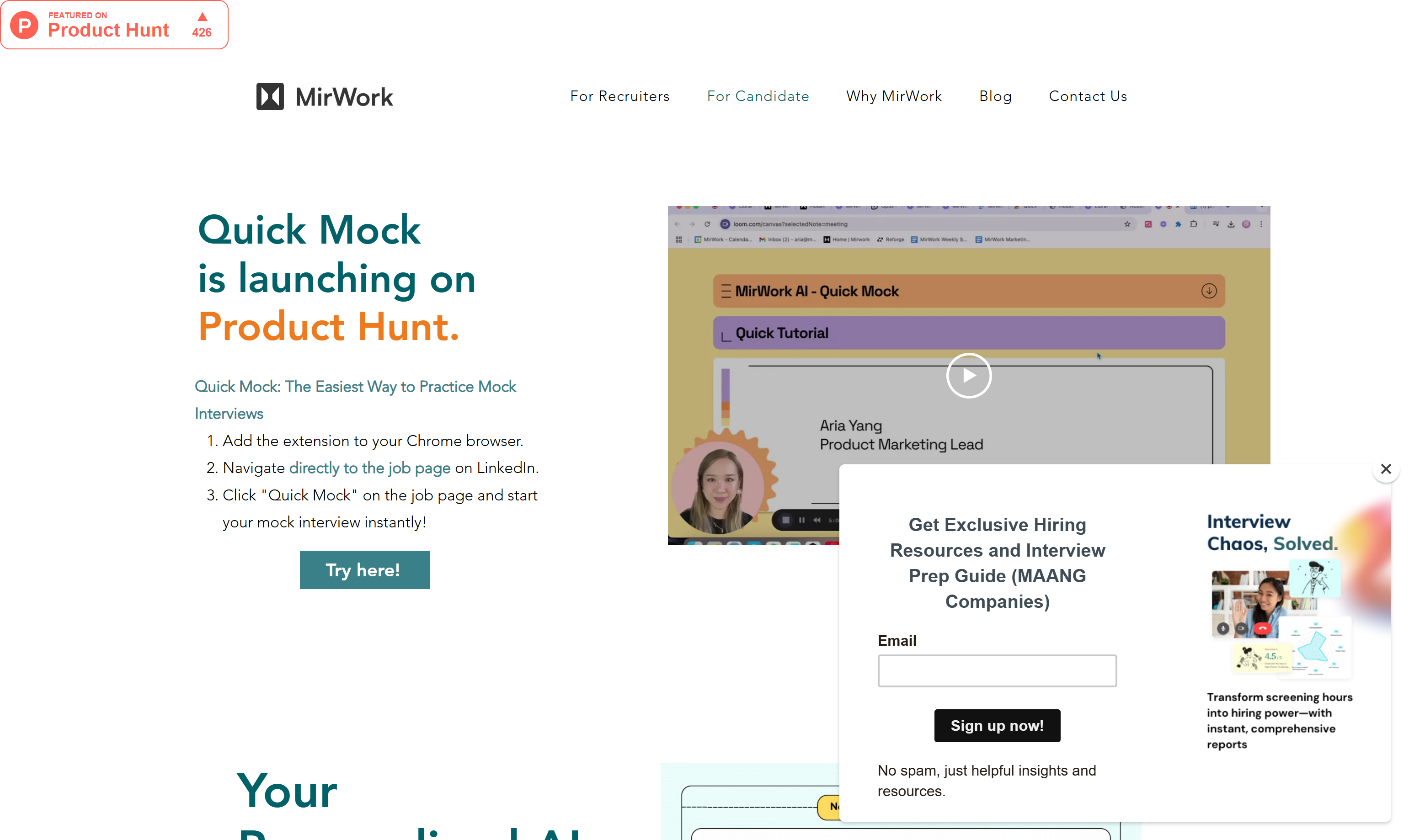
Screenshot archived from the listing page, for preview only.