
Midpoint
Measure card centeringPre-grade cards before you submit
Highlights
What you can do with it
- A collector batch-uploads a box of cards to find which ones are worth submitting
- A trader pre-grades cards before buying so the price reflects the quality
- An investor checks centering and grade estimates on a rare card before committing
How to use it
- 1 Upload a photo of the card, taken with a phone or scanned flat.
- 2 Let the model find the four card corners and the four printed frame corners.
- 3 Read the centering ratio, millimetre offset, and grade estimates.
- 4 Adjust the card with drag, rotate, zoom, and pan if you want a cleaner measurement.
- 5 Use the batch upload if you have a whole folder to work through.
Who it is for
Pros
- Fast, automated corner detection saves manual measuring
- Four agency estimates in one place
- Works with almost any photo, regardless of lighting or background
- Batch upload speeds up large collections
- Free analyses let you test it first
Limitations
- Only two free analyses, then a subscription is needed
- It is an independent estimate, not an official grade from any agency
- Photo quality and angle still affect accuracy despite the tolerance
- The surface review is a guide, not a full professional inspection
What Midpoint is
Midpoint is an independent card centering measurement tool. It has no association with major grading agencies or card issuers, which means its output should be read as a pre-grading aid rather than an official verdict. You upload a photo of a card, and a machine-learning model finds the four card corners and the four corners of the printed frame in under a second. The tool then reports the centering ratio and the millimetre offset, and it gives grade estimates from PSA, BGS, CGC, and TAG. It also looks at the card surface, covering corners, printing, and holographic effects. Two analyses are free, and a weekly or semi-annual subscription unlocks unlimited use. It runs on iPhone, Android, and the web.
What you can do with it
- Measure card centering from an ordinary phone photo in under a second.
- Get grade estimates from PSA, BGS, CGC, and TAG in one place.
- Upload a whole folder of card photos and work through them in sequence.
- Adjust the card by dragging, rotating, zooming, and panning for a cleaner read.
- Review surface details such as corners, printing, and holographic effects.
Who it is for
- Collectors who want to know which cards in a box are worth paying to have graded.
- Traders who need a fast quality read before agreeing on a price.
- Investors checking centering and estimated grade on a rare card before committing money.
What to watch out for
The free allowance is only two analyses, so anyone working through a collection will need a weekly or semi-annual subscription, and the terms can change. The numbers are independent estimates rather than official grades, so an agency such as PSA or BGS may return a different result on the same card, and submission fees are still worth paying only when the estimate is strong. Photo quality, angle, and lighting still influence accuracy even though the tool tolerates poor shots. The surface review is a guide, not a full professional inspection, so use it to filter cards rather than to guarantee a final grade.
FAQ
Is Midpoint affiliated with PSA, BGS, CGC, or TAG?
No. It is an independent tool with no association with those agencies or card issuers, and its estimates are not official grades.
How many free analyses do I get?
Two analyses are free. After that you choose a weekly or semi-annual subscription for unlimited use.
What photo do I need?
Any card photo works, including phone shots. Photo quality, lighting, and background are tolerated, but a clearer shot helps.
What does it measure besides centering?
It also looks at the card surface, including corners, printing, and holographic effects, and it estimates grades from four agencies.
Why it is free
What the official page says: 免费
Free limits, trial length and features are decided by the official site and can change at any time.
Product preview
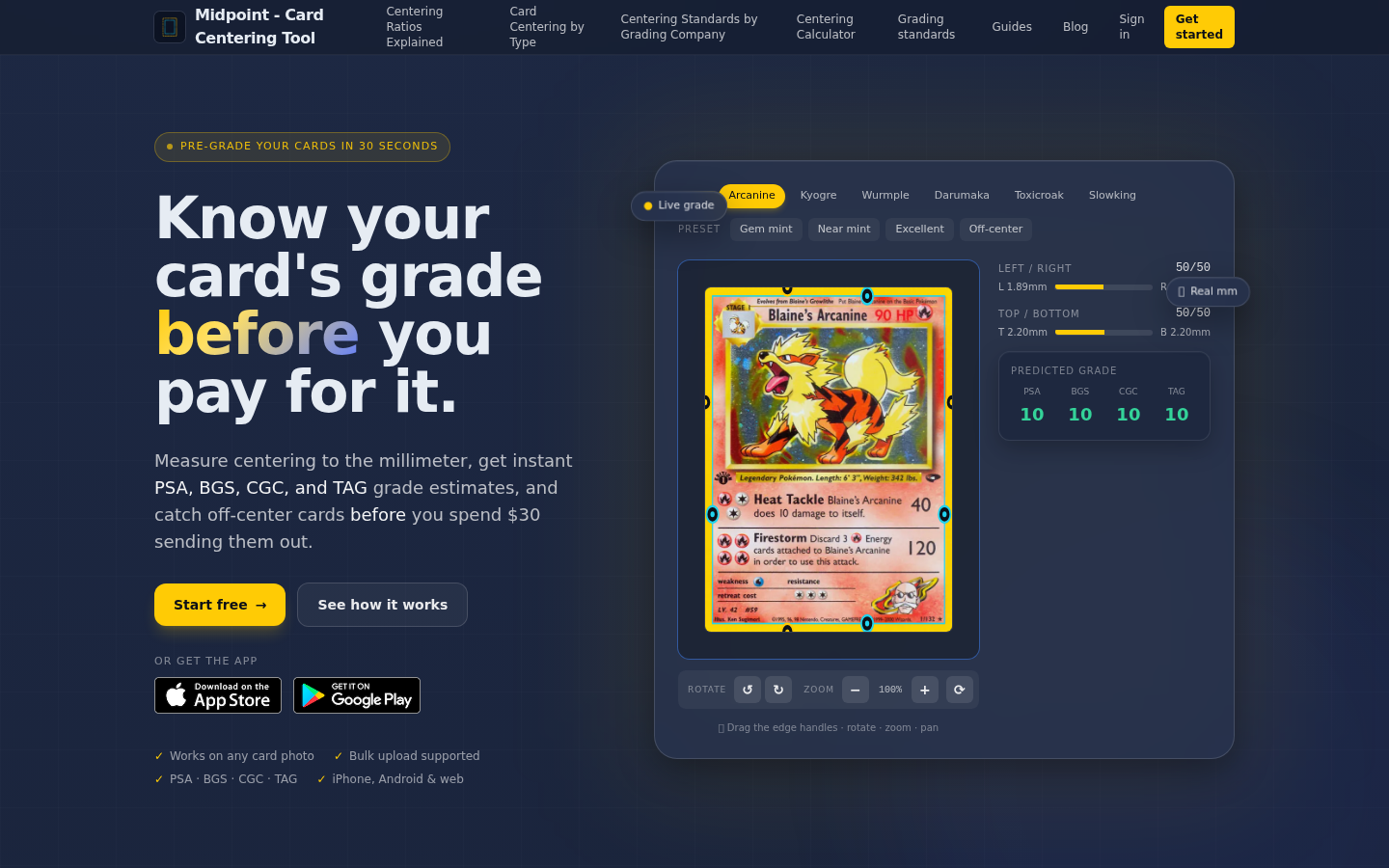
Screenshot archived from the listing page, for preview only.











