Midjourney Splitter
Split a Midjourney grid into single images, freeBreak up your grid and save each image as JPEG
Highlights
What you can do with it
- Split a generated grid to grab one favorite frame
- Save each image from a grid as a separate JPEG
- Share a single split image on social media
How to use it
- 1 Open the Midjourney Splitter website
- 2 Paste or upload your image grid
- 3 Click split images to separate the grid
- 4 Download the individual images as JPEG files
- 5 Share a chosen image on social media if you want
Who it is for
Pros
- Free to use with a simple paste and click flow
- Saves time versus cropping a grid by hand
- Outputs individual JPEGs ready to use
Limitations
- Free access and features can change over time
- Made for grid splitting, not general image editing
- Best results need a clean, evenly spaced grid image
What Midjourney Splitter is
Midjourney Splitter is a free tool for splitting a Midjourney grid into individual images. Instead of cropping by hand, you paste or upload your image grid, click split images, and the tool separates it into single files you can download as JPEG. You can also share the results on social media. It is aimed at anyone who generates images in a Midjourney style grid and wants quick access to each frame without extra editing work. Because it is free and browser based, it works as a simple utility for creators and prompt users who need clean single images fast.
What you can do with it
- Split a Midjourney grid into individual images
- Download each image as a separate JPEG file
- Paste or upload a grid and split it with one click
- Share a chosen image on social media
Who it is for
- Creators who generate images in a grid layout
- Prompt users who want single frames from a grid
- Anyone who needs quick JPEGs without manual cropping
What to watch out for
It is a focused tool for grid splitting, not a general image editor, so it will not crop, retouch, or convert beyond its purpose. Best results come from a clean, evenly spaced grid, since uneven or partial grids can split poorly. Free tools can change their features or access over time, so confirm the site still works the way you expect before you depend on it for a batch of images. Generated suggestions are for reference only, so verify anything that affects professional judgment or important data. Start with a small sample to confirm the output meets your expectations before processing the full batch.
FAQ
What does Midjourney Splitter do?
It splits a Midjourney style image grid into individual images so you can save each one separately.
Is it free?
Yes. Midjourney Splitter is presented as a free tool for splitting grids and saving images as JPEG.
What format are the saved images?
You can download and save the split images as JPEG files.
Why it is free
What the official page says: 免费
Free limits, trial length and features are decided by the official site and can change at any time.
Product preview
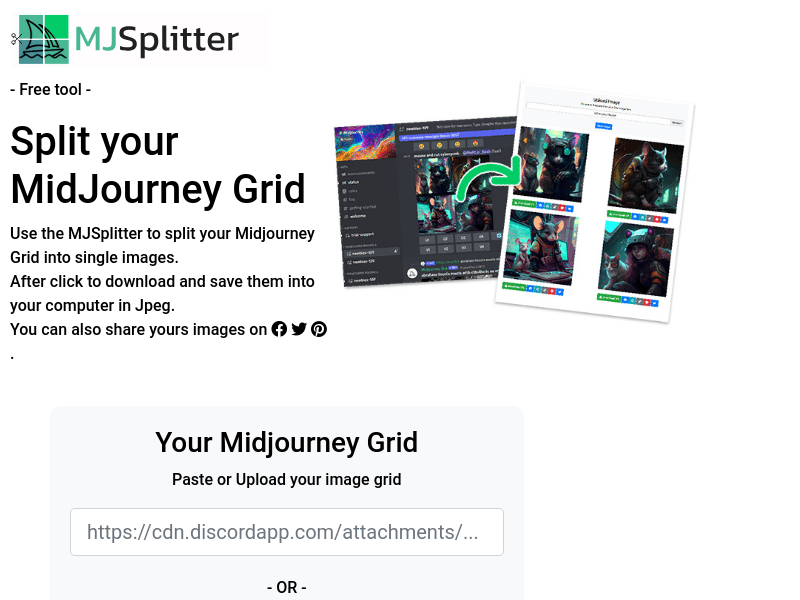
Screenshot archived from the listing page, for preview only.











