Mictoo
Free audio transcriptionRecord and transcribe in seconds
Highlights
What you can do with it
- Transcribe a recorded meeting into readable minutes
- Upload an audio file and get text within seconds
- Share recordings and transcripts with colleagues
How to use it
- 1 Open Mictoo in your browser.
- 2 Record audio or upload an existing file.
- 3 Wait a few seconds for the transcript to appear.
- 4 Edit and organize the text so it reads clearly.
- 5 Share or store the recording and transcript.
Who it is for
Pros
- Free to use for the core workflow
- Fast transcription within seconds
- Summaries and action items save review time
Limitations
- Free terms may change without notice
- Summaries are generated and still need human review
- Accuracy depends on recording quality and accents
What Mictoo is
Mictoo is a free audio transcription tool. You either record audio directly or upload a file, and with one click the tool returns text within seconds. That speed makes it usable during live work rather than only after the fact, which is the main reason people choose a meeting assistant over a manual note taker. Beyond raw transcription, Mictoo collects, stores, and organizes your audio resources, so recordings do not scatter across folders. The transcribed text itself can be edited and reorganized, which matters because automatic output is rarely clean the first time.
What you can do with it
- Record or upload audio and get a transcript in seconds
- Edit and structure the text so it reads cleanly
- Turn meeting audio into summaries and action items with GPT-3
- Share recordings and transcripts with colleagues for collaboration
Who it is for
- People who need meeting minutes without typing them by hand
- Anyone with uploaded audio or recordings that need to become text
- Teams that review and share transcripts as part of their work
What to watch out for
Free tools can change their terms, so do not build critical workflows on a free tier alone. Automatic summaries and action items are generated text, and they can miss nuance or add things that were not actually said, so review them before sending them onward. Transcription accuracy depends on recording quality, background noise, and how clearly people speak, so quiet, close microphone input produces better results. The site does not publish detailed limits, so heavy or very long file use is uncertain, and recordings of confidential meetings should be handled with care since they are processed by a third party service.
FAQ
Is Mictoo free?
Yes, Mictoo is described as a free audio transcription tool.
How does the meeting summary work?
Meeting audio is transcribed first, then OpenAI GPT-3 generates meeting summaries and action items from the text.
Can I edit the transcript?
Yes. Transcribed content can be edited and reorganized so it stays structured and readable.
Why it is free
What the official page says: 免费
Free limits, trial length and features are decided by the official site and can change at any time.
Product preview
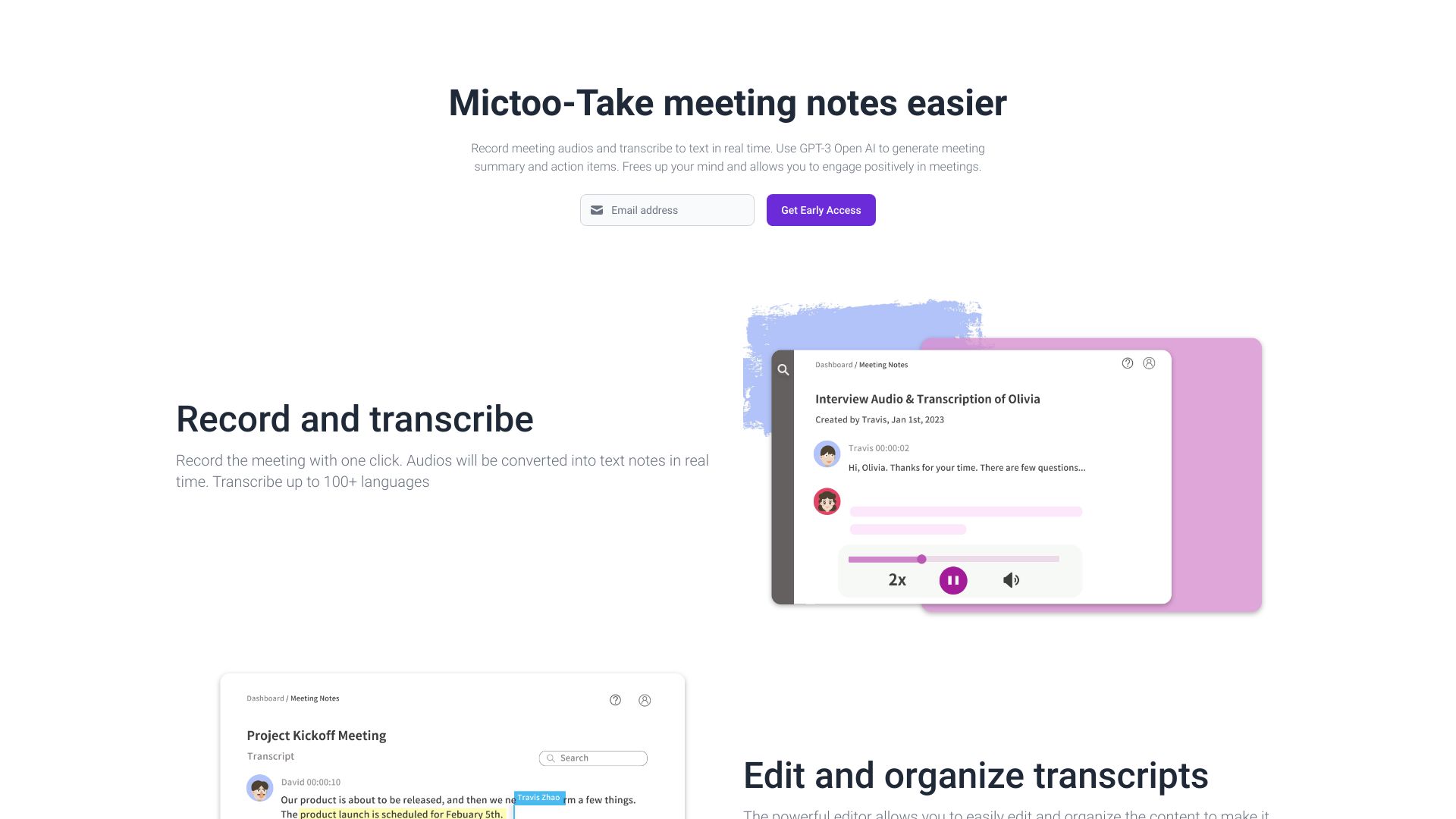
Screenshot archived from the listing page, for preview only.











