MeetAssist
Real-time AI assistant for interviewsLive suggestions while you interview
Highlights
What you can do with it
- A job seeker gets live suggestions during a Google Meet interview and handles behavioral and technical questions
- A developer gets coding solutions and complexity analysis during a Zoom technical round
- A frequent interviewee uses mobile mode to keep the meeting screen clean
How to use it
- 1 Add the MeetAssist extension to Chrome from the Chrome Web Store, with no account needed
- 2 Open Google Meet, Zoom, Microsoft Teams, or another meeting platform in Chrome
- 3 Open the extension and click Start so the AI begins listening and suggesting
Who it is for
Pros
- The extension installs without creating an account
- Mobile mode keeps the meeting screen clean
- Coding answers include complexity analysis, not just code
- Free trial plus one-time passes instead of a forced subscription
Limitations
- Using it inside a real interview may break employer, school, or platform rules, and any consequence falls on you
- Longer use requires the 9 dollar pass or the 29 dollar month
- It needs access to meeting audio and browser tabs to work
- Trial terms, pass pricing, and included minutes can change
What MeetAssist is
MeetAssist is a real-time AI assistant that runs as a Chrome extension during interviews on Google Meet, Zoom, and Microsoft Teams. It listens to the questions asked and generates suggestions on the spot, covering both behavioral and technical sections. For coding rounds it produces step-by-step reasoning with time and space complexity analysis, and it can read the content of any Chrome tab, which means it can see a problem on LeetCode or HackerRank and respond to it. Suggestions can be read on your phone through a QR code so the meeting window stays clean, and you can shape the answers by adding your own prompts and uploading a resume. Several models are available, including GPT-4, Claude, Llama, and Cerebras, and 41 languages are supported. Pricing includes a free trial, a 9 dollar pass for 180 minutes, and a 29 dollar unlimited month.
What you can do with it
- Get live answer suggestions for behavioral and technical questions
- Work through coding problems with explanations and complexity notes
- Read suggestions on your phone so the shared screen stays clean
- Tune the tone and content with custom prompts and your own resume
Who it is for
- Job seekers who want structured help while answering questions
- Developers preparing for or facing live coding rounds
- People who interview frequently and want a consistent approach
- Candidates who want to practice answering under time pressure
What to watch out for
Using an assistant inside a real interview may violate employer, school, or meeting platform rules, and the consequences, including a rejected application or a ban, fall entirely on you. Check the rules of the organization running the interview before you rely on this in a live setting. Functionally, the tool needs access to meeting audio and browser tabs, so it will not work everywhere, and longer sessions require a paid pass or month. Free trial terms and included minutes can also change, so confirm current pricing on the official site.
FAQ
Is using this during a real interview acceptable?
That depends on the employer, the school, and the platform. Many organizations treat outside assistance during an interview as a rule violation, and MeetAssist cannot decide that for you. You carry the responsibility for how you use it.
Do I need an account to use it?
No. The site says you can add the extension from the Chrome Web Store with one click and no account creation.
How does mobile mode work?
You scan a QR code to connect your phone, then read the transcript and AI suggestions on the phone so the meeting window stays clean.
What does it cost?
There is a free trial, a 9 dollar Pro Pass that covers 180 minutes, and a 29 dollar option for unlimited use within 30 days.
Why it is free
What the official page says: free trial
Free limits, trial length and features are decided by the official site and can change at any time.
Product preview
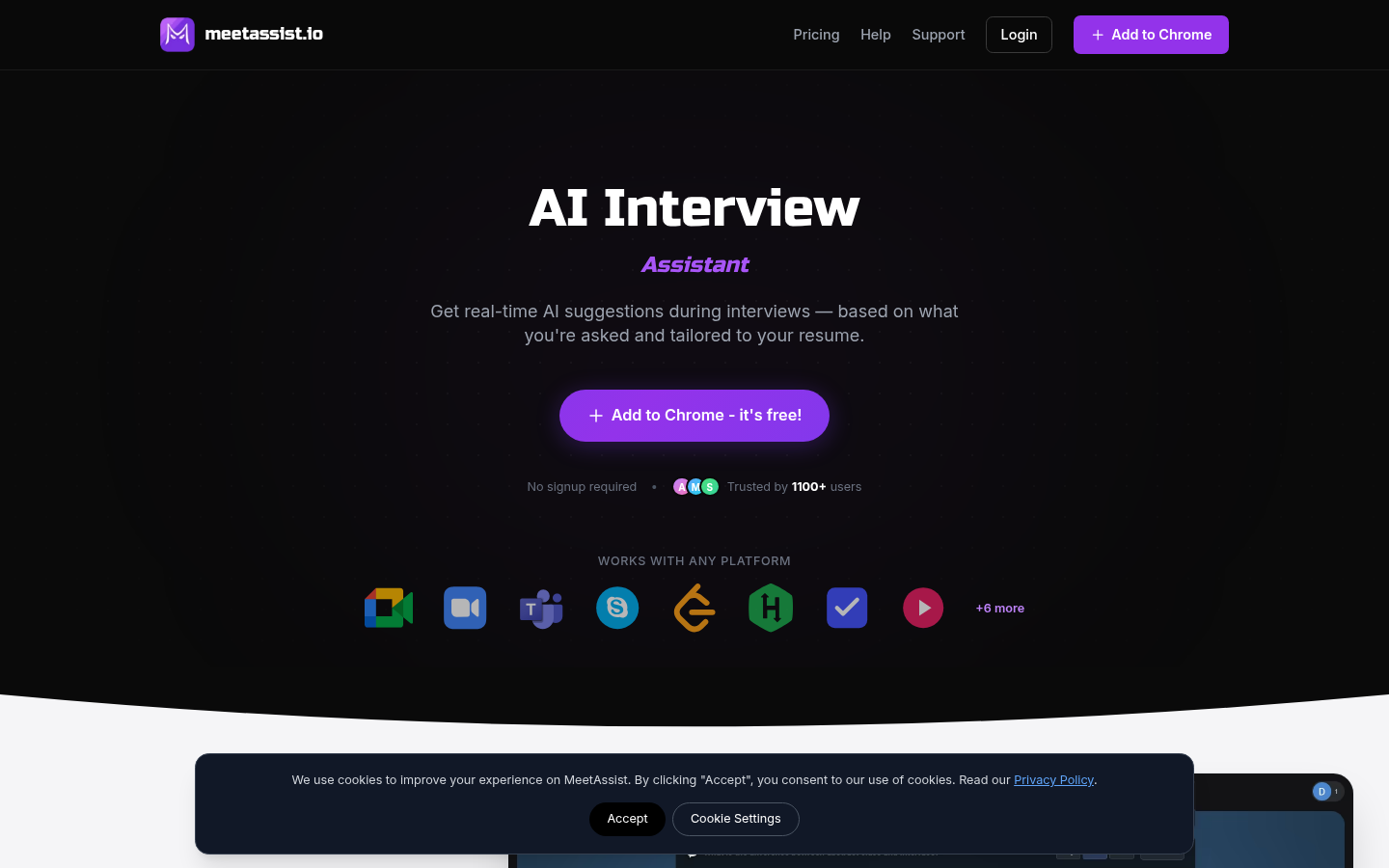
Screenshot archived from the listing page, for preview only.