
MakeItAQuote
Free quote image generator for social postsTurn text into shareable quote images, free
Highlights
What you can do with it
- Instagram bloggers make quote images as post covers
- TikTok creators add a quote image to the start of a video
- LinkedIn users build quote images as article illustrations
How to use it
- 1 Enter or paste the quote, title, or line you want.
- 2 Choose the gradient text card or the photo quote mode.
- 3 Pick a size that fits your platform.
- 4 Adjust font, size, color, alignment, and gradient angle.
- 5 Download the high-resolution PNG.
Who it is for
Pros
- Completely free for basic use
- No registration and no install, runs in browser
- Many sizes and font options
- High-resolution PNG export
Limitations
- Free downloads carry a small watermark
- Some fonts are Pro only, so choice is limited when free
- Pro discount is limited-time, and pricing can change
- It is a focused quote tool, not a full design editor
What MakeItAQuote is
MakeItAQuote is a free online quote generator that turns text into shareable images. You type a quote, a title, or a short line, and the tool wraps it in a design you can post. There are two ways to build the look. The first is a simple gradient text card that focuses on clean typography. The second is a photo quote mode, where you upload your own image and lay the text over it. The tool offers several sizes for different platforms, including square, vertical, story, horizontal, and link preview, so one quote can be reshaped for each channel. You also get a range of fonts and controls for size, color, alignment, and gradient angle. Everything runs in the browser, with no registration and nothing to install.
What you can do with it
- Turn a quote or short line into a shareable image.
- Choose a gradient text card or upload your own photo.
- Export in square, vertical, story, horizontal, or link preview sizes.
- Adjust fonts, text size, color, alignment, and gradient angle.
- Download a high-resolution PNG for posting.
Who it is for
- Social media creators who post quotes often.
- Bloggers and newsletter writers who need simple graphics.
- Marketers making lightweight branded quote visuals.
- Anyone who wants to share a line of text as an image.
What to watch out for
Basic use is free, but free downloads carry a small watermark, so you need the Pro version for clean files. Some fonts are locked to Pro, which limits choice on the free plan. The Pro discount is limited-time and pricing can change, so confirm current costs if you plan to upgrade. This is a focused quote tool rather than a full design editor, so it will not handle complex layouts or multi-element graphics. Check that the size you need is supported before you design around a specific platform format.
FAQ
Is it free?
Basic use is completely free, and you can download high-resolution PNG images, though free files carry a small watermark.
Do I need to register?
No. Everything runs in the browser with no registration and no install.
What sizes can I export?
Square, vertical, story, horizontal, and link preview sizes are supported.
What does Pro add?
Pro removes limits and unlocks extra fonts, and it is offered at a limited-time discount.
Why it is free
What the official page says: completely free
Free limits, trial length and features are decided by the official site and can change at any time.
Product preview
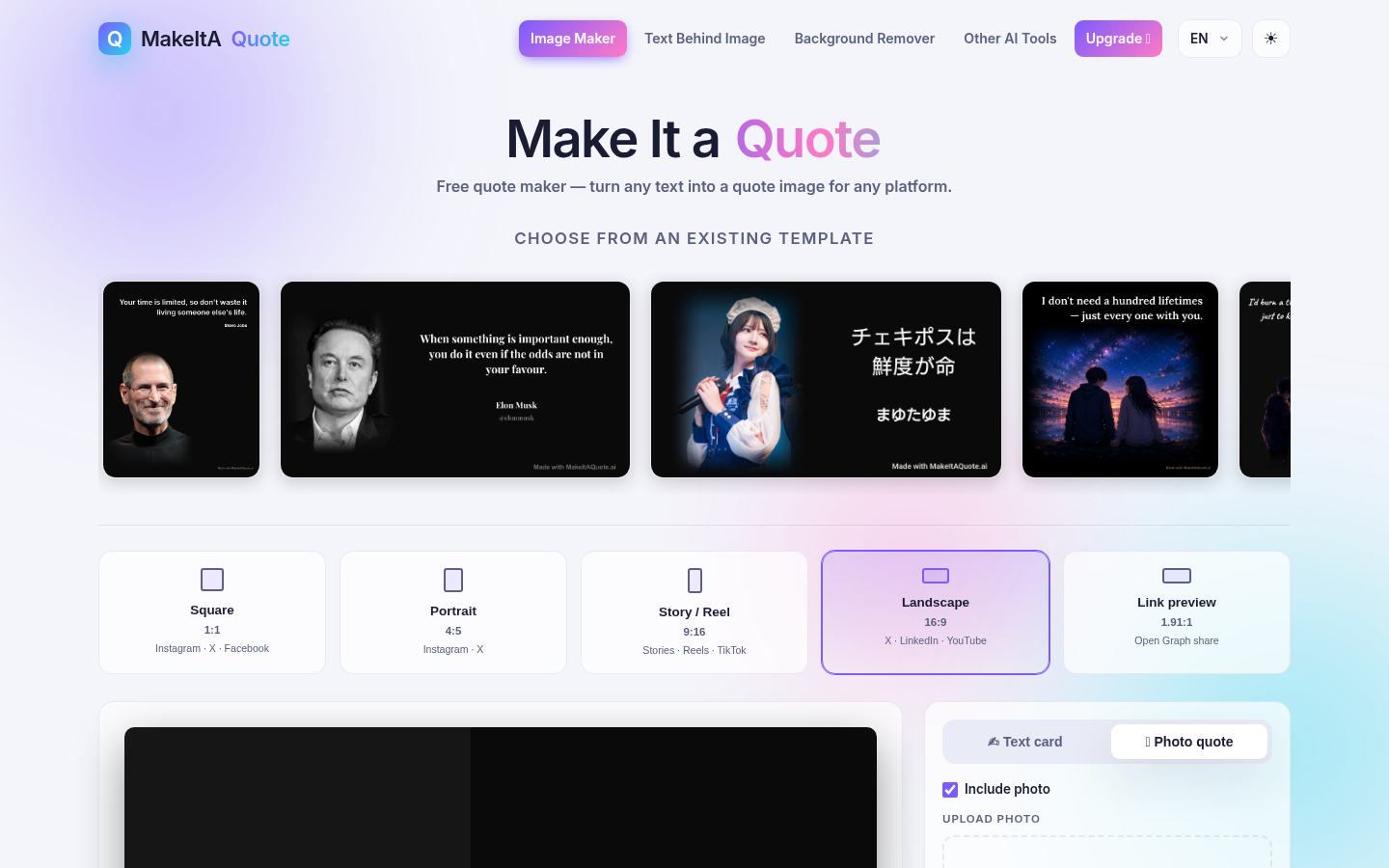
Screenshot archived from the listing page, for preview only.











