
MailGenerator
Free AI email generator and writing toolGenerate email copy in a few clicks
Highlights
What you can do with it
- A marketer drafts a campaign email sequence
- A support writer prepares a reply to a customer question
- A salesperson builds reusable outreach templates
How to use it
- 1 Open the MailGenerator website
- 2 Fill in tone, length, language, and objective
- 3 Click the generate button
- 4 Copy the result into your email editor
- 5 Edit as needed and send
Who it is for
Pros
- No cost listed for basic generation
- Controls for tone and length keep output on brief
- Very quick from blank page to usable draft
Limitations
- Generated text still needs editing to sound human
- Generic output can feel templated if prompts are vague
- Free access and limits can change
- The domain is young, so long term reliability is unproven
What MailGenerator is
MailGenerator is a free AI email writing tool at mailgenerator.ai. You describe what you need by setting tone, length, language, and objective, then press generate and receive a draft you can paste into any mail client. The page says the goal is better response rates and cleaner content without spending time on every message from scratch. It is a small, focused tool rather than a full email platform, which keeps the learning curve close to zero.
What you can do with it
- Draft outbound marketing emails with a chosen tone
- Prepare replies to customer inquiries quickly
- Build reusable templates for sales outreach
- Adjust length and language to fit the audience
Who it is for
- Freelancers who send a lot of client email
- Small business owners doing their own outreach
- Sales and support teams that need consistent drafts
What to watch out for
Generated copy is a starting point. If your inputs are vague, the output reads generic, and you should always edit for accuracy, tone, and anything the tool could not know about your situation before sending a real message. The domain is young, so long term reliability is not proven, and free access can change or disappear, so do not make it the backbone of a workflow. Do not paste confidential details into any third party generator without checking its privacy terms first, and remember that automated outreach still has to respect consent and anti spam rules. Behavior may vary across browsers and devices, so test before production use and consult the help docs if errors appear. Features and interface details may change between versions, so review the latest notes on the page before you start.
FAQ
Is MailGenerator free?
The page describes it as a free AI email generator. Confirm current terms before relying on it for daily work.
What do I need to provide?
Tone, length, language, and the objective of the email, then you click generate.
What is it used for?
Marketing email, replies to customer inquiries, and sales templates are the listed uses.
Why it is free
What the official page says: 免费
Free limits, trial length and features are decided by the official site and can change at any time.
Product preview
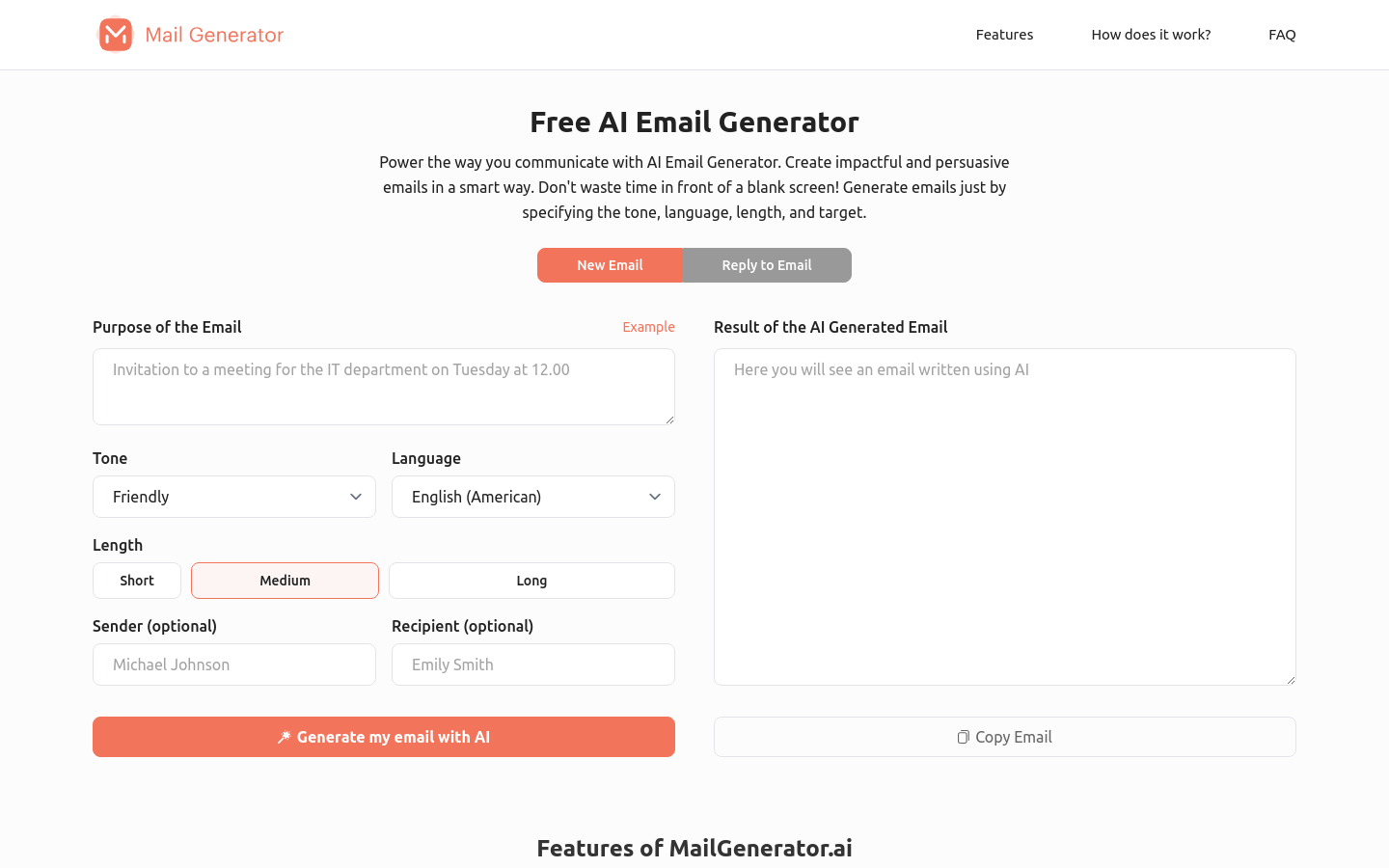
Screenshot archived from the listing page, for preview only.











