Lyria 3.5
Text and lyrics to song generatorTurn prompts or lyrics into a music draft
Highlights
What you can do with it
- Generate background music for a social media video
- Turn an idea into a first draft and main melody for a song
- Create opening and closing music for a podcast
How to use it
- 1 Decide whether to work from an inspiration prompt or your own lyrics
- 2 Submit the brief through the studio panel, which creates an APIMart Suno task
- 3 Track the task ID until the track is ready
- 4 Preview, then download the generated music
Who it is for
Pros
- Works from a plain description, so no production background is needed
- Lyrics mode keeps your own words and structure
- Instrumental mode covers cases where vocals would get in the way
- Key handling stays server-side rather than exposed in the browser
Limitations
- Generation needs an APIMart key and depends on upstream usage limits, so it is not free to run
- Output is a draft, not a finished master, and needs mixing and review
- Rights and licensing for AI generated music vary by platform and territory
What Lyria 3.5 is
Lyria 3.5 is an AI music generator that runs Suno models through a server-side APIMart route. You can work in two ways: describe the song you want by mood, genre and vocal style, or paste your own lyrics and set a title and style tags so the track follows your words. There is an instrument mode when you need music without vocals, and you can pick between Suno-compatible versions from v3.5 to v5.5, which changes the character of the result. Browsing the site is free, but actual generation requires an APIMart key and depends on upstream usage limits, with a creator plan mentioned for later.
What you can do with it
- Turn a written description into a song draft with vocals
- Generate a track from your own lyrics and style tags
- Produce a pure instrumental accompaniment when vocals are not wanted
- Switch model versions to change the style and finish of the output
- Preview and download the finished draft
Who it is for
- Music creators who want to hear an idea before arranging it properly
- Social media creators who need background music for a video
- Podcast hosts building distinctive intro and outro music
- Game developers needing placeholder tracks during development
What to watch out for
This is not a free output tool: generation needs an APIMart key, and cost and availability depend on the upstream service, which can rate-limit or change without notice. The result is a draft, not a mastered release, so expect to do real production work afterwards. Ownership and licensing of AI generated music also varies by platform and territory, so check the terms of wherever you plan to publish before you release a track commercially.
FAQ
Is Lyria 3.5 free?
Exploring the site is free, but generating songs requires configuring an APIMart key, and usage depends on upstream limits and cost.
Can I use my own lyrics?
Yes. Custom lyrics mode lets you paste lyrics and set the title and style tags before generating.
Can it make instrumental music?
Yes. Switch to instrument mode before generation and it produces a track without vocals.
Which model versions are available?
Suno-compatible versions from v3.5 through v5.5, which can produce different styles and results.
Why it is free
What the official page says: for free
Free limits, trial length and features are decided by the official site and can change at any time.
Product preview
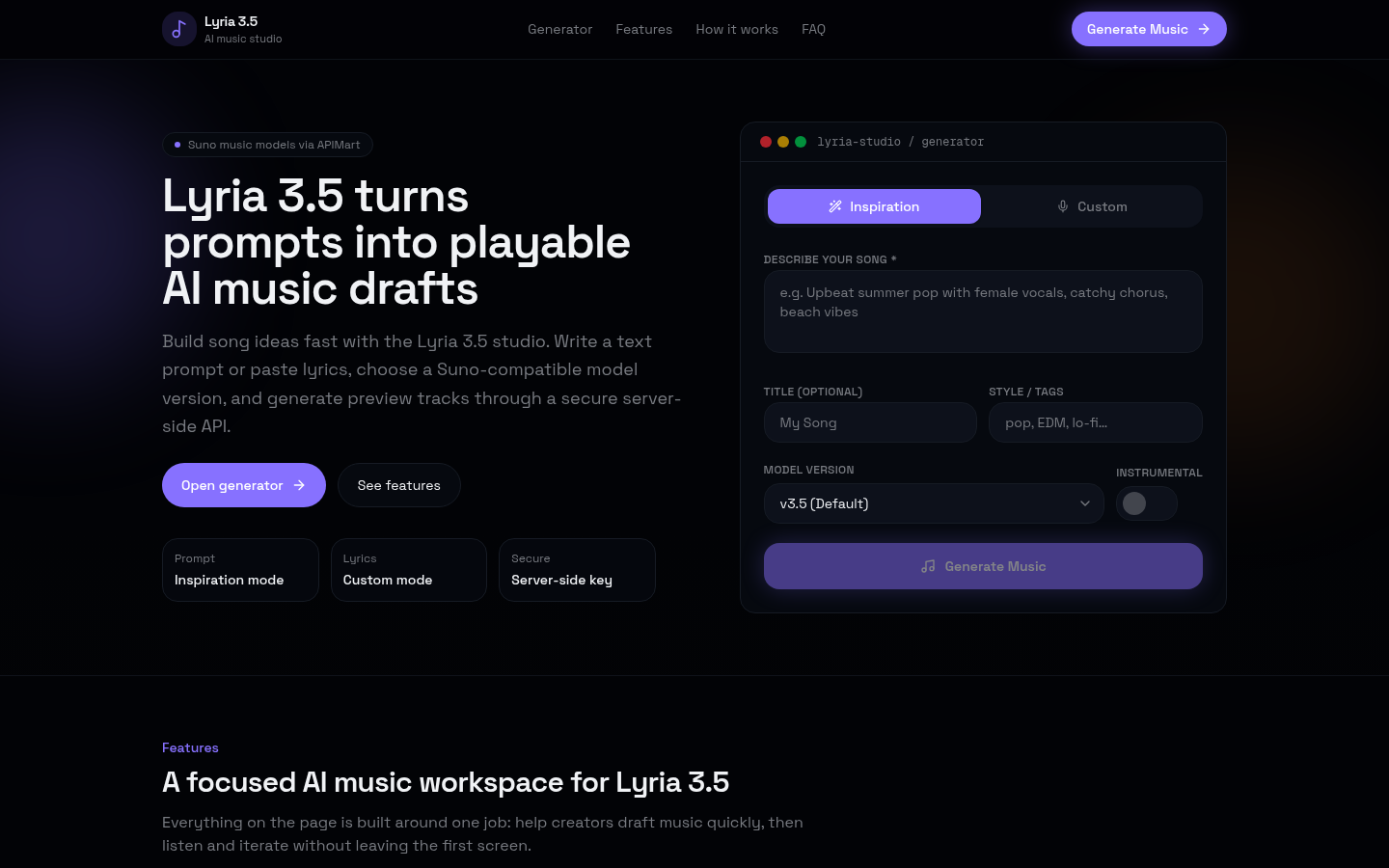
Screenshot archived from the listing page, for preview only.