LivePortrait
Photo to dynamic portrait toolMake static portraits move
Highlights
What you can do with it
- Make a moving avatar from a photo for social media
- Create realistic dynamic portraits for a promo video
- Use dynamic portraits inside an entertainment app
How to use it
- 1 Open the LivePortrait studio page
- 2 Upload the portrait photo you want to animate
- 3 Select the action or expression you want
- 4 Generate the dynamic portrait
- 5 Download and use it where you need it
Who it is for
Pros
- The flow is simple, upload, choose, generate
- The site highlights realistic and subtle facial motion
- A free trial lets you test before paying
Limitations
- Clear face photos are needed for good results
- The free trial has limits and heavier use needs a subscription
- Animating a real face without permission can break rules, and the responsibility sits with the user
What LivePortrait is
LivePortrait is an AI portrait generation tool that turns static photos into realistic dynamic portraits. The process is straightforward: upload a photo, pick from different actions and expressions, and the tool generates a dynamic portrait with vivid, subtle facial changes. The site presents it for personal entertainment, social sharing, and advertising promotion. Access comes with a free trial plus paid subscription options, so you can try before committing.
What you can do with it
- Turn a still portrait into a short moving clip.
- Choose different actions and expressions for the face.
- Build a social avatar that stands out from a static photo.
- Add motion to promotional material without filming.
Who it is for
- Social media users who want an animated avatar.
- Marketers who need quick motion in promo clips.
- App builders looking for animated character moments.
What to watch out for
Clear face photos give the best results, and low quality images will limit the effect. The free trial has limits, and regular use means a subscription. Since the tool animates real people, only use photos of individuals who have agreed to it, and follow the rules of any platform where the clip is posted. Misusing face animation can cause real harm, and the consequences fall on the user. Generated suggestions are for reference only, so verify anything that affects professional judgment or important data. Start with a small sample to confirm the output meets your expectations before processing the full batch. Save a backup of the original file before large batch jobs, and keep an exported copy of key results in case the page or service becomes temporarily unavailable.
FAQ
Is LivePortrait free?
It offers a free trial and paid subscription options.
What input does it need?
You upload a photo and then select actions and expressions.
Where can I use the videos?
The site lists personal entertainment, social sharing, and advertising promotion.
How realistic is it?
The site highlights high realism and subtle facial changes.
Why it is free
What the official page says: free trial
Free limits, trial length and features are decided by the official site and can change at any time.
Product preview
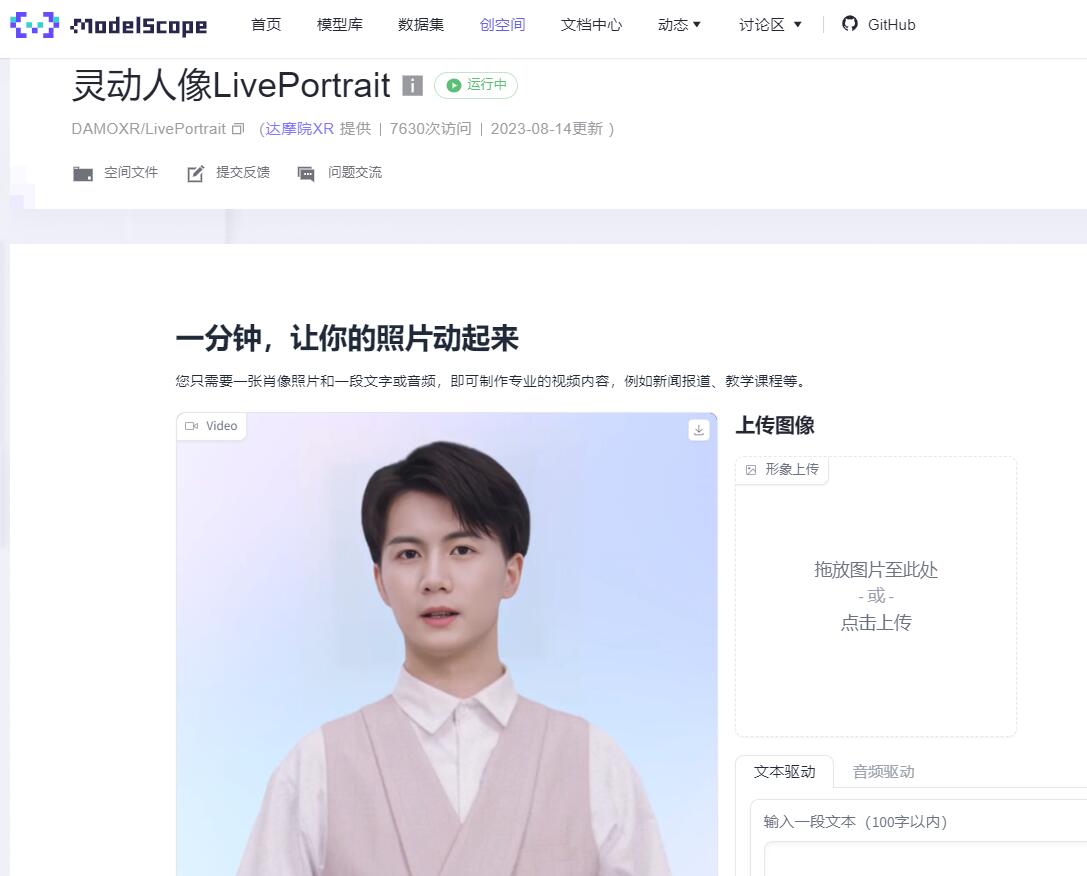
Screenshot archived from the listing page, for preview only.