LIRA
Chrome plugin for instant answers and notesRight click any page to ask, summarize, and save notes
Highlights
What you can do with it
- Students taking notes on course pages
- Researchers summarizing academic papers
- Professionals pulling facts from reports
How to use it
- 1 Install the LIRA plugin for Chrome
- 2 Open any webpage
- 3 Right click text or an image
- 4 Choose add note or ask a question
- 5 Use the instant answer or summary
Who it is for
Pros
- Runs quietly in the background
- Instant answers without leaving the page
- Free basic service
Limitations
- Free tier has usage limits
- Advanced features need Plus or Premium
- AI answers should be verified
What LIRA is
LIRA is a Chrome plugin built for students. It runs in the background on any webpage, and you can right click text or an image to add a note or ask a question. The plugin returns instant answers, summaries, and explanations, so you can keep reading without switching tools. Basic service is free, and Plus and Premium plans add features and higher usage limits. It is made by Dris and aims to help busy students learn smarter.
What you can do with it
- Right click any text to save a note or ask a question
- Get instant summaries of long pages
- Read explanations without leaving the page
- Launch the plugin with a right click or shortcut
Who it is for
- Students taking notes on course webpages
- Researchers summarizing papers and articles
- Busy professionals pulling facts from reports
What to watch out for
The free tier has usage limits, and more features require Plus or Premium plans. Answers come from an AI model, so verify anything important before relying on it. Running a plugin on every page means it sees page content, so check the privacy policy if that matters to you. Summaries can miss detail, so use them as a guide rather than a replacement for reading. Name and archive exported files consistently so you can find and reuse them, and keep a backup copy of key data. When quality matters, export a small draft first to confirm the result before producing the final file. Behavior may vary across browsers and devices, so test before production use and consult the help docs if errors appear. Features and interface details may change between versions, so review the latest notes on the page before you start.
FAQ
How do I use LIRA?
Install the Chrome plugin, then right click text or an image to add a note or ask a question.
Is it free?
Basic service is free, with Plus and Premium plans for more features and higher limits.
Does it work on any site?
Yes, it runs in the background on any webpage.
Why it is free
What the official page says: 免费
Free limits, trial length and features are decided by the official site and can change at any time.
Product preview
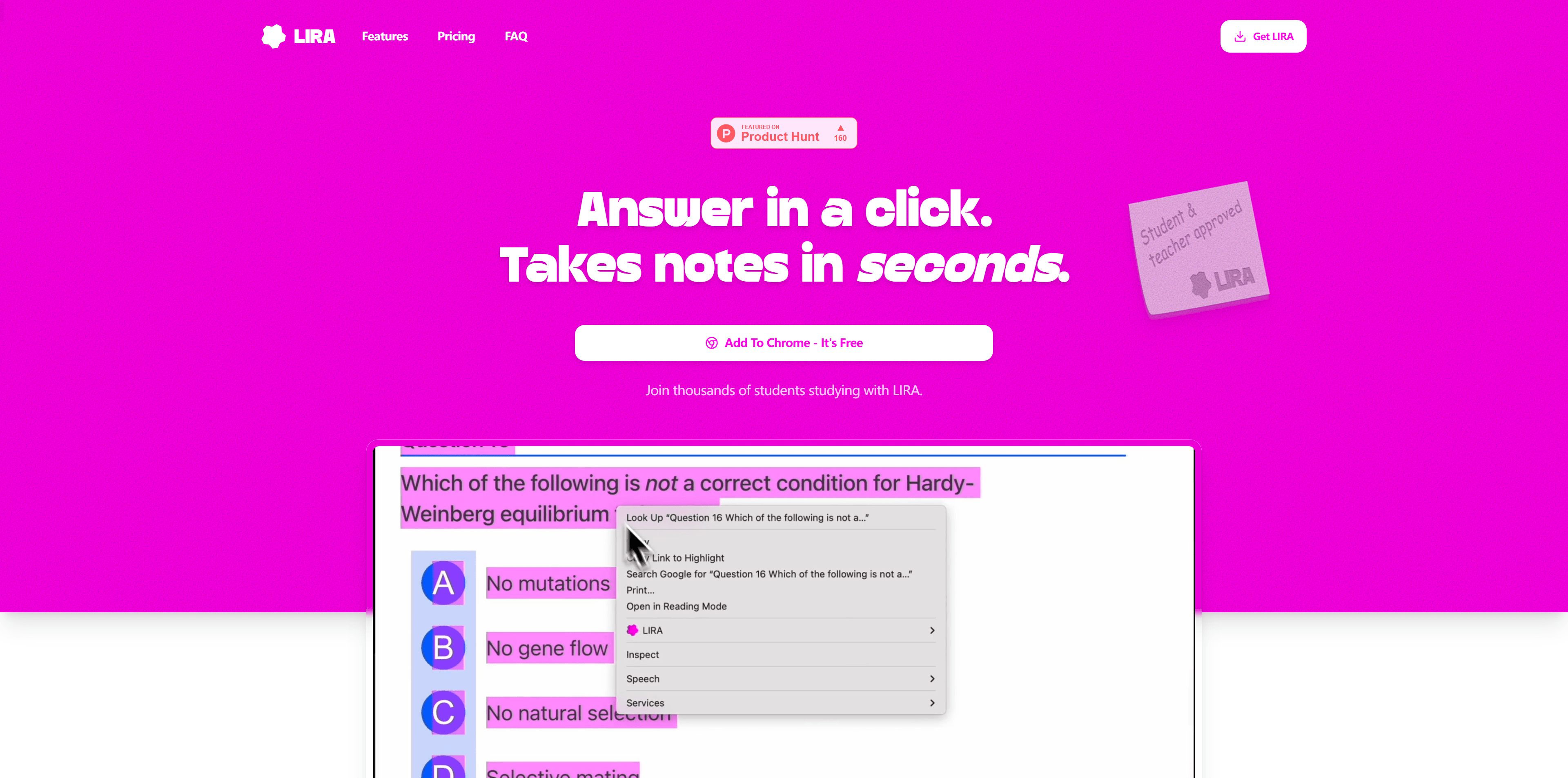
Screenshot archived from the listing page, for preview only.