
LingYu Assistant
AI assistant that works inside any appRead, write, and code in any application
Highlights
What you can do with it
- Translate or summarize selected text anywhere
- Generate an outline and write a long article
- Get coding and writing help inside your editor
How to use it
- 1 Download LingYu Assistant from the official site
- 2 Install it and grant the needed permissions
- 3 Select text or use a shortcut to open the assistant
- 4 Choose translate, explain, summarize, or chat
Who it is for
Pros
- Free to use
- Works inside the apps you already use
- One-click text actions save switching
Limitations
- It needs system permissions to read selected text
- Feature quality can vary by app and platform
- The site returned a redirect status when last checked
What LingYu Assistant is
LingYu Assistant, also presented as AI Anywhere, is an AI assistant that works across all your applications. It lets you read, write, and code in any app without copying and pasting between windows. It integrates with the tools you already use, including PDF readers, communication tools, text editors, and code editors. With its AI capabilities it can generate outlines, write long articles quickly, and refine your writing. It also offers quick one-click handling of selected text, such as translation, explanation, and summarization, and you can chat with it through shortcuts or by selecting text. It is free to use and can be downloaded from the official site.
What you can do with it
- Read, write, and code inside your current app
- Translate, explain, or summarize selected text in one click
- Generate outlines and draft long articles
- Chat with the assistant using a shortcut
Who it is for
- People who read and write across many apps
- Writers and students who work with documents
- Developers who want help inside their editor
What to watch out for
To work inside other apps it needs system permissions to read selected text, so review what it asks for and install it only from the official site. Feature quality can vary by app and platform, and some integrations may not work everywhere. The site returned a redirect status when it was last checked, so make sure you land on the current official domain before downloading. AI writing and code are a starting point, so review output before you rely on it. Start with a small sample to confirm the output meets your expectations before processing the full batch.
FAQ
Is LingYu Assistant free?
Yes, it is described as free to use and downloadable from the official site.
How does it work across apps?
It integrates with your apps so you can read, write, and code without copying and pasting between windows.
What one-click actions does it have?
It can translate, explain, and summarize selected text, and you can chat via shortcuts.
Why it is free
What the official page says: free to use
Free limits, trial length and features are decided by the official site and can change at any time.
Product preview
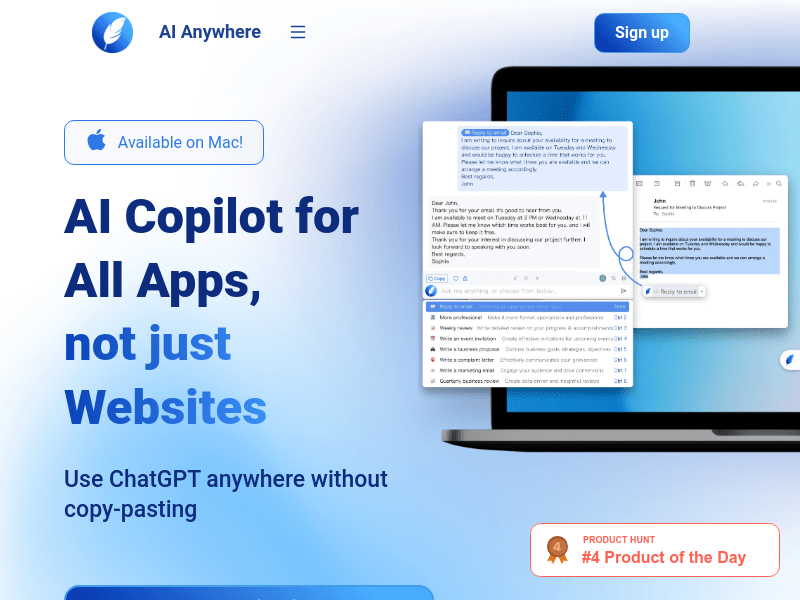
Screenshot archived from the listing page, for preview only.











