Lifestack
Energy based daily schedule plannerPlan tasks around your energy
Highlights
What you can do with it
- Schedule demanding work at your energy peak
- Move low priority tasks to low energy periods
- Review which activities drain or restore energy
How to use it
- 1 Connect your health data, calendar and to do list to Lifestack.
- 2 Open the energy visualization to see your peaks and troughs.
- 3 Import tasks and place them at suitable energy levels.
- 4 Follow the personalized recommendations during the day.
- 5 Review the end of day data to refine your routine.
Who it is for
Pros
- Uses real health data rather than guesswork
- Visual energy curve is easy to read
- Aims at sustainable output, not just more hours
- Free trial to test the approach
Limitations
- Free trial is limited and continued use needs a subscription
- Depends on wearable or health data being available
- Energy estimates are approximate
- Rigid calendars can make rescheduling hard
What Lifestack is
Lifestack is a scheduling tool built on a simple idea: not all hours are equal. It connects your health data, calendar and to do list, then uses your circadian rhythm to estimate an energy curve for the day. Demanding tasks get pushed toward your peaks, and low value work moves to the troughs. The stated goal is better output without overwork, and the page frames it as a way to avoid burnout rather than squeeze more hours out of a day. A free trial is available, with subscription plans after that.
What you can do with it
- Connect health data, calendar and to do list in one place.
- See a visual energy curve for your day.
- Schedule important tasks at your energy peak.
- Review which activities drain energy and which restore it.
Who it is for
- Knowledge workers with heavy, interrupt driven schedules.
- People trying to work sustainably and avoid burnout.
- Wearable owners who want their health data to do something useful.
What to watch out for
The free trial is limited and ongoing use requires a subscription, so check pricing before committing. The whole approach depends on health data, so if you do not wear a device or your data is sparse, the energy estimates become rough guesses. Circadian rhythm is a baseline, not a promise: sleep, caffeine, illness and meetings all shift your real energy, so keep flexibility in the plan. Finally, a tool that shows you are overloaded does not fix an overloaded calendar, and only you can remove work. Free tiers and usage limits can change, so check the current rules on the official page before relying on it long term.
FAQ
What is Lifestack?
A productivity tool that combines health data and your calendar to plan tasks around your energy levels.
How does it estimate energy?
It uses your circadian rhythm to calculate energy levels and shows a visual energy curve.
Is there a free trial?
Yes. Lifestack offers a free trial, with subscription plans based on your needs.
What data does it need?
Health data such as wearable device data, plus your calendar and to do list.
Why it is free
What the official page says: free trial
Free limits, trial length and features are decided by the official site and can change at any time.
Product preview
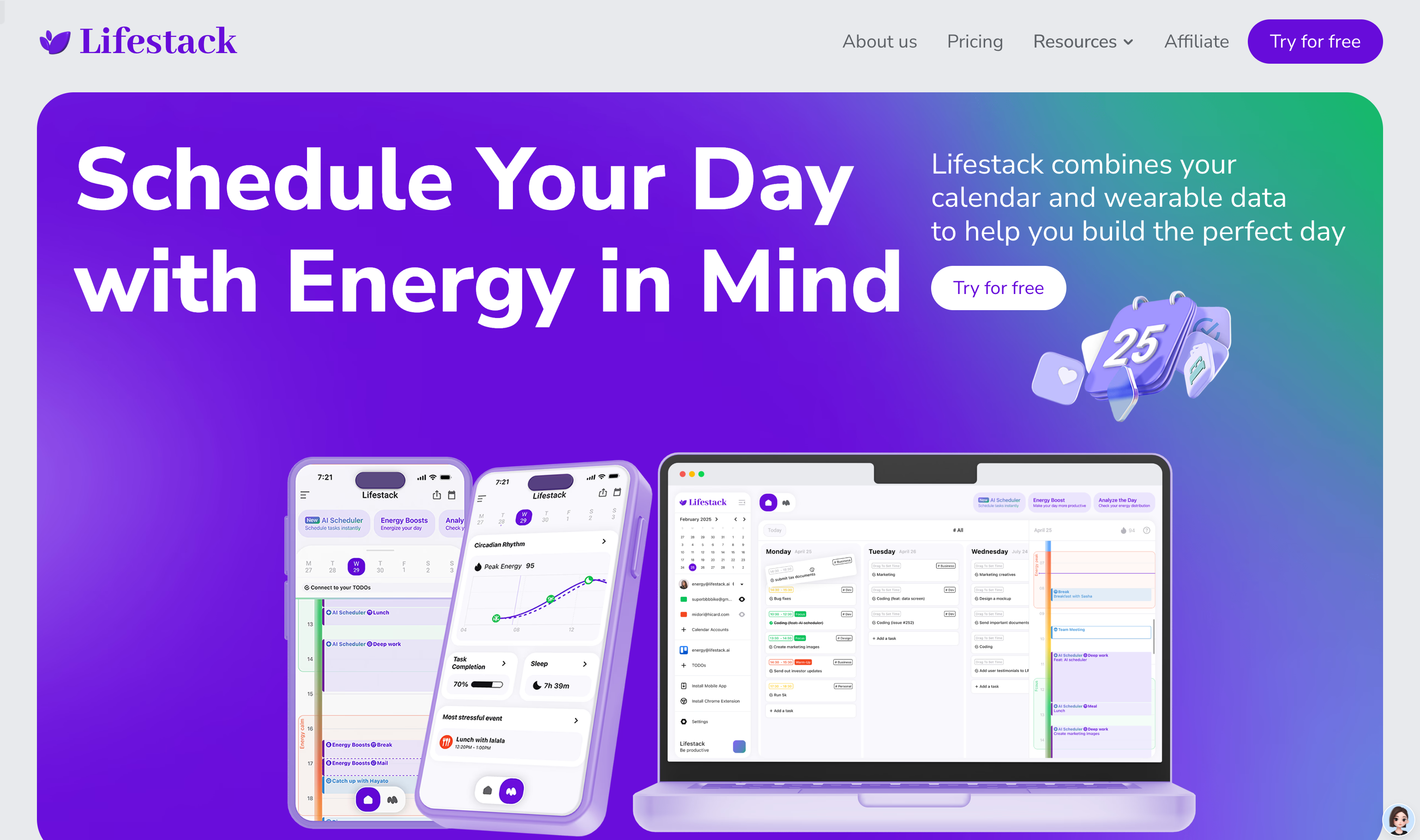
Screenshot archived from the listing page, for preview only.











