
Leximory
Reading-based language learning websitePick up a language through extensive reading
Highlights
What you can do with it
- A student imports a foreign article and picks up new vocabulary in context
- A learner reviews saved words in the vocabulary book with random self-tests
- A teacher runs a study group and shares reading material with it
How to use it
- 1 Open the Leximory homepage and choose to import web text or upload an eBook
- 2 Read in place and click any highlighted word for a definition and etymology
- 3 Save key vocabulary to your vocabulary book as you go
- 4 Review saved words and run random self-assessments
- 5 Use print mode or the AI audio feature for offline and listening practice
Who it is for
Pros
- One-click import and automatic highlighting of new words
- Etymology notes connect related words instead of isolating them
- Resource library and study groups add material you would not find alone
Limitations
- It is an auxiliary tool, not a full course with a graded syllabus
- The free status is stated on the site but can change over time
- Reading quality depends on how clean the imported text or eBook is
What Leximory is
Leximory is a language learning website built around extensive reading. The premise is that steady input of readable material does more for acquisition than rule drilling, so the site treats grammar and etymology as support tools rather than the main event. You import text from the web with one click and the AI highlights words that are new to you, or you upload an eBook and read it inside the site while looking words up as you go. Clicking a highlighted word shows a definition plus a short etymology, which helps related words stick together instead of sitting in isolation. Saved vocabulary lands in a vocabulary book where you can review it and run random self-tests. The site says the product is currently free.
What you can do with it
- Import web text with one click and read it in place with new words highlighted
- Upload eBooks and look up vocabulary without leaving the page
- Save words to a vocabulary book, then review them with random self-assessments
- Print sidebar annotations next to the text for offline study
- Activate AI audio to listen while you read
- Browse the resource library market or join study groups for shared material
Who it is for
- Learners who would rather read than drill flashcards
- Students building vocabulary through context instead of word lists
- Readers working through a second language on their own
- Teachers and study groups who want a shared pool of material
What to watch out for
Leximory is an auxiliary tool, not a full course. It does not teach grammar systematically, so it works best alongside other study rather than as your only input. The free status is stated on the site but can change, so confirm the current terms before you depend on it. Because you import outside text and eBooks, you are responsible for the rights on whatever you upload. File quality also matters: a badly formatted eBook makes highlighting and reading harder, so clean sources give better results.
FAQ
Is Leximory free?
The site describes the product as currently free. Because access rules can change, check the site for the latest terms before you rely on it long term.
Do I have to upload my own books?
No. You can import text from the web with one click, upload an eBook, or use material from the resource library and study groups.
How does it decide which words are new?
The AI highlights words it treats as new for you during reading. Clicking a highlighted word shows the definition and a short etymology, and you can save it to your vocabulary book.
Can I study away from the screen?
Partly. Print mode prints the sidebar annotations next to the text, and the AI audio feature lets you listen while you read, which helps when you cannot look at a screen.
Why it is free
What the official page says: for free
Free limits, trial length and features are decided by the official site and can change at any time.
Product preview
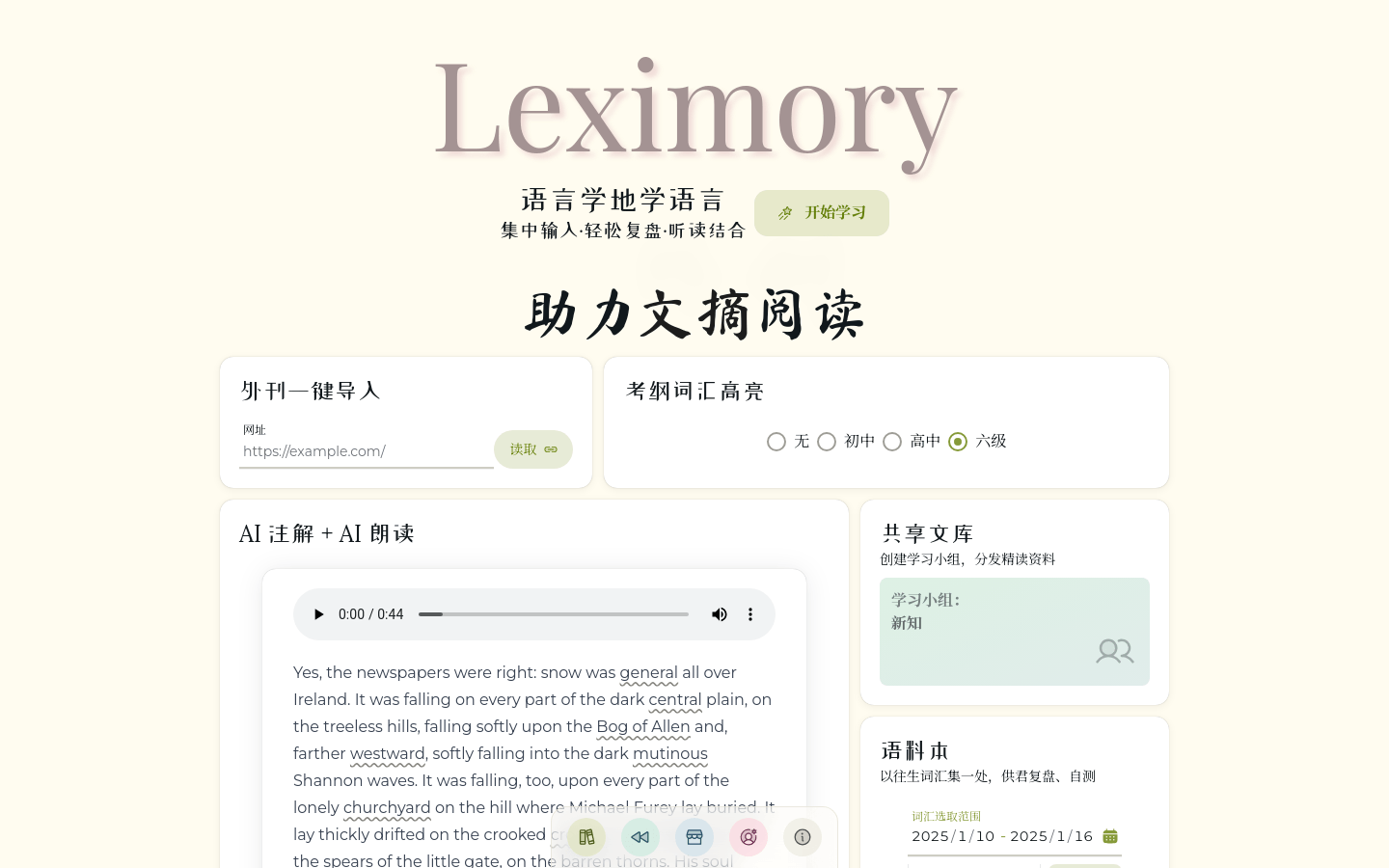
Screenshot archived from the listing page, for preview only.











