
Lalals
AI audio tools for music and voiceSeparate, clone, and create audio
Highlights
What you can do with it
- A song creator generates a full track from a prompt and adds a custom voice
- A short video creator makes sound effects and loops for content
- An audio engineer cleans a recording and separates stems for a remix
How to use it
- 1 Open lalals.com in your browser
- 2 Register a free account or log in
- 3 Pick the tool you need, such as music creation or track separation
- 4 Follow the prompts by uploading audio or entering text
- 5 Wait for processing, then download the result
Who it is for
Pros
- Many audio tools gathered in one platform
- A large voice library for conversion work
- Fast processing from upload to download
- A free starting point is mentioned
Limitations
- Cloning a voice requires the right to use it, and misuse can break laws or platform rules with the responsibility on you
- Free access limits are not clearly stated
- Output quality varies by source material
- Pricing and availability may change
What Lalals is
Lalals is an audio tool platform built on AI. It gathers several audio jobs that normally need different programs into one place. The voice side offers more than 1000 AI voices, and you can build your own model by providing voice audio you have the right to copy, then use it as a voice changer or for text-to-voice conversion. The separation side splits any song into vocals, instruments, and more than 20 additional tracks that can be handled independently, which is useful for remixes and cleanup. Creation tools generate sound effects, loops, and samples from text prompts, produce complete songs or instrument performances from simple prompts, and master uploaded tracks against a reference to raise overall quality. Processing tools remove background noise, echo, and reverb from files, and lyrics can be extracted from audio. The site says you can start using it for free.
What you can do with it
- Split a song into vocals, instruments, and many separate stems
- Convert voice or generate speech with a large voice library
- Create sound effects, loops, and full tracks from prompts
- Clean audio by removing noise, echo, and reverb
- Master a track against a reference recording
Who it is for
- Music creators writing and producing tracks
- Audio engineers cleaning and remixing recordings
- Content creators who need sound effects and loops
- Professional musicians, producers, and DJs
What to watch out for
Voice cloning carries real responsibility. You must have the right to use any voice you clone, and using someone's voice without permission can violate law, platform rules, or both, with the consequences falling on you. Free access limits are not clearly stated, and the site does not confirm whether a paid model exists, so check current terms before relying on it. Output quality depends heavily on the source material, since a noisy or low-bitrate upload produces a noisy result. Separation and mastering help a mix but do not fix a badly recorded performance, so treat these as polish rather than rescue.
FAQ
What is voice cloning used for here?
You provide voice audio you have the right to copy, and the platform builds a model usable as a voice changer or for text-to-voice conversion. Using someone else's voice without permission can violate law or platform rules.
How many tracks can it separate?
It can separate a song into vocals, instruments, and more than 20 additional audio tracks that can be handled independently.
Can it generate music from text?
Yes. From simple prompts it can create complete songs or instrument performances, with your own lyrics or lyrics written by the AI.
Is there a free option?
The site mentions that you can start using it for free, though the limits and any paid model are not clearly stated.
Why it is free
What the official page says: for free
Free limits, trial length and features are decided by the official site and can change at any time.
Product preview
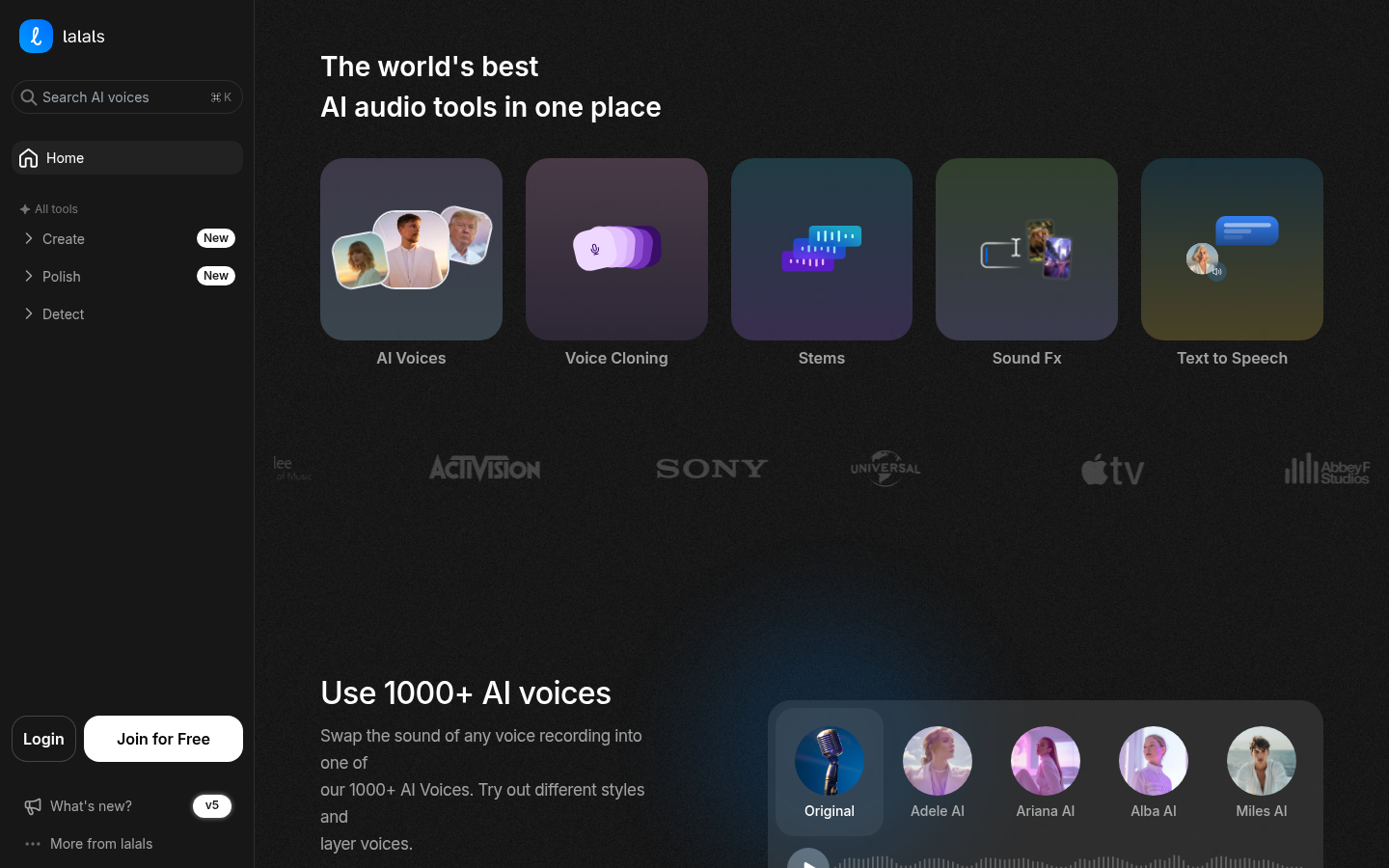
Screenshot archived from the listing page, for preview only.











