
kovvid ai
Free multi-model AI image and video generatorMany top models, no login, compare results side by side
Highlights
What you can do with it
- Create a high-detail indoor portrait from a written prompt
- Make a tutorial thumbnail for a web design video
- Produce a short high-end cosmetics ad video
How to use it
- 1 Visit kovvid.com and start without logging in
- 2 Pick a function such as text-to-image or image-to-video
- 3 Upload a reference image or enter your prompt
- 4 Set options like ratio and resolution, then choose a model
- 5 Generate, compare models, then view and download the result
Who it is for
Pros
- Many strong models in one place
- No login needed to start
- Multi-model comparison in one view
- Says it can be used for free
Limitations
- Free access and the discounted annual plan can change
- Uploads are capped at 10MB and common formats only
- Quality varies by model and prompt
- Generated video and faces need careful, honest use
What Kovvid AI is
Kovvid AI is an AI image and video generation platform that brings several advanced models together, including Sora 2, Veo 3, Nano Banana Pro, Seedream 4.5, and Kling AI. It lets you create without logging in and without switching between platforms, and it supports text-to-image, image-to-image, text-to-video, and image-to-video, plus first and last frame control for precise video starts and ends. You can compare models on the platform at once to pick the best result, upload common image formats up to 10MB, and lean on many prompt examples for guidance. It says it can be used for free, with an annual paid package currently offered at a 50 percent discount. It targets content creators, marketers, students and educators, and designers who want many models in one place.
What you can do with it
- Create a high-detail indoor portrait from a written prompt
- Make a thumbnail or visual for a tutorial video
- Produce a short ad video with a chosen model
- Convert a static image into a video or restyle it
Who it is for
- Content creators who need image and video assets fast
- Marketers making ad and product visuals
- Students and educators building teaching materials
- Designers doing style conversion and short video work
What to watch out for
Free access and the discounted annual plan can change, so confirm current terms before you depend on them, and treat the free tier as a starting point rather than a promise. Uploads are capped at 10MB and limited to common formats, so large source files need resizing first. Quality varies by model and prompt, and you may need to compare models to get a usable result, so plan some tries. Generated video and faces should be used honestly, since misleading or impersonating content can cause problems that are yours to carry.
FAQ
What is Kovvid AI?
It is a free multi-model AI platform for generating images and videos without login.
Which models does it use?
It integrates models such as Sora 2, Veo 3, Nano Banana Pro, Seedream 4.5, and Kling AI.
Do I need an account?
No, you can start using it directly without login.
Why it is free
What the official page says: for free
Free limits, trial length and features are decided by the official site and can change at any time.
Product preview
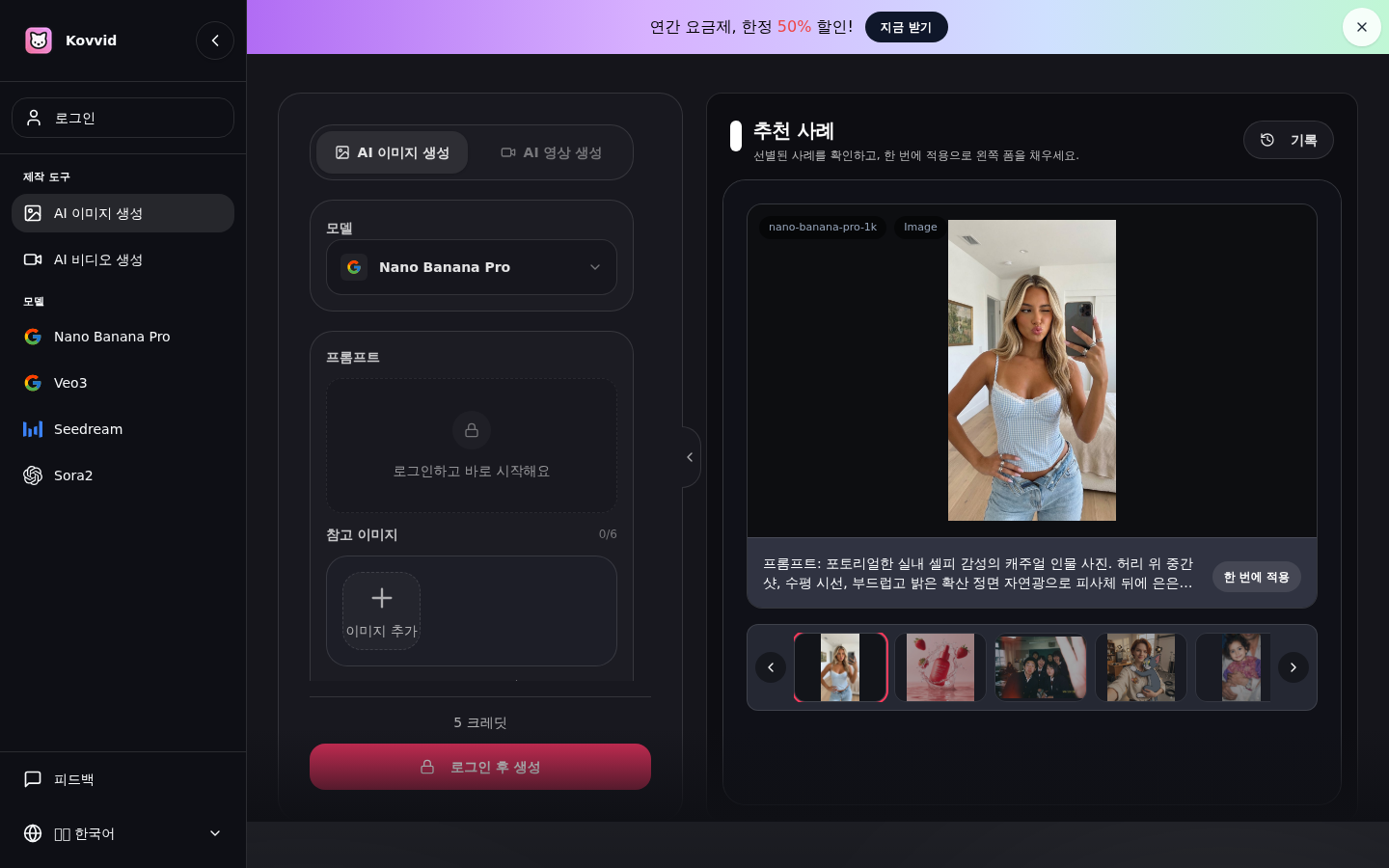
Screenshot archived from the listing page, for preview only.











