
KouKouTu AI
Free AI matting toolRemove backgrounds from photos for free
Highlights
What you can do with it
- Process product photos and generate white background images for online listings
- Extract patterns and clean up design material for a project
- Restore and colourise old black and white family photos
How to use it
- 1 Open the KouKouTu site and pick the function you need
- 2 Upload the images you want to process
- 3 Adjust the matting settings or select foreground and background
- 4 Click process, wait for the AI to finish, then download the result
Who it is for
Pros
- Permanently free and usable without design skills
- Batch processing saves time on large sets of images
- Covers several everyday photo tasks in one place
Limitations
- The free access is described as permanent but could still change, so keep your own backups
- Automated edge detection is not perfect on complex scenes such as hair or translucent objects
- As a browser tool, large batches depend on your connection and the site being reachable
What KouKouTu AI is
KouKouTu AI is a free online image editing tool focused on background removal. AI algorithms detect edges, including fine hair strands, and cut the subject out so you can place it on a new background. It handles several images at once, generates white background product photos that meet e-commerce platform requirements, and adds extras such as lossless zoom, watermark removal, old photo restoration, background replacement, and ID photo creation. The product is permanently free and runs in the browser, so no design skills are needed.
What you can do with it
- Remove backgrounds from product photos in batches
- Create white background images for marketplace listings
- Restore and colourise old black and white photos
- Replace backgrounds and make standard ID photos
Who it is for
- E-commerce sellers who need clean product images quickly
- Designers pulling assets out of photos for projects
- Anyone who wants a simple browser tool for photo clean-up
What to watch out for
The free access is described as permanent but could still change, so keep a backup of anything important. Automated edge detection is good but not perfect on complex scenes like hair or translucent objects, so results need checking. Because it is browser based, large batches depend on your connection and the site being reachable. For best results, start with a small test file and review the output carefully before working on anything important. Free tiers can change over time, so it is worth checking the current limits on the official page before you rely on the tool daily. If the result is not quite right, try adjusting your input description or settings and run the task again.
FAQ
Is KouKouTu AI free?
Yes, the product is described as permanently free for all users.
Can it handle several photos at once?
Yes, online batch matting is one of its main features.
Do I need design software or skills?
No. It runs in the browser and is built for users without professional design skills.
Why it is free
What the official page says: 永久免费免费
Free limits, trial length and features are decided by the official site and can change at any time.
Product preview
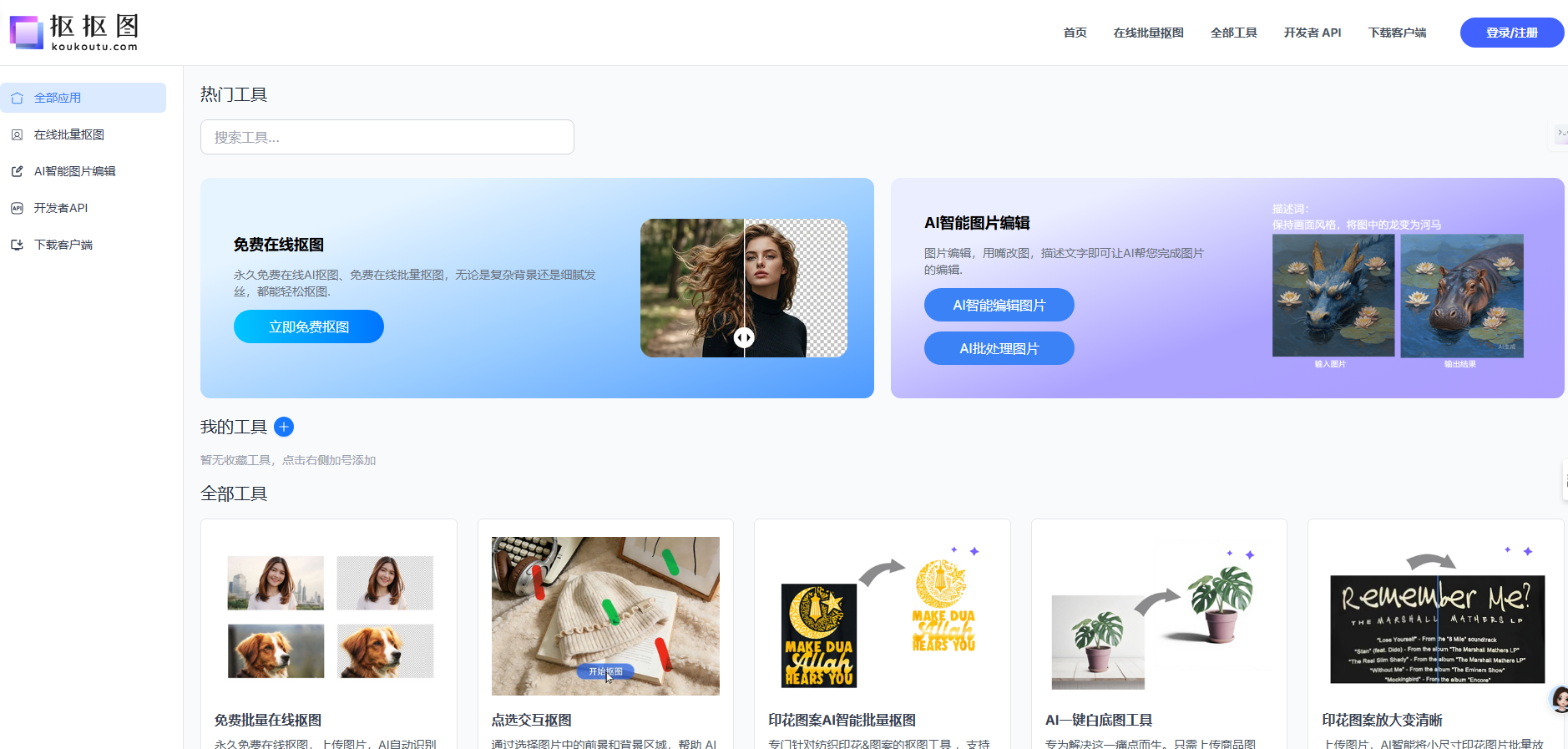
Screenshot archived from the listing page, for preview only.











