
Kaomoji Drawer
Mac menu bar kaomoji and emoticon toolJapanese emoticons one click away
Highlights
What you can do with it
- Reply faster on social media with a kaomoji
- Add tone to online chats and messages
- Personalise emails without typing characters
How to use it
- 1 Visit the Kaomoji Drawer website.
- 2 Download and install the app on your Mac.
- 3 Open the menu bar icon and browse emoticons.
- 4 Click one to insert it into the current text field.
Who it is for
Pros
- Sits in the menu bar, so it is always reachable
- Simple interface with little learning curve
- Free to download and use
Limitations
- Mac only, so no Windows or mobile version
- Small utility with a narrow purpose
- Free status depends on the developer continuing
What Kaomoji Drawer is
Kaomoji Drawer is a small desktop client for Mac that lives in the menu bar and hands you Japanese emoticons on demand. Instead of remembering character strings or hunting through a website, you click the icon, browse the available kaomoji, and insert one straight into whatever app you are typing in. It supports quick creation and use of many styles, offers personalisation settings, and keeps the interface clean so there is almost no learning curve. Multiple languages are supported for people from different backgrounds. The software is described as free to download with no additional payment, and the developer lists an email address for assistance or suggestions.
What you can do with it
- Browse kaomoji from the Mac menu bar at any time
- Create and save your own styles
- Insert an emoticon into any text field in one click
- Personalise the drawer to suit how you type
Who it is for
- Mac users who chat and post frequently
- Fans of Japanese text culture and kaomoji
- Anyone who wants faster, more expressive replies
- Writers who like a light tone in email
What to watch out for
This is a single-purpose utility, and it only runs on Mac. There is no Windows or mobile version mentioned, so if you switch machines the tool does not follow you. The feature set is intentionally small: browse, create, insert, and personalise. Anything beyond that, such as syncing across devices or a larger shared library, is not described. Because it is a free download from an independent developer, long-term maintenance is not guaranteed, and macOS updates can break small menu bar apps without warning. Check that it still runs on your version of macOS before you rely on it daily, and keep a plain text list of your favourite kaomoji as a backup.
FAQ
Which platforms does it run on?
It is a desktop client for Mac, accessed from the Mac menu bar.
Does it cost anything?
No. The description says it is free to download with no additional payment required.
Can I make my own emoticons?
Yes. It supports quick creation and use of various styles, along with personalisation settings.
Why it is free
What the official page says: for free
Free limits, trial length and features are decided by the official site and can change at any time.
Product preview
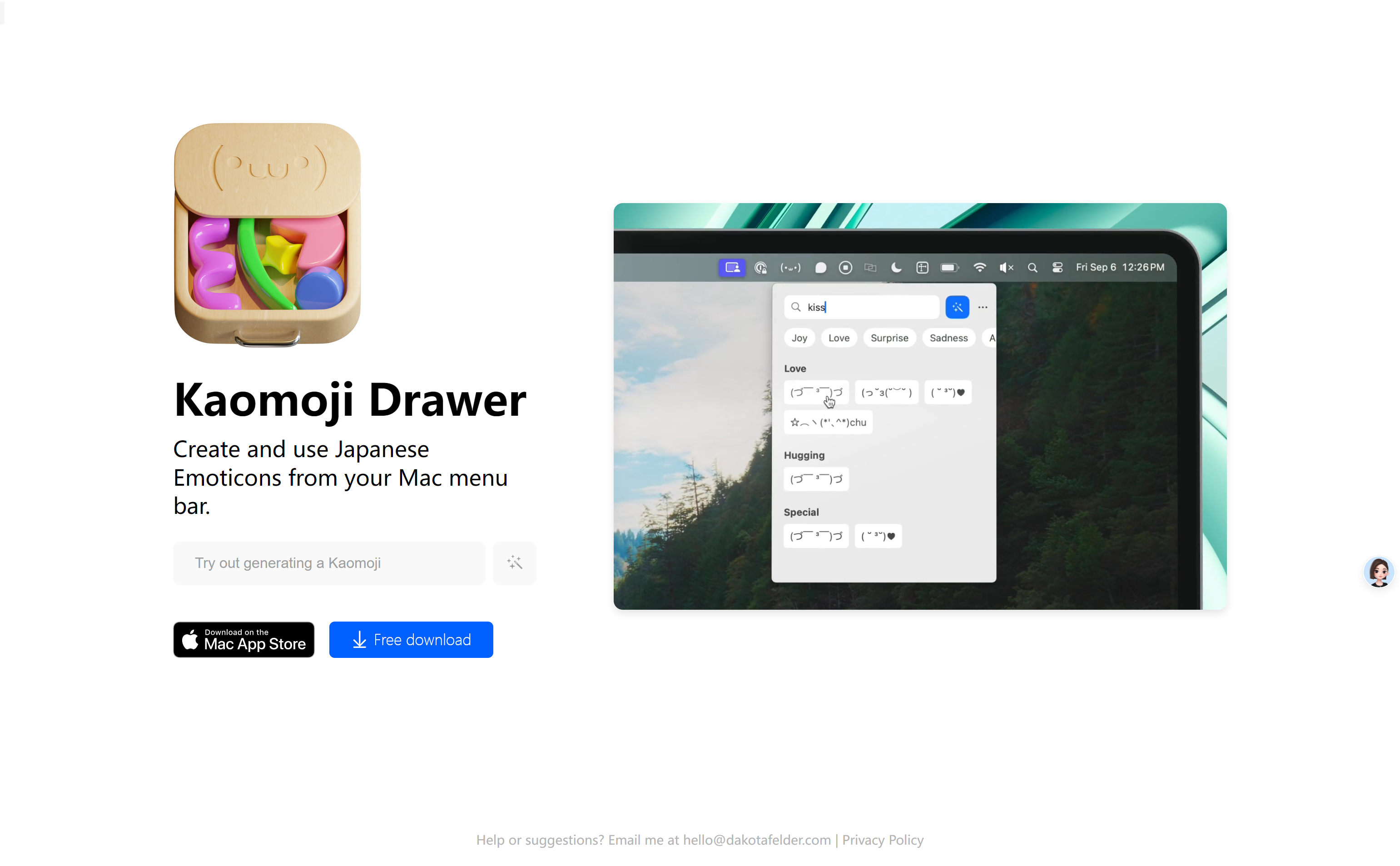
Screenshot archived from the listing page, for preview only.











