Jianying Text-to-Speech Assistant
Free AI text-to-speech for multilingual voiceoversTurn text into natural voiceovers in many languages
Highlights
What you can do with it
- Add humorous voiceovers to short videos
- Generate commercial narration quickly
- Create clear explanatory voiceovers for teaching videos
How to use it
- 1 Open the Jianying Text-to-Speech Assistant site.
- 2 Pick a language and voice accent.
- 3 Type the text you want to convert.
- 4 Click synthesize and wait a few seconds.
- 5 Play the result and download it if it sounds right.
Who it is for
Pros
- Free to use with many languages and accents
- Popular and international voice options
- Custom text for personalized voiceovers
- Playback and download for easy editing
Limitations
- Free access and available voices can change
- Voice quality varies by language and voice
- Timing with video needs manual adjustment
- Depends on the vendor platform staying available
What the Jianying Text-to-Speech Assistant is
The Jianying Text-to-Speech Assistant is AI software that converts text into natural, fluent speech. It supports many languages and accents and is built for video production, audio editing, and social media content. It offers popular Jianying AI voices and Douyin sound effects, plus international voices, and you can type custom text for a personalized voiceover. It provides playback and download for the voice files so you can drop them into an editor. The tool is free to use, and it is aimed at video creators and social media users who need quick, usable voice work.
What you can do with it
- Convert typed text into natural speech in many languages.
- Pick from popular Jianying and Douyin voices and effects.
- Use international voices for broader projects.
- Play back and download the voice file for editing.
Who it is for
- Video bloggers adding voiceovers to short videos.
- Advertising teams generating narration quickly.
- Educators making explanatory audio for lessons.
- Social media creators who need fast voice work.
What to watch out for
Free access and the list of available voices can change, so confirm current options on the official site. Voice quality varies by language and voice, and some accents sound more natural than others. Timing the voiceover with video usually needs manual adjustment in your editor. As a hosted tool, availability can vary, so download and keep copies of any audio you plan to use. Run one full task end to end first, then expand once you are comfortable with the workflow and the result quality. Behavior may vary across browsers and devices, so test before production use and consult the help docs if errors appear.
FAQ
Is it free?
It is described as free to use. Confirm current access on the official site.
What languages does it support?
It supports AI voice synthesis in many languages and accents, including Chinese, Japanese, and Korean.
What voices are available?
It offers popular Jianying AI voices and Douyin effects, plus international voices such as Jessie and Siri.
Can I download the audio?
Yes. It provides playback and download for the generated voice files.
Why it is free
What the official page says: for free
Free limits, trial length and features are decided by the official site and can change at any time.
Product preview
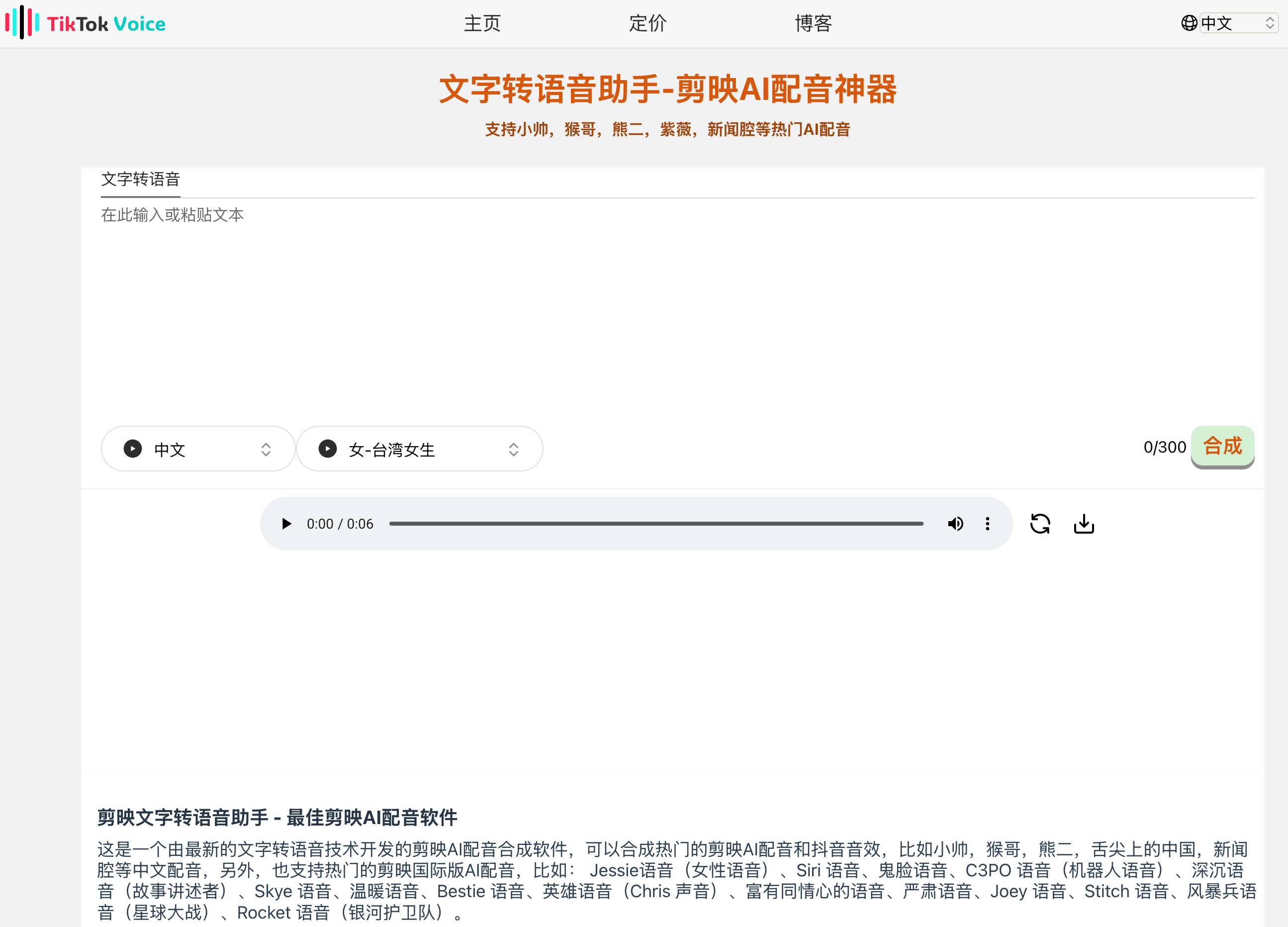
Screenshot archived from the listing page, for preview only.