
Invideo AI
All-in-one AI video, image and audio creation platformHundreds of AI models in one creation workspace
Highlights
What you can do with it
- Video bloggers generate social media clips with AI video models
- Designers produce posters and product images for clients
- Marketing teams build a series of ads and promotional assets in one place
- Solo creators test several models without separate subscriptions
How to use it
- 1 Open invideoai.ai and click Start Free to begin a trial
- 2 Pick a function such as AI video generation or AI image generation
- 3 Enter your prompt or upload source material
- 4 Compare models by scenario, quality, speed and credit cost, then choose one
- 5 Wait for generation, then edit the result with subtitles and effects
- 6 Export or share the finished content
Who it is for
Pros
- Many models in one place reduces tool switching
- Free trial with credits lets you test before paying
- Credit system and model comparison help control spend
- Workflow management keeps prompt context between steps
Limitations
- Credit costs vary by model and settings, so budgeting takes attention
- Free credits run out quickly on heavy video work
- Free trial limits and pricing can change at any time
- Quality differs between models, and some tasks need trial and error
What InVideo AI is
InVideo AI is a creation platform that puts video, image and audio models in one workspace. It brings together video generation models such as Kling, Sora and Luma, image models such as FLUX, Midjourney and DALL-E, AI effect tools, and text-to-image generation through models such as Nano Banana 2. The pitch is straightforward: you stop paying for and logging into several services, and you work in one place where the workflow carries your prompt context from one asset to the next. The site offers a free trial, and it describes free credit limits alongside monthly plans, annual discounts and one-time packages, so you can test the tools before committing money. Model pages can be compared by usage scenario, quality, speed and credit cost.
What you can do with it
- Generate video clips with several different AI video models
- Create images, posters and product visuals with image models
- Apply AI-driven effects and filters to photos and video
- Turn text prompts into images
- Compare models by usage scenario, quality, speed and credit cost before you run a job
Who it is for
- Content creators who publish video, images and social content regularly
- Marketers who need ad creatives and campaign assets on a deadline
- Enterprise teams producing training and promotional material
- Solo creators who want access to many models without separate subscriptions
What to watch out for
Credits are the currency here, and the cost per generation changes depending on the model and the settings you choose, so heavy video work can drain a free allowance fast. Model quality is not uniform: some jobs look right on the first attempt, others need several tries and different models before you accept the result. Free credit limits, monthly pricing and annual discounts are set by the provider and can change, so check the current plan page before you build a workflow around a specific budget. Treat generated footage and images as raw material that still needs editing, subtitles and a human pass before it goes in front of an audience.
FAQ
Can I try InVideo AI for free?
Yes, the site offers a free trial with free credit limits before you move to a paid plan.
Which models can I use?
The platform lists video models such as Kling, Sora and Luma, and image models such as FLUX, Midjourney and DALL-E.
How is pricing structured?
It uses credits, with free credit limits plus monthly plans, annual discounts and one-time packages.
Do I need to switch platforms for different media types?
No, video, image, voice, music and avatar models sit in the same workspace.
Why it is free
What the official page says: for freefree trial
Free limits, trial length and features are decided by the official site and can change at any time.
Product preview
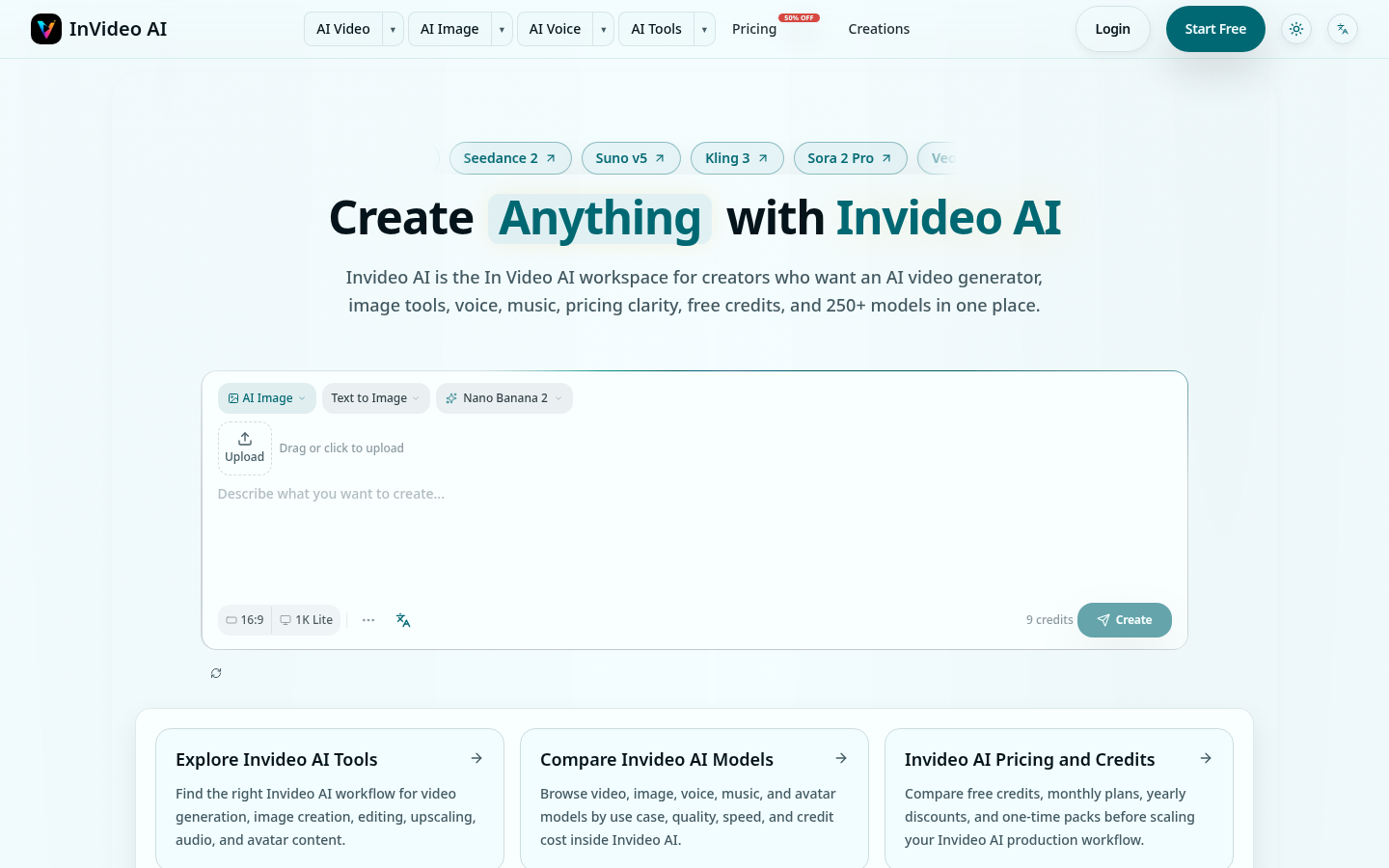
Screenshot archived from the listing page, for preview only.











