
Interstice
Free Krita AI painting pluginAI-assisted painting inside Krita
Highlights
What you can do with it
- Precise local editing and creation inside Krita
- Generate design sketches through the online service
- Post-process and enhance artwork details
How to use it
- 1 Download the Interstice plugin from the official site
- 2 Install it inside Krita
- 3 Open the artwork you want to edit
- 4 Use the area, fill, and expand tools for your edits
- 5 Save your work when you are done
Who it is for
Pros
- Free plugin with no GPU needed
- Precise control over which areas you edit
- Useful editing tools like fill, expand, and removal
Limitations
- Requires Krita, so there is a setup step
- Local editing depends on your own hardware
- Free features and the online service can change
What Interstice is
Interstice is an open-source Krita plugin built for professional painting. It is designed to give precise control and an efficient workflow when you edit photos and artworks. You can limit changes to selected areas, and the results are meant to blend in seamlessly. The plugin is free and runs on local hardware with no GPU required, which lowers the barrier to AI-assisted painting. There is also an online image generation service for quick sketches without installing anything.
What you can do with it
Here is what you can do with it:
- Edit only the areas you select, with seamless results
- Use composition control like sketches, line art, and depth maps
- Fill, expand, remove, and add content to an image
- Generate images online through the companion service
Who it is for
It is built for a few groups:
- Professional painters who work in Krita
- Designers who need fast concept sketches
- Artists refining and enhancing artwork details
What to watch out for
The plugin needs Krita to run, so there is a setup step, and local editing depends on your own hardware, which affects speed on big files. Because it runs locally without a GPU, some heavy tasks may be slower than on a GPU setup. The free plugin and the online service can change over time, so check the current version and terms. Keep your own backups of work in progress as you edit. Features and interface details may change between versions, so review the latest notes on the page before you start. For team use, agree on naming and editing conventions in advance to avoid version conflicts or duplicated work.
FAQ
Is Interstice free?
Yes, the plugin is free and runs on local hardware.
Do I need a GPU?
No, the plugin is designed to work without a GPU.
What can I edit with it?
You can edit photos and artwork in selected areas, with fill, expand, and removal tools.
Why it is free
What the official page says: 免费
Free limits, trial length and features are decided by the official site and can change at any time.
Product preview
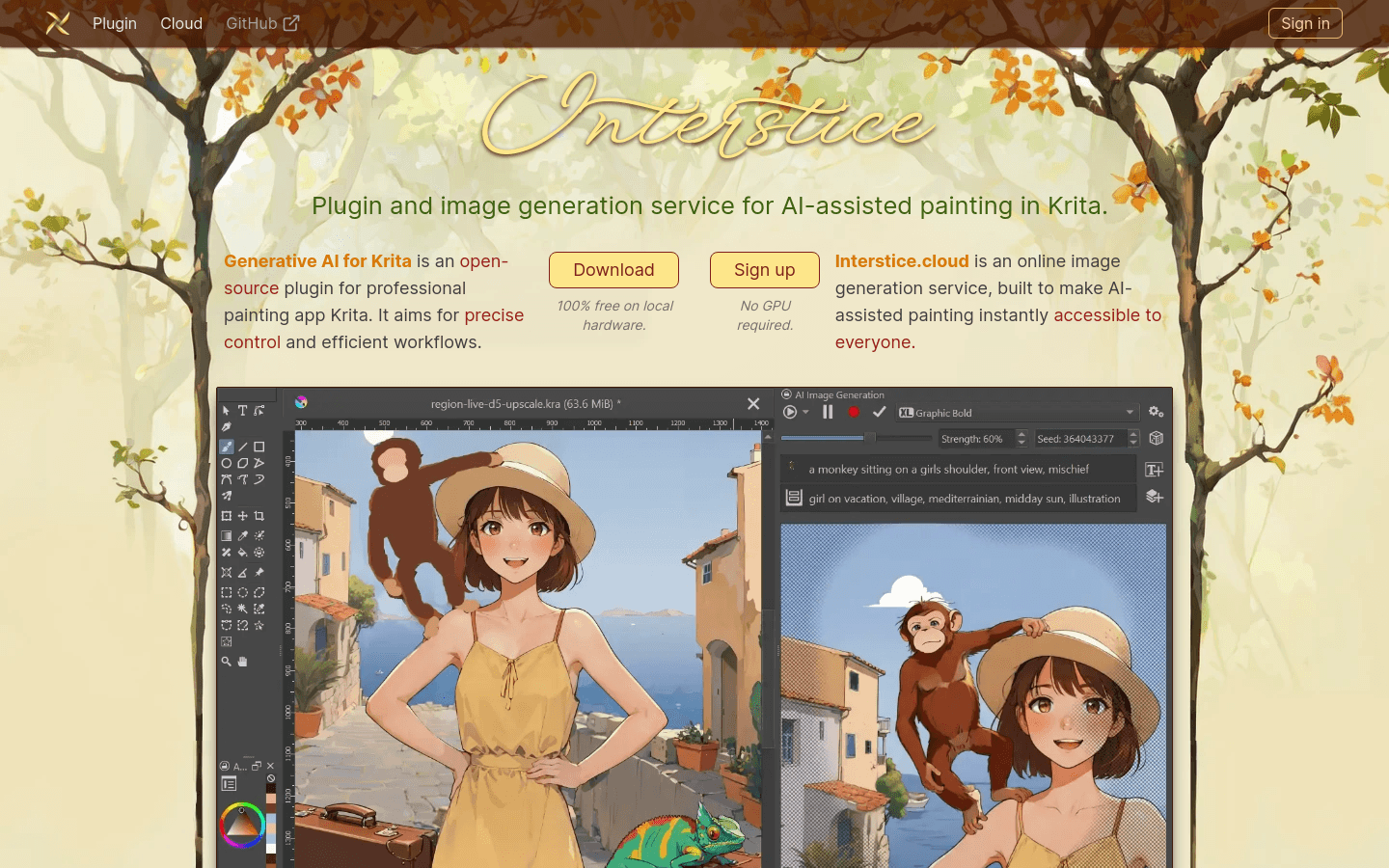
Screenshot archived from the listing page, for preview only.











