
InkStudio.ai
AI tattoo generator with body previewDesign and preview tattoos before the studio
Highlights
What you can do with it
- Preview a design on your body before committing
- Explore styles for a planned tattoo
- Export template ready artwork for an artist
How to use it
- 1 Open the InkStudio.ai site
- 2 Describe the tattoo you want or pick a style
- 3 Preview it on the body model
- 4 Export the artwork or template sketch
Who it is for
Pros
- Body preview reduces placement surprises
- Template ready output for real artists
- Free quick preview mode
Limitations
- High quality output sits behind the paid mode
- AI designs still need an artist's judgement
- Preview is a simulation, not the final inked result
What InkStudio.ai is
InkStudio.ai is an AI based tattoo generator. It is used to create custom tattoo designs, generate template ready artwork, and preview tattoos on the body before you visit a tattoo studio, which is its most practical feature: placement and scale are hard to judge from a flat sketch. The importance of the product, as the page frames it, is giving tattoo enthusiasts and professional tattoo artists a convenient and efficient design method. The main advantages include support for multiple tattoo styles, realistic body previews, and the ability to export high quality artwork and professional template sketches. The product is aimed at tattoo artists and tattoo enthusiasts, and it offers both a free quick preview mode and a paid high quality mode so users can choose based on need. For someone deciding between two placements, seeing the design on a body model answers questions a flat drawing cannot.
What you can do with it
- Generate custom tattoo designs from a description
- Preview the design on a body before committing
- Explore multiple tattoo styles side by side
- Export template ready artwork for a studio
- Compare size and placement before booking a session
Who it is for
- Tattoo enthusiasts planning their next piece
- Professional tattoo artists preparing designs
- Anyone comparing styles and placement before a session
- First time tattoo clients researching ideas
What to watch out for
The free quick preview mode is a starting point; high quality output sits behind the paid mode, and pricing can change, so check the site before a session. A preview is a simulation, not the final inked result: skin tone, body curves, and healing all change how a design reads in real life. AI generated art can also produce line work that is not clean enough for stencilling, so treat exports as a reference for your artist rather than a finished template. Always confirm the design with a professional before it becomes permanent, and show the exported artwork to your artist rather than presenting it as final, because a professional will adjust line weight and spacing for skin and for how the design ages.
FAQ
What is InkStudio.ai?
An AI tattoo generator for custom designs and body previews.
Is there a free option?
Yes, there is a free quick preview mode and a paid high quality mode.
Can I use the output at a studio?
It exports high quality artwork and professional template sketches.
Who is it for?
Tattoo artists and tattoo enthusiasts.
Why it is free
What the official page says: 免费
Free limits, trial length and features are decided by the official site and can change at any time.
Product preview
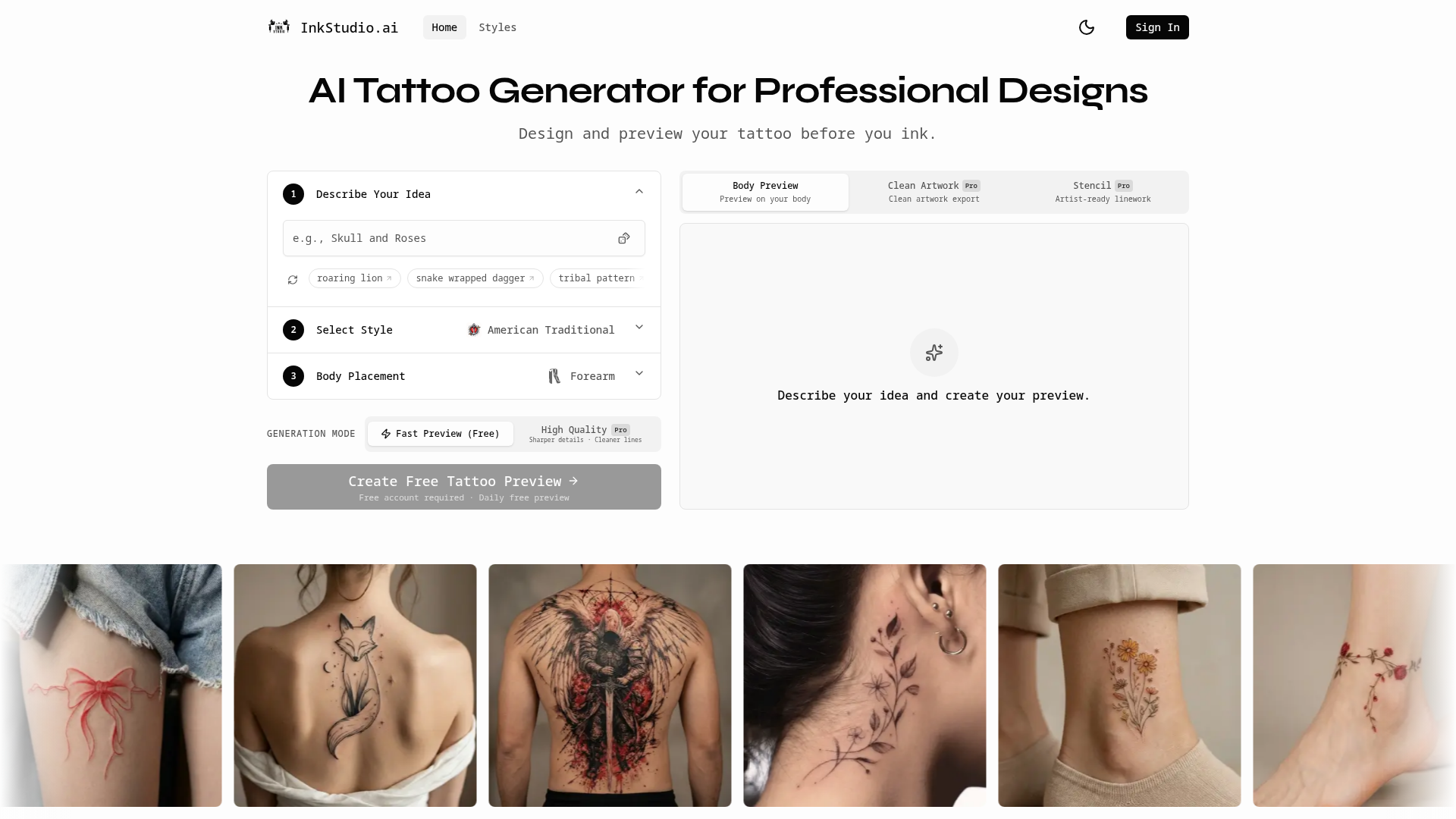
Screenshot archived from the listing page, for preview only.