
In-App Chat
Chat SDK that puts several bots in one interfaceOne chat interface, many bots, no NLU lock-in
Highlights
What you can do with it
- Add a chat front end to an app without building it from scratch
- Route different bots or skills through one interface
- Prototype a multi-bot setup before choosing an NLU provider
How to use it
- 1 Sign up and start on the free tier.
- 2 Read the SDK and API documentation.
- 3 Connect the chatbots or skills you want to expose.
- 4 Embed the UI toolkit into your application.
- 5 Turn on the messaging features you need, then scale up.
Who it is for
Pros
- Removes the need to build a chat front end yourself
- Lets you combine several NLUs rather than one
- Free entry tier for evaluation
Limitations
- It is a developer tool, so it assumes you can integrate an SDK
- Free tier limits and paid thresholds need checking on the site
- The listing recorded a redirect on the site, so confirm the current URL before you integrate
What In-App Chat is
In-App Chat is a toolkit from 1Chatbot for teams that need a chat interface but do not want to build one. It brings chatbots and skills from different platforms into a single front end, so the user sees one conversation while the routing happens behind it. The package includes a chat SDK, APIs, a UI toolkit, and more than 60 messaging features.
The design argument is about lock-in. Most chat products tie you to the natural language understanding library they were built around, and switching later means rebuilding the conversation layer. In-App Chat is positioned so you can combine several NLUs, develop faster, and change providers without tearing out the interface. Pricing starts at a free tier, which is the practical way to judge whether the integration effort is worth it.
What you can do with it
- Embed a working chat interface without writing the front end yourself.
- Run multiple chatbots or skills at the same time behind one conversation.
- Choose and swap NLU providers as your needs change.
- Use the built-in messaging features instead of building each one.
Who it is for
- Developers adding chat to an existing application.
- Teams that want to avoid being locked into one NLU vendor.
- Product teams prototyping conversational features before committing budget.
What to watch out for
This is a developer product, not a no-code chatbot builder. You need someone comfortable integrating an SDK and working with APIs, and the quality of the result depends on how well your own bots are trained. The free tier is an entry point rather than a permanent free plan, so check the current limits before you plan capacity.
The listing also records a redirect response from the site, which suggests the address has moved. Confirm the current URL before you start integrating, and keep a note of the API version you build against so a provider change does not break your client.
FAQ
What is In-App Chat?
It is a toolkit from 1Chatbot that puts chatbots and skills from different platforms into one chat interface.
Do I have to build the chat UI?
No, that is the point. The SDK, APIs, and UI toolkit handle the user-to-bot front end for you.
Can I use more than one NLU?
Yes, the product is designed so you are not tied to a single natural language understanding library.
Is there a free option?
Pricing starts at free, which is enough to evaluate it before paying.
Why it is free
What the official page says: 免费
Free limits, trial length and features are decided by the official site and can change at any time.
Product preview
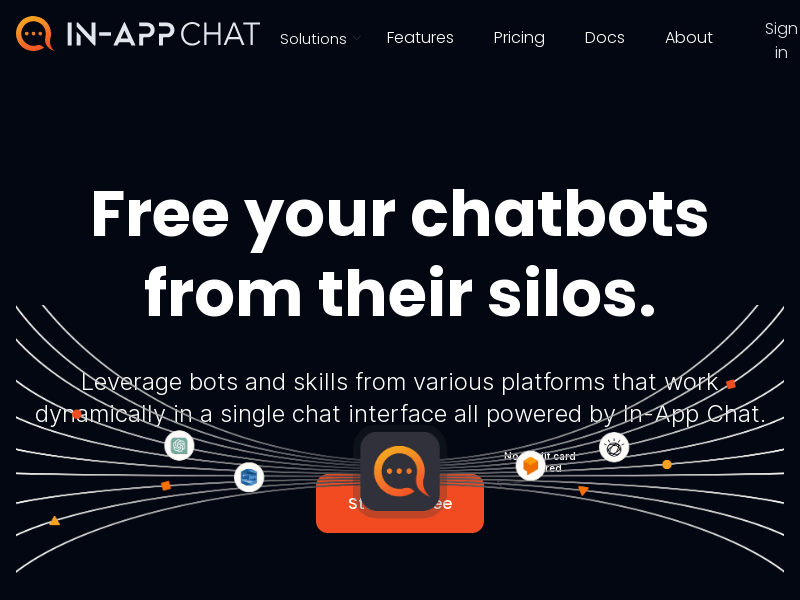
Screenshot archived from the listing page, for preview only.











