
Implai
AI camera that turns text into shareable photosCapture text, filter it, share it with friends
Highlights
What you can do with it
- Turn signs, packaging, or pages of text into visual captures
- Apply filters and share the result with friends
- Browse and comment on captures from people you follow
How to use it
- 1 Install Implai on an iPhone or iPod touch running iOS 12.0 or later.
- 2 Point the camera at the text you want to capture.
- 3 Let the AI process it into a photo-style image.
- 4 Apply a filter you like.
- 5 Share the result, follow friends, and comment on their posts.
Who it is for
Pros
- A genuinely unusual take on the camera app
- Free to download on supported iOS devices
- Built-in social features if you want to share output
Limitations
- Experimental by the developer's own description, so expect rough edges
- iOS only, and it needs iOS 12.0 or later
- The privacy notes mention handling user content, usage data, and diagnostic data, so review them before uploading anything sensitive
What Implai is
Implai is an experimental iOS app built around one odd idea: instead of photographing a scene, you photograph text. The AI takes the text you point it at and renders it as a photo-style image, then you apply filters to that result. The developer frames it as a way to see the world from a different perspective, and that is a fair description of what it does.
The listing states it is free and runs on iPhone and iPod touch with iOS 12.0 or later. It is a social app as well as a camera app, so you can follow friends, post your captures, and comment on theirs. That combination is what makes it more than a one-off toy: the output is meant to be shared and reacted to.
What you can do with it
- Capture text through the camera and let the AI turn it into an image.
- Apply filters to the captured text to change how it reads.
- Share your captures and comment on posts from people you follow.
- Browse other people's text photos for ideas on what to capture next.
Who it is for
- iPhone users who download experimental camera apps out of curiosity.
- People who enjoy small creative side projects and showing the results to friends.
- Anyone who likes the idea of ordinary signage and packaging becoming visual material.
What to watch out for
Because the app is described as experimental, expect rough edges and the possibility that features change or disappear. It is limited to iOS and needs iOS 12.0 or later, so older devices are out.
The privacy section is the part to read before you post. The listing notes that data associated with you, user content, usage data, and diagnostic data may be handled. If you are capturing text that contains addresses, names, or anything private, remember that it becomes user content on a social platform, and treat it accordingly. Sharing is a choice, not a requirement.
FAQ
Is Implai free?
Yes, the listing describes it as free and available for iPhone and iPod touch.
What does it actually do?
It uses AI to capture text and then apply filters to it, producing photo-style images you can share.
Which devices are supported?
iPhone and iPod touch running iOS 12.0 or later.
What data does it handle?
The listing notes that data associated with you, user content, usage data, and diagnostic data may be handled. Check the app's privacy details before sharing anything private.
Why it is free
What the official page says: 免费
Free limits, trial length and features are decided by the official site and can change at any time.
Product preview
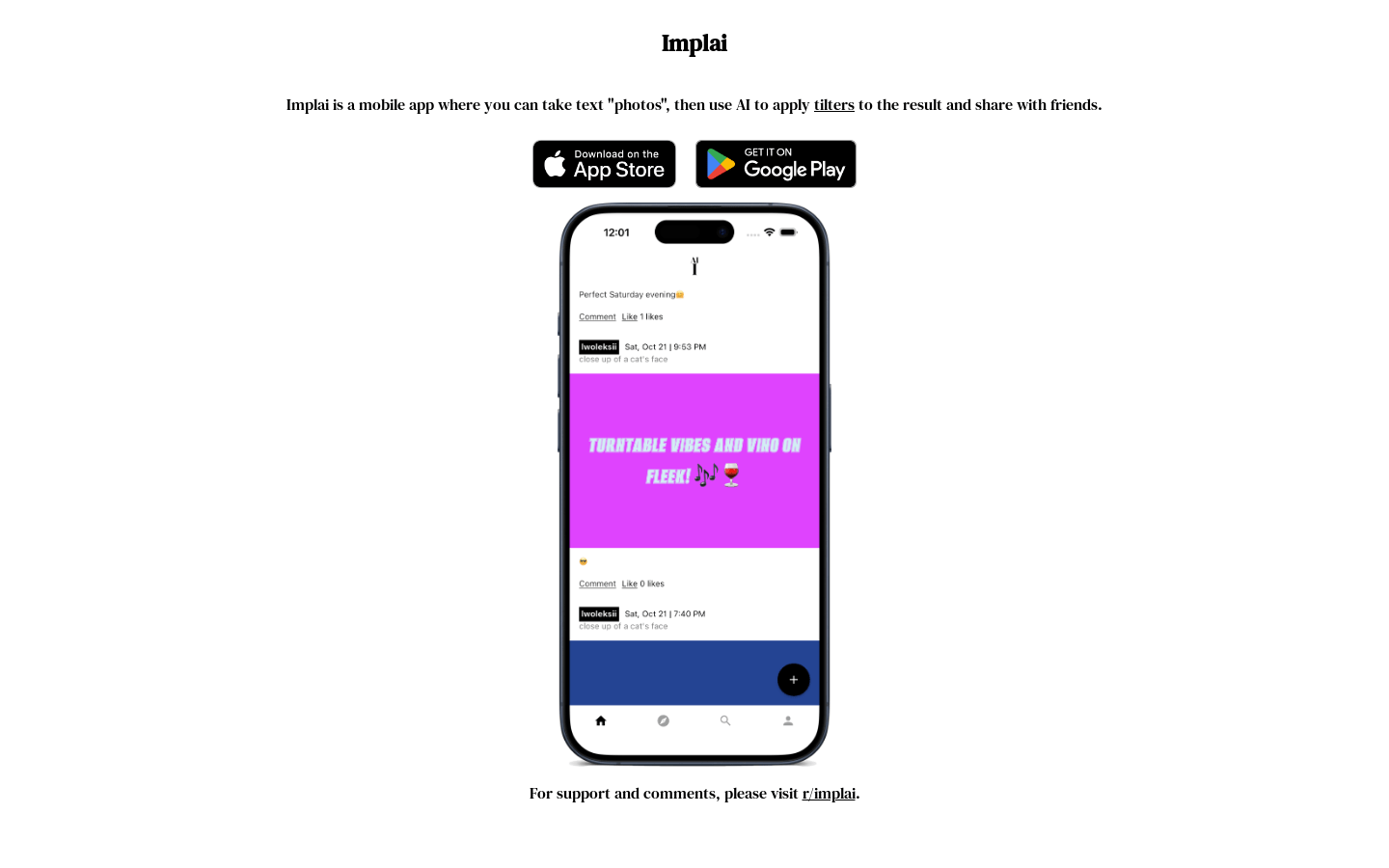
Screenshot archived from the listing page, for preview only.











