
imgKonvert
Convert image formats in your browser, no sign upFast PNG, JPG, WebP conversion that stays private
Highlights
What you can do with it
- A web designer optimizes image formats for a website
- A photographer batch converts photos before uploading
- A developer converts images to web friendly formats for faster loading
How to use it
- 1 Go to the imgKonvert website
- 2 Click upload or drag and drop your image onto the page
- 3 Select the target format, such as PNG, JPG, or WebP
- 4 Click convert, for a single file or a batch
- 5 Download the converted image
Who it is for
Pros
- No registration required and runs in the browser
- Batch conversion saves time on many files
- Does not store your uploaded files, aiding privacy
Limitations
- Browser based, so very large batches can be slow
- Focused on format conversion, not full image editing
- Free access and supported formats can change over time
What imgKonvert is
imgKonvert is a fast, easy to use image format conversion tool. It converts between common formats such as PNG, JPG, WebP, BMP, and GIF, and it supports batch conversion so you can process several files at once. The conversion happens in the browser, which helps keep your files private because they are not stored on a server, and no registration is required to use it. It aims to maintain high quality output while staying quick. It is a practical utility for web designers, photographers, and developers who regularly need to switch image formats for websites, uploads, and faster page loads.
What you can do with it
- Convert images between PNG, JPG, WebP, BMP, and GIF
- Batch convert multiple files in one go
- Keep files private by converting in the browser
- Download high quality converted images without signing up
Who it is for
- Web designers optimizing image formats for a site
- Photographers converting photos in batches before upload
- Developers preparing web friendly images for faster loading
What to watch out for
Because it runs in the browser, very large batches can be slow or memory heavy compared with a desktop app, so test with a few files first if you have a lot to convert. It is focused on format conversion rather than full image editing, so it will not crop, retouch, or heavily compress for you. Free access and the list of supported formats can also change over time, so confirm current capabilities on the site before you build a workflow that depends on a specific format. Behavior may vary across browsers and devices, so test before production use and consult the help docs if errors appear.
FAQ
Do I need to register to use imgKonvert?
No registration is required. You can upload and convert images directly in the browser.
Which formats does it support?
It supports common formats including PNG, JPG, WebP, BMP, and GIF, with batch conversion for multiple files.
Are my files safe?
Conversions run in the browser and the tool states it does not store the image files you upload, which helps protect privacy.
Why it is free
What the official page says: 无需注册
Free limits, trial length and features are decided by the official site and can change at any time.
Product preview
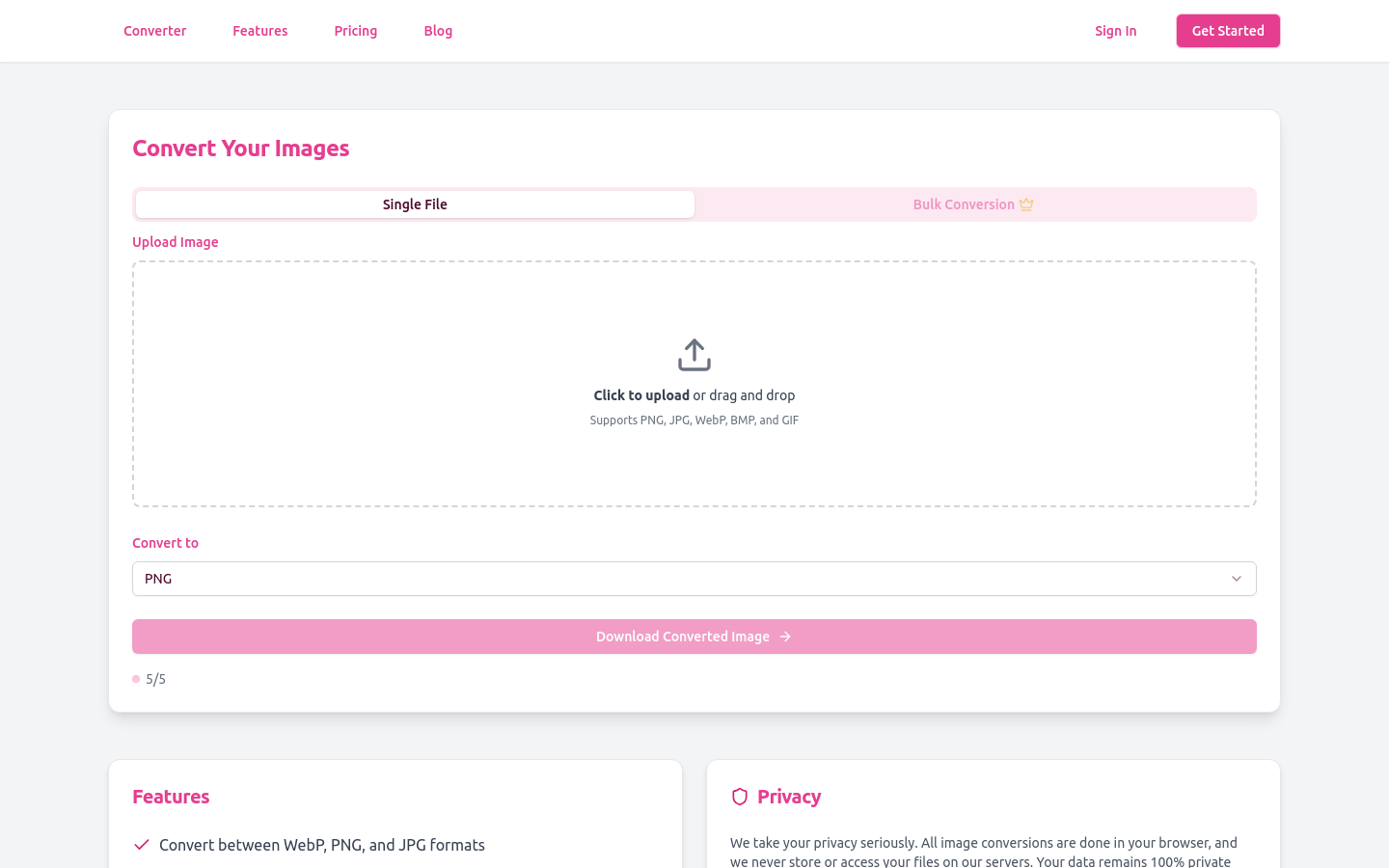
Screenshot archived from the listing page, for preview only.











