
Img Editor
Free AI image generator and editorGenerate, edit and download AI images
Highlights
What you can do with it
- Poster and cover design for promotion
- Self-media cover images to lift click-through
- Advertising concepts combining product and style
How to use it
- 1 Open imgeditor.pro
- 2 Enter a detailed prompt covering scene, style and elements
- 3 Set resolution, aspect ratio and quality
- 4 Click Generate with Img Editor and wait
- 5 Preview, adjust and regenerate if needed
- 6 Download the image or submit it to the gallery
Who it is for
Pros
- Free generation available
- Editing tools included after generation
- Parameters are configurable per image
- Prompt generator helps when you are stuck
Limitations
- Free daily allowance is a promotion and can end
- Editing is basic compared with dedicated software
- Output quality tracks prompt detail
What Img Editor is
Img Editor is an AI image generation tool. You write a prompt describing the scene, style and elements, set parameters such as resolution and aspect ratio, and generate. After the image appears you can adjust colour, brightness, contrast and effects, then download it or submit it to the public gallery. The site advertises free use alongside a promotional event granting a limited number of free generations per day.
What you can do with it
- Generate an image from a text prompt.
- Edit the result for colour, brightness, contrast and effects.
- Set resolution, aspect ratio and quality per image.
- Use the prompt generator for starting points.
- Download the image or submit it to the gallery.
Who it is for
Digital art creators, poster and cover designers, and self-media practitioners who need a steady supply of images for articles and posts.
What to watch out for
The free daily allowance is a promotion and can end at any time, so do not build a workflow that assumes unlimited free generations. Editing is basic and will not replace dedicated image software for detailed work. As with most generators, vague prompts produce vague results, and you should expect to iterate. Processing speed depends on file size and network conditions, so retry later if a task stalls during peak hours. Run one full task end to end first, then expand once you are comfortable with the workflow and the result quality. Start with a small sample to confirm the output meets your expectations before processing the full batch. Free tiers and usage limits can change, so check the current rules on the official page before relying on it long term.
FAQ
Is Img Editor free?
It advertises free use and mentions a promotional event with a limited number of free generations per day. Treat that as a promotion rather than a permanent unlimited tier.
Can I edit images after generating them?
Yes. You can adjust colour, brightness and contrast and add effects to generated images.
What settings can I control?
Resolution, size ratio and quality, including different aspect ratios.
Is there help with prompts?
Yes, a prompt generator provides example prompts you can adapt for poster design, self-media covers and similar work.
Why it is free
What the official page says: for free
Free limits, trial length and features are decided by the official site and can change at any time.
Product preview
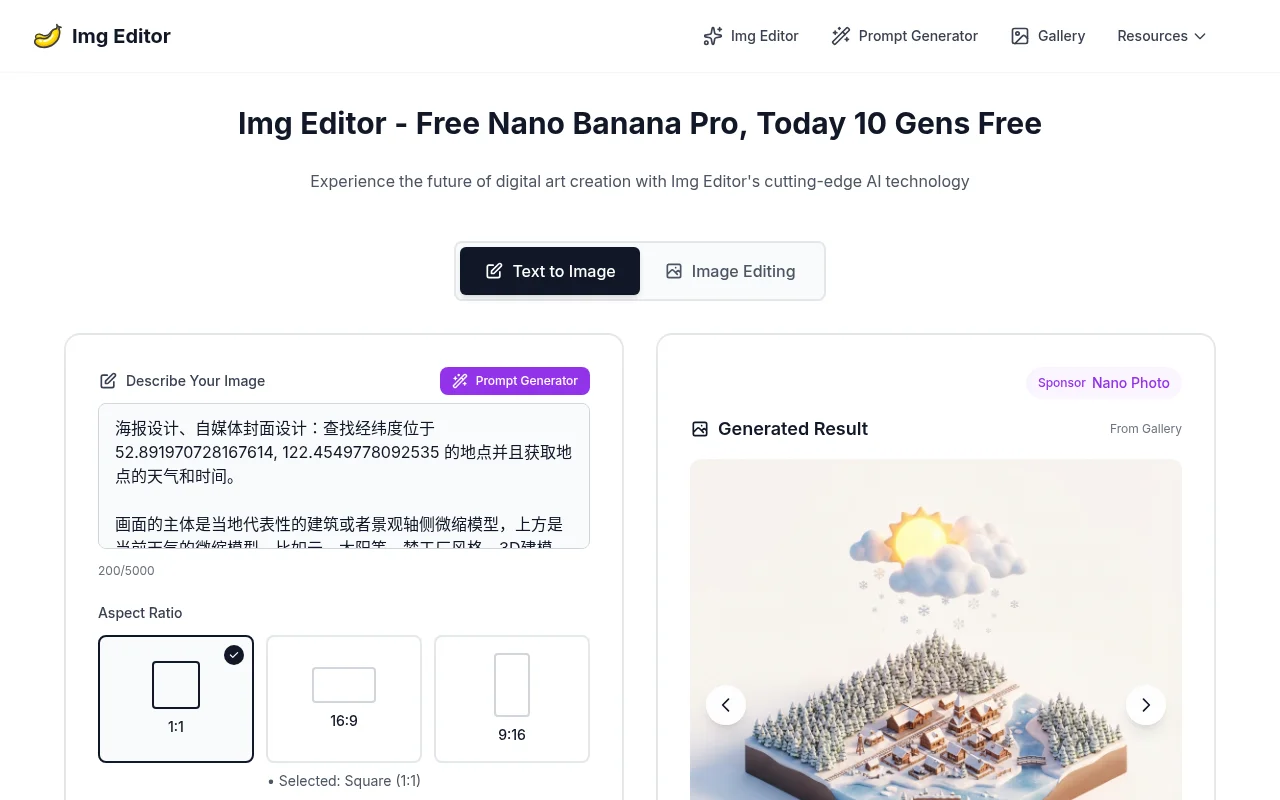
Screenshot archived from the listing page, for preview only.











