
ImagetoVideoAI
Multi-model AI video creation workspaceText, images, or keyframes to video in one place
Highlights
What you can do with it
- Produce marketing videos from product images
- Create educational clips from text outlines
- Build e-commerce video from keyframes
How to use it
- 1 Open imagetovideo-ai.org
- 2 Choose an AI video model
- 3 Add text, an image, or keyframes
- 4 Adjust motion, duration, and audio settings
- 5 Render and export the video
Who it is for
Pros
- Several models available in one place
- Detailed control over output parameters
- Aims to cut production time and cost
Limitations
- Pricing details are not fully published
- Credit costs and free trial rules are unclear
- Model choice and settings need testing
- Output quality varies by model and input
What ImagetoVideoAI is
Image To Video AI is a multi-model video creation platform that converts text, images, or keyframes into videos. It brings different AI video models and their creative controls into one workspace, so you can pick the right model and fine tune parameters such as motion, duration, resolution, aspect ratio, and audio. The platform is aimed at teams and creators in marketing, content creation, education, and e-commerce, and it claims to improve production efficiency and reduce costs. Pricing details are not fully published, though credits are mentioned, and a free trial mode is possible, so the main value is having several models and controls in one place.
What you can do with it
The workspace is built for flexible generation. You choose a model, feed it input, then tune the output before you render.
- Produce marketing videos from product images
- Create educational clips from text outlines
- Build e-commerce video from keyframes
- Adjust motion, duration, and audio per model
Who it is for
It fits teams that make video often and want options in one tool rather than separate sites. Marketing, content, education, and e-commerce groups are the named users.
- Marketing teams making video ads
- Content creators producing short clips
- E-commerce sellers showcasing products
What to watch out for
Pricing details are not fully published, and credit costs plus free trial rules are unclear, so confirm terms on the site before you plan a budget. Because several models are available, output quality varies by model and by input, and you will need to test which one fits your job. Fine tuning motion, duration, and audio takes experimentation, so the first result may not be final. Treat efficiency and cost claims as goals rather than promises. Check the current model list, credit rates, and any trial limits before you commit.
FAQ
What is ImagetoVideoAI?
It is a multi-model platform that turns text, images, or keyframes into videos.
Can I control the output?
Yes. You can adjust motion, duration, resolution, aspect ratio, and audio.
How does pricing work?
Credits are mentioned, but detailed standards are not published. Check the site for current terms.
Why it is free
What the official page says: 免费试用免费
Free limits, trial length and features are decided by the official site and can change at any time.
Product preview
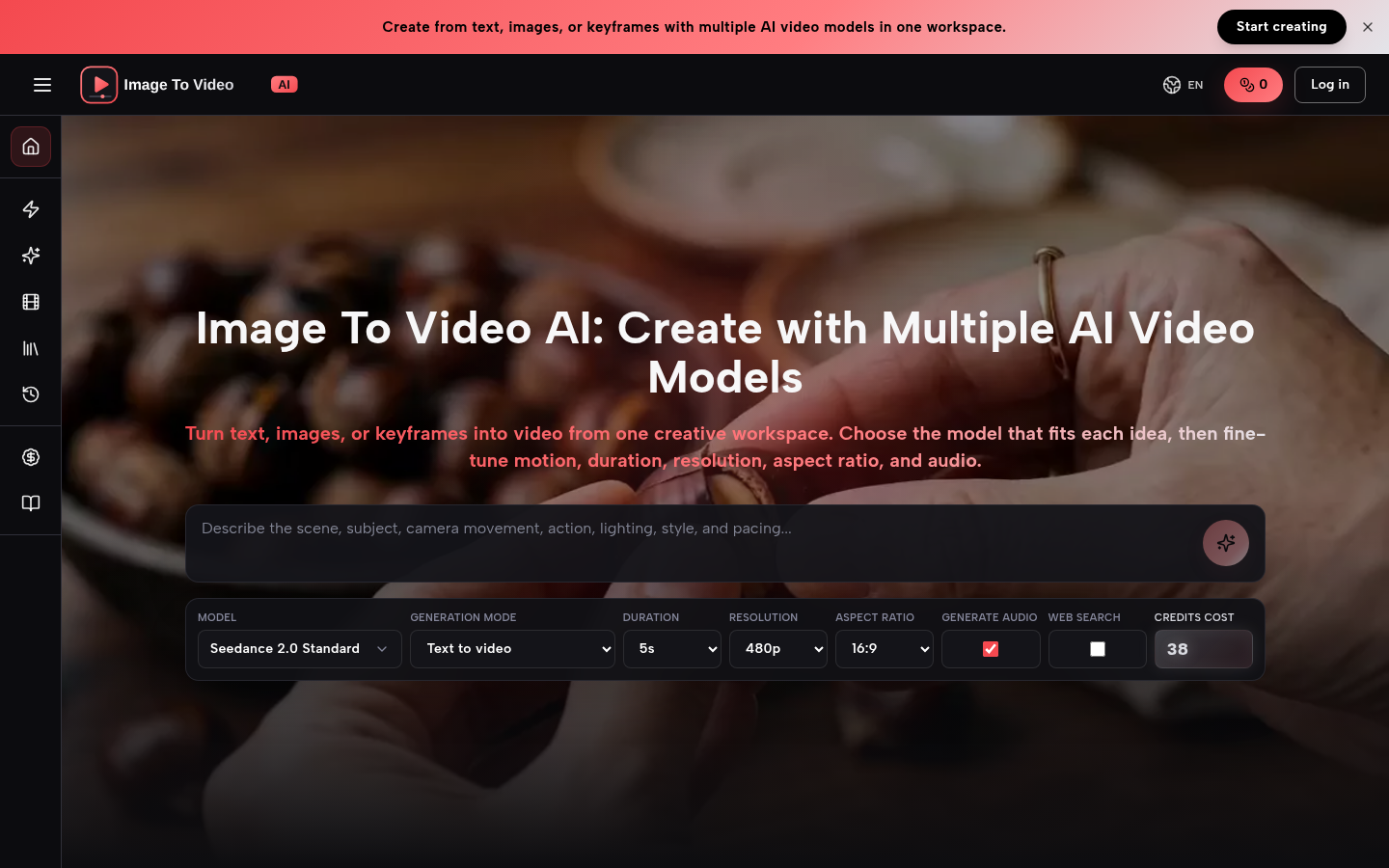
Screenshot archived from the listing page, for preview only.