
ImageFusion AI
Merge images with AIBlend images into creative art with AI
Highlights
What you can do with it
- Digital artists create striking composite artworks
- Marketing teams generate unique product promo images
- Photographers blend portraits with abstract textures for social media
How to use it
- 1 Upload high-quality source images for the fusion
- 2 Choose a fusion style, either preset or custom
- 3 Click generate and wait for AI processing
- 4 Preview the high-resolution composite and download it
Who it is for
Pros
- No install required, works fully in the browser
- Keeps source image detail in the composite
- Free tier available to try the tool
Limitations
- Free plan limits and pricing can change over time
- Quality depends on the source images you upload
- Advanced commercial use needs a paid license
What ImageFusion AI is
ImageFusion AI is an online tool that uses artificial intelligence to merge multiple images into one seamless composite. It is aimed at digital artists, marketers, and photographers who need original visuals without installing complex editing software. The workflow is simple: you upload your source images, choose a preset or custom fusion style, and the AI produces a high-resolution composite that preserves the detail of the originals. Because generation happens in the browser, there is nothing to download and you can work from anywhere with an internet connection. A free tier is available so you can test the output, while paid plans add a commercial use license for enterprise users. The interface is kept clean so beginners can start without a long learning curve.
What you can do with it
- Merge several images into a single high-quality composite in one step
- Preserve the detail of the source images so the output stays clear
- Apply preset styles or a custom reference image for style transfer
- Generate online and download the result without installing software
Who it is for
- Digital artists who want fast composite pieces for galleries or online posts
- Marketing teams that need unique product and promotional images
- Photographers who blend portraits with abstract textures to grow their social presence
What to watch out for
The quality of the result depends heavily on the source images you upload, so low-quality inputs will limit the final detail. The free tier covers basic compositing, but a commercial use license requires a paid plan, and free limits or pricing may change over time as the service evolves. Results are AI generated, so they may not match a precise, hand-edited look every time, and complex scenes can produce unexpected blending. If you need exact, pixel-level control for client deliverables, a full editing suite may still be the better choice.
FAQ
Is ImageFusion AI free to use?
A free tier is available, and paid plans add features like a commercial use license.
Do I need to install any software?
No. Generation runs in the browser, so you only upload images and download results.
Can I control the fusion style?
Yes. You can use preset styles or supply a custom reference image.
Why it is free
What the official page says: 免费
Free limits, trial length and features are decided by the official site and can change at any time.
Product preview
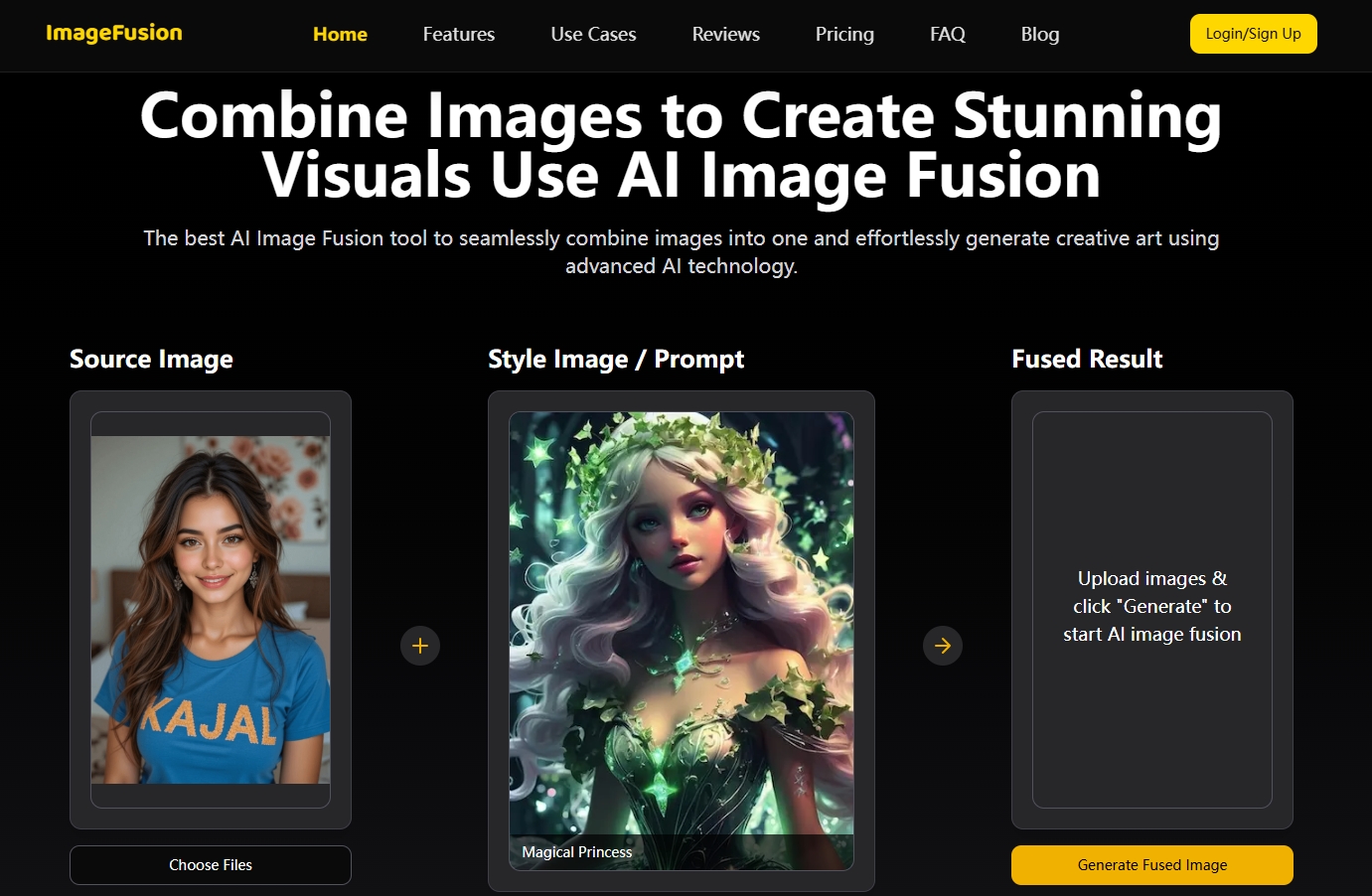
Screenshot archived from the listing page, for preview only.











