
Image2GPT
Free AI image generator powered by GPT Image 2Free AI images from a text prompt
Highlights
What you can do with it
- Designers generating concept art and visual references quickly
- Photographers cleaning up and restyling shots they already have
- Social media creators producing a steady stream of images
- Marketers building product posters and advertising visuals
How to use it
- 1 Type a detailed prompt covering the scene, the subject, and the style
- 2 Choose image size, quality level, and how many versions to generate
- 3 Wait a few seconds, review the results, and download the ones you want
Who it is for
Pros
- Free to start, with nothing to install
- Fast turnaround from prompt to downloadable image
- Character consistency helps series and brand work
- Mask repair avoids regenerating a whole image for a small change
Limitations
- Free usage limits and Pro pricing can change, and the advertised launch discount is time limited
- Output quality still depends on how precisely the prompt is written
- It is an image tool only, so video and layout work needs other software
- Heavy or commercial use will likely push you toward a paid plan
What Image2GPT is
Image2GPT is a free AI image generation and editing tool powered by the GPT Image 2 model. You describe what you want in everyday language, for example a scene, a subject, and a style, and the tool returns images within seconds. Beyond generation, it edits: you can upload a photo and describe the change you want, such as removing a background, shifting the style, or adding an element. It also keeps a character's face and outfit consistent across multiple images, which matters for storytelling, brand building, and social media content. Sizes and quality levels are selectable, and a mask repair mode regenerates only the area you paint. Paid Pro plans exist, and the page currently advertises a limited launch discount on them.
What you can do with it
- Turn a written description into a finished image
- Edit an uploaded photo by describing the change you want
- Keep one character consistent across different scenes and poses
- Paint a mask so only part of an image is regenerated
- Pick square, vertical, or horizontal output and a draft, standard, or high definition quality level
- Generate several versions at once and compare them side by side
Who it is for
- Professional designers who need quick concept art and references
- Photographers cleaning up or restyling photos they already shot
- Social media creators who publish images every day
- Enterprise marketers building posters and advertising visuals
What to watch out for
Free access has limits, the Pro pricing can change, and the advertised launch discount is time limited, so treat the current terms as temporary rather than permanent. Prompt quality drives output quality, and vague descriptions produce vague images, so budget time for rewriting. It is an image tool, so anything involving video, page layout, or print production needs other software. Commercial or high-volume work will probably push you onto a paid plan, so cost that in before you build a daily workflow around it.
FAQ
Is Image2GPT free?
The tool is presented as a free AI image generator, with paid Pro plans available alongside it.
What model does it use?
It runs on the GPT Image 2 model.
Can I keep the same character across images?
Yes, character consistency is one of the listed features and works across scenes and poses.
Can I edit only part of an image?
Yes, the mask repair mode regenerates only the area you paint and leaves the rest untouched.
Why it is free
What the official page says: 免费
Free limits, trial length and features are decided by the official site and can change at any time.
Product preview
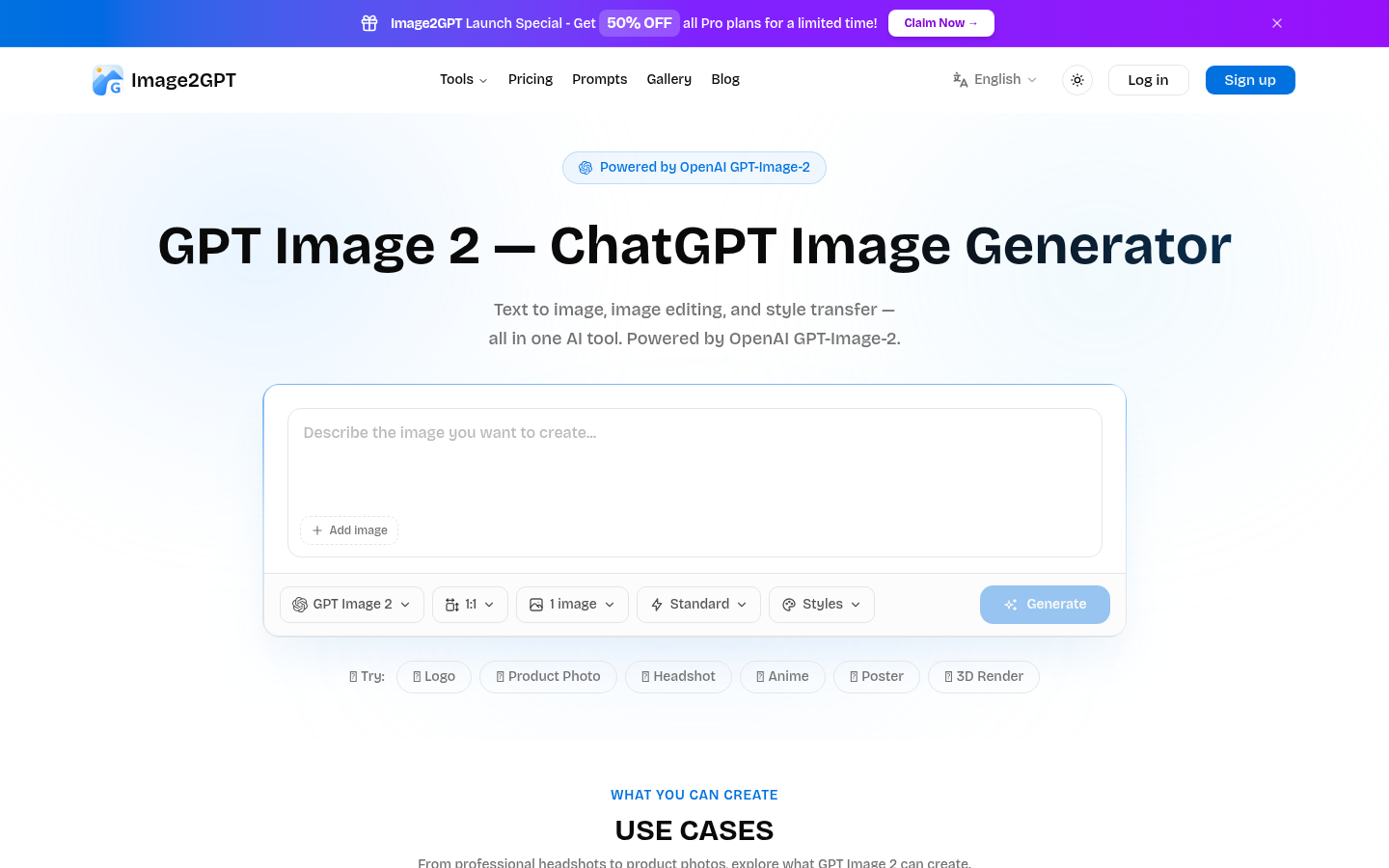
Screenshot archived from the listing page, for preview only.











