
Highlights
What you can do with it
- Turn a photo into a short video for social posting
- Add motion and narration to product or travel images
- Create simple video content without hiring an editor
How to use it
- 1 Open the Image to Video AI site in your browser
- 2 Upload the still image you want to animate
- 3 Choose the motion or narration options you want
- 4 Let the tool generate the video
- 5 Preview and download the finished result
Who it is for
Pros
- Removes the need for video editing skills
- Adds professional motion effects and narration automatically
- Free to use based on the current offer on the site
Limitations
- Free availability is not guaranteed forever and can change
- Output quality depends on the source image you provide
- Built for simple conversions, not full timeline editing
What Image to Video AI is
Image to Video AI is an image-to-video tool based on artificial intelligence. Its job is simple: take a static image and turn it into a video that looks like it received professional treatment, with motion effects and narration included. The site presents it as free to use, and it is explicitly aimed at people without professional video editing skills, which lowers the barrier to making video content. Results come back quickly instead of after a long manual editing session, so it fits short-form work where speed matters more than fine control.
What you can do with it
- Convert a still image into a video clip with motion effects.
- Add narration so the finished video can carry a spoken message.
- Produce results fast without opening a traditional video editor.
- Create simple shareable content from photos you already have.
Who it is for
- General users who want to make videos but have no editing background.
- Social media posters who need quick clips built from photos.
- Creators and small sellers who want simple product or promo videos.
What to watch out for
This is a conversion tool rather than a full editing suite, so do not expect multi-track timelines or detailed keyframe control. The finished video still depends on the quality and framing of the image you start from, and low-resolution or heavily cropped photos will show their limits once motion is applied. Free access is offered at the moment, but free rules can change, so confirm the current terms before building a posting schedule around it. For best results, start with a small test file and review the output carefully before working on anything important.
FAQ
Is Image to Video AI free?
The site indicates free usage, so you can try it without payment, though terms can change.
Do I need editing skills?
No. It is designed so that users without professional video editing skills can still create videos.
What does it add to my image?
It adds professional motion effects and can include narration in the generated video.
Why it is free
What the official page says: 免费使用免费
Free limits, trial length and features are decided by the official site and can change at any time.
Product preview
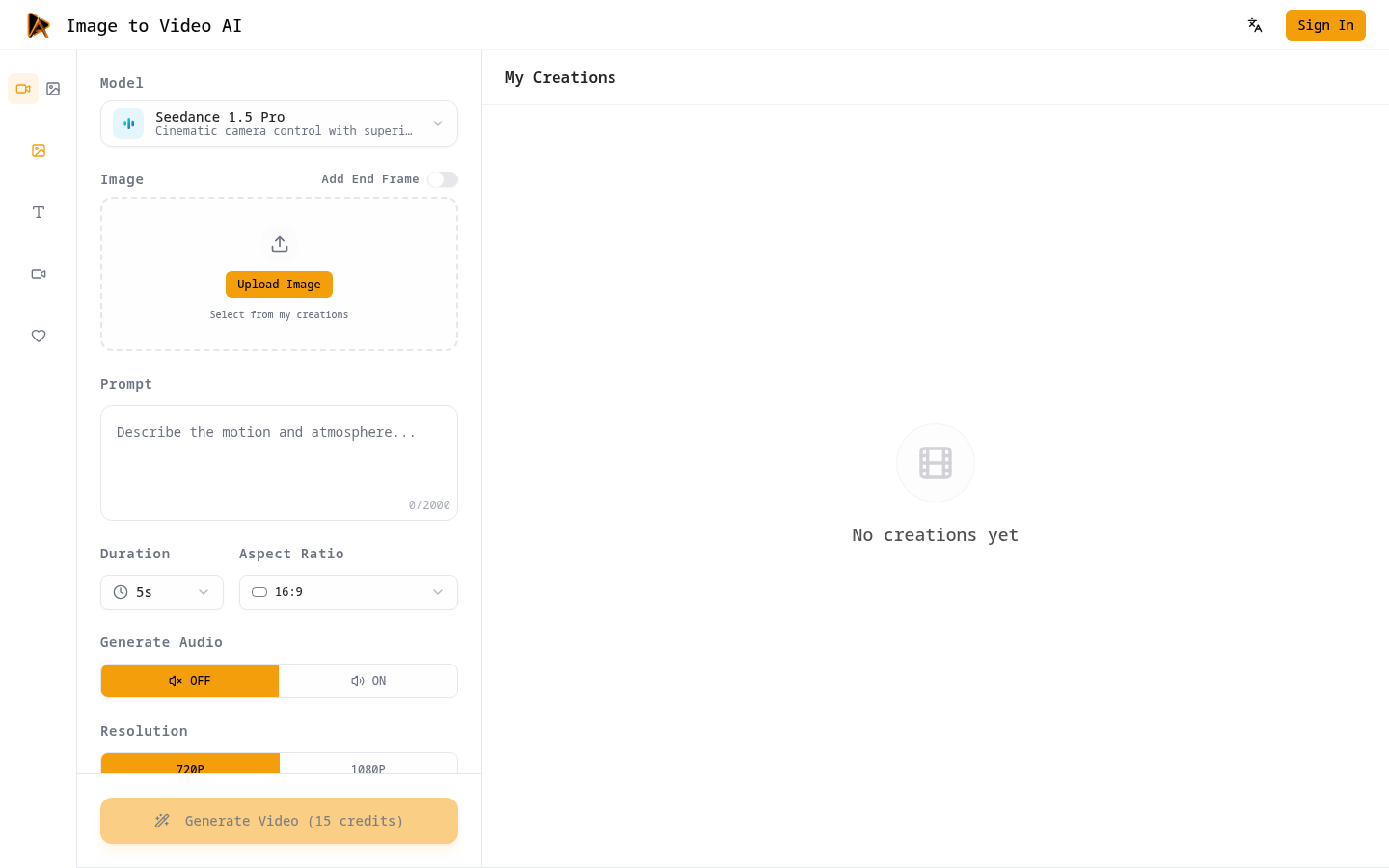
Screenshot archived from the listing page, for preview only.