
Image to Prompt
Image to prompt converter for AI art toolsUpload a picture, get a prompt you can reuse
Highlights
What you can do with it
- Designers turning a sketch into a prompt for AI tools
- Artists getting descriptive prompts from their own paintings
- Content creators making illustration prompts from photos
How to use it
- 1 Open the Image to Prompt website
- 2 Select or drag your image into the upload area
- 3 Click start conversion
- 4 Wait a few seconds for the result
- 5 Edit the prompt if needed, then copy it
Who it is for
Pros
- Very fast conversion
- Images are not stored after generation
- Output works across several AI platforms
- Editable result rather than a locked string
Limitations
- Automatic prompts often need manual editing
- Free availability can change
- Complex images give less accurate prompts
- Scope is prompt generation, not image creation
What Image to Prompt is
Image to Prompt converts an uploaded image into prompt text that other AI image models can use. The flow is short: select or drag an image into the upload area, click start conversion, and the prompt appears in an output box within seconds, ready to copy. The generated text is described as working across multiple AI platforms, with Flux1, Stable Diffusion, and Midjourney named. The listing puts weight on privacy, stating that uploaded images are deleted immediately after the prompt is generated and are not stored on the server. If the automatic prompt is not precise enough, you can edit it by hand, and the site suggests trying images from different angles for better results.
What you can do with it
- Turn a reference image into reusable prompt text
- Feed that prompt into Flux1, Stable Diffusion, or Midjourney
- Edit the generated prompt for precision
- Convert sketches, paintings, or photos into descriptions
Who it is for
- Designers and artists who work with AI image tools
- People trying to reproduce a style from a reference
- Content creators who need illustration prompts quickly
What to watch out for
Automatic prompts are a starting point, not a finished description; complex compositions, lighting, and fine detail often come out vague, and manual editing is part of the workflow. Results depend on the image you upload, so a cluttered or low-quality reference gives a cluttered prompt. Free availability can change, and there is no promise about rate limits or file size. Scope is prompt generation only: this tool does not create images, and you still need a separate model or platform to render anything.
FAQ
Is it free?
The listing describes it as a free service, though terms can change.
Are my images stored?
The listing says uploaded images are deleted immediately after prompt generation to protect privacy.
Which platforms can use the prompt?
Flux1, Stable Diffusion, and Midjourney are named as supported targets.
Can I edit the prompt?
Yes, manual editing of the generated prompt text is listed as a feature.
Why it is free
What the official page says: 免费
Free limits, trial length and features are decided by the official site and can change at any time.
Product preview
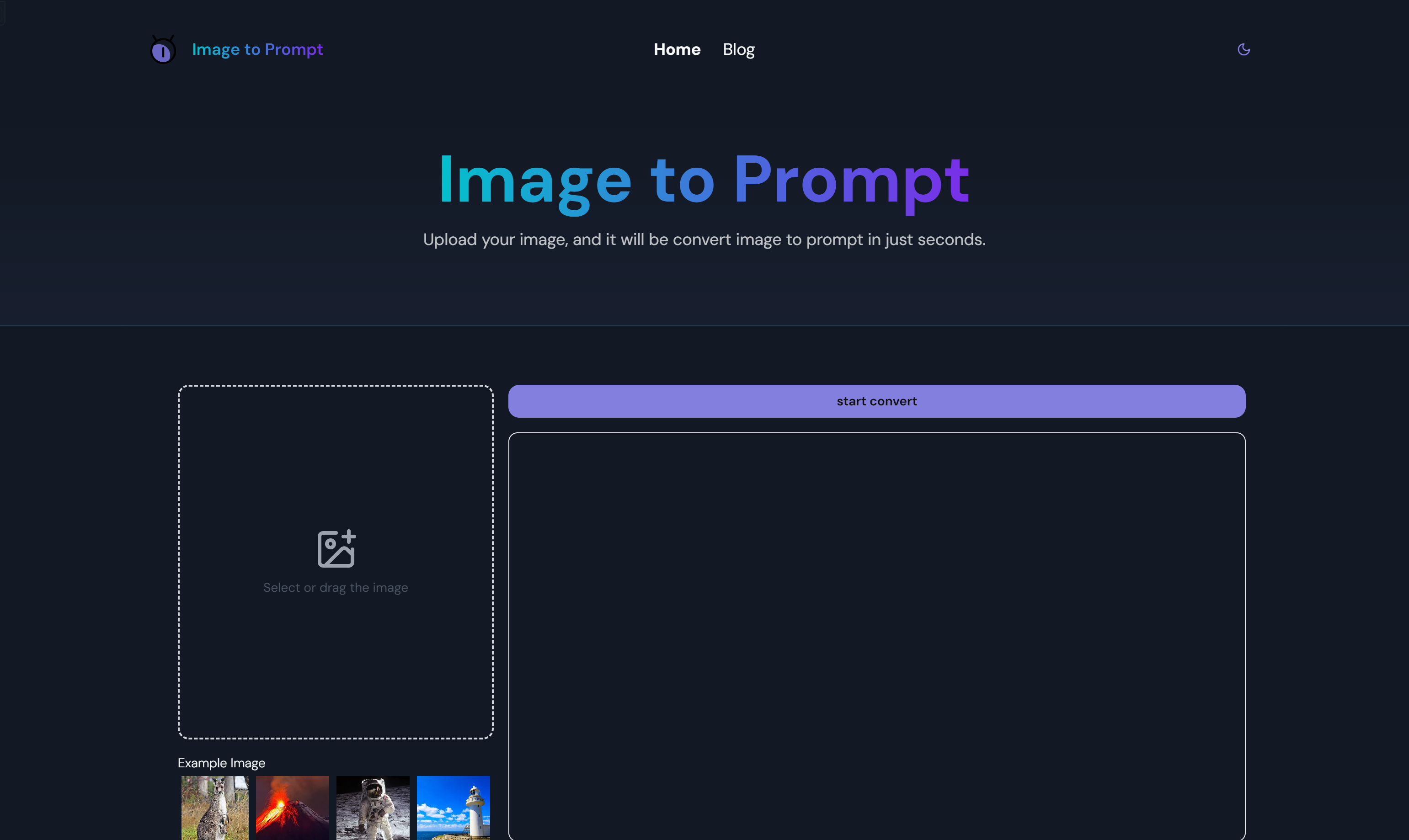
Screenshot archived from the listing page, for preview only.











