
Image Convert
Free local image converter in your browserConvert images without uploading them
Highlights
What you can do with it
- Convert HEIC photos from a phone to JPG or PNG
- Shrink or convert images before uploading elsewhere
- Do quick edits without sending files to a server
How to use it
- 1 Open the Image Convert site in your browser
- 2 Drop in the image files you want to convert
- 3 Pick the output format and any edit options
- 4 Save the converted files back to your computer
Who it is for
Pros
- Local processing protects privacy
- No install, no account, no upload
- Covers the common everyday formats
Limitations
- Local processing uses your machine's resources
- Format support is limited to the listed types
- Free web tools can change features over time
What Image Convert is
Image Convert is a free online image conversion and editing website. Its core technology relies on WebAssembly, which lets image processing code run alongside JavaScript in the browser, so the work happens on your own machine instead of a remote server. That design gives it its main advantage: local file processing, meaning no upload step and better privacy for anything personal. It supports common formats including HEIC, JPG, PNG, and WebP, which covers most everyday needs such as phone photos and web graphics. It is also simple to use, requiring no software installation and no account registration. The positioning is a convenient and secure image processing tool for users with editing needs in various scenarios. For anyone who has paused before uploading a personal photo to a random converter, that difference is the entire reason to use a tool like this.
What you can do with it
- Convert HEIC photos to JPG or PNG locally
- Change formats for uploads and web use
- Do light editing without installing software
- Keep private images off any server
- Work on a locked down machine with no install rights
Who it is for
- Anyone stuck with HEIC files from a phone
- Privacy conscious users who avoid uploading images
- People who need a quick format change on any computer
- Office staff handling mixed image formats
What to watch out for
Local processing uses your own machine's memory and CPU, so very large batches or huge files will be slower than a server based converter and depend on your hardware. Format support covers the listed types, so unusual or professional formats may not work. Free web tools can change features or add limits over time, so check the site if you depend on it regularly. Since nothing is uploaded, there is no cloud copy, which is good for privacy but means you must keep your own backups of converted files. Save your converted files somewhere you control before you close the tab, because there is also no server side copy to fall back on.
FAQ
Do my files get uploaded?
No, processing runs locally in the browser using WebAssembly.
Which formats are supported?
HEIC, JPG, PNG, and WebP among others.
Do I need an account?
No registration or installation is required.
Is it free?
Yes, it is a free online tool.
Why it is free
What the official page says: 免费
Free limits, trial length and features are decided by the official site and can change at any time.
Product preview
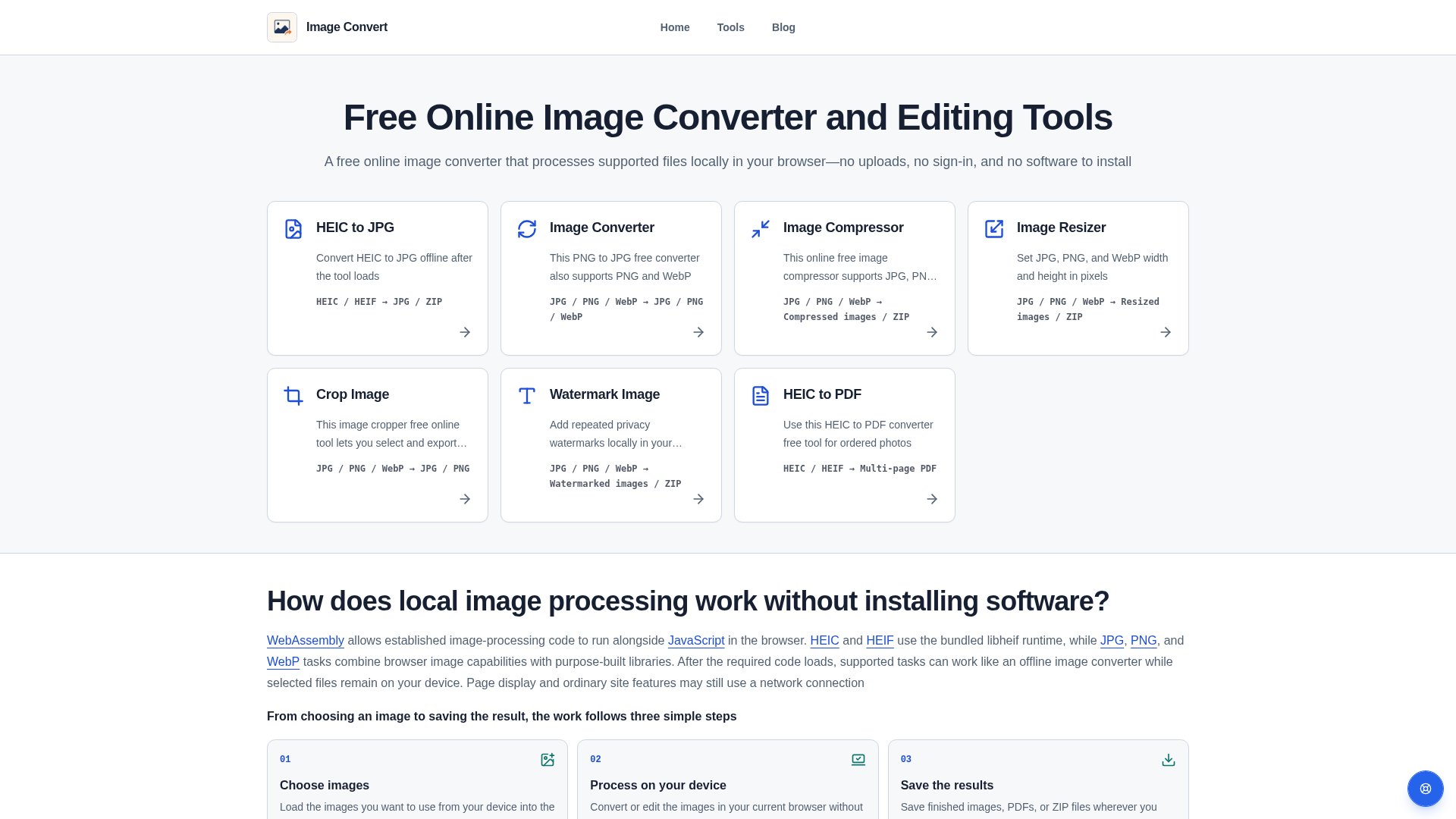
Screenshot archived from the listing page, for preview only.