
iCreat AI
AI platform for images and videoCreate images, video, and quick edits
Highlights
What you can do with it
- Generate product images and videos for e-commerce
- Create advertising materials in various styles
- Upscale images and remove backgrounds quickly
How to use it
- 1 Open the iCreat AI site
- 2 Log in or register if a function requires it
- 3 Pick a module such as image or video generation
- 4 Enter a prompt or upload an image
- 5 Generate, adjust, then save or share
Who it is for
Pros
- Image and video tools in one platform
- Practical utilities like upscaling and background removal
- Some functions are free to use
Limitations
- Free functions are limited and paid add-ons may apply
- Output depends on prompt quality
- Upscaling claims should be tested on your own files
What iCreat AI is
iCreat AI is a comprehensive platform that integrates image and video generation. According to the site, its significance lies in giving users a convenient, efficient solution for creative content creation, and its main advantages include free use, fast generation of creative AI works, and practical functions such as image enlargement and background removal. Features include a text-to-image function that turns prompts into artwork, image enlargement with a stated 16K capability, background removal in milliseconds, style-based image generation across looks like floral, retro, and food themes, and video generation tools. The site says some functions are free and paid value-added services may exist. It targets creative workers, enterprises, and ordinary users who need visuals without a design team.
What you can do with it
- Generate images from text prompts in various styles
- Create short videos using the built-in AI tools
- Enlarge images and remove backgrounds in seconds
- Produce styled assets for social media or commercial use
Who it is for
- E-commerce teams making product images and promo videos
- Advertising creators who need fast assets in many styles
- Individuals sharing AI-generated art on social platforms
- Users who want quick image utilities without complex software
What to watch out for
Free functions are limited and paid value-added services may apply, so check which tools are actually free before you plan a workflow around them, since the line can move. Output quality depends on your prompts, and generated images or video may need editing before professional use, especially for client work. The 16K enlargement claim should be tested on your own files, since real results vary with the source image and subject. Because it is a hosted platform, features, free limits, and pricing can change without notice, so treat the current free offer as a snapshot rather than a permanent deal, and keep local copies of work you care about.
FAQ
What can iCreat AI do?
The site lists image generation, video generation, image enlargement, and background removal.
Is it free?
The site says some functions can be used for free, and paid value-added services may exist.
How large can images be enlarged?
The site claims a 16K enlargement capability, but you should test it on your own files.
Why it is free
What the official page says: for free
Free limits, trial length and features are decided by the official site and can change at any time.
Product preview
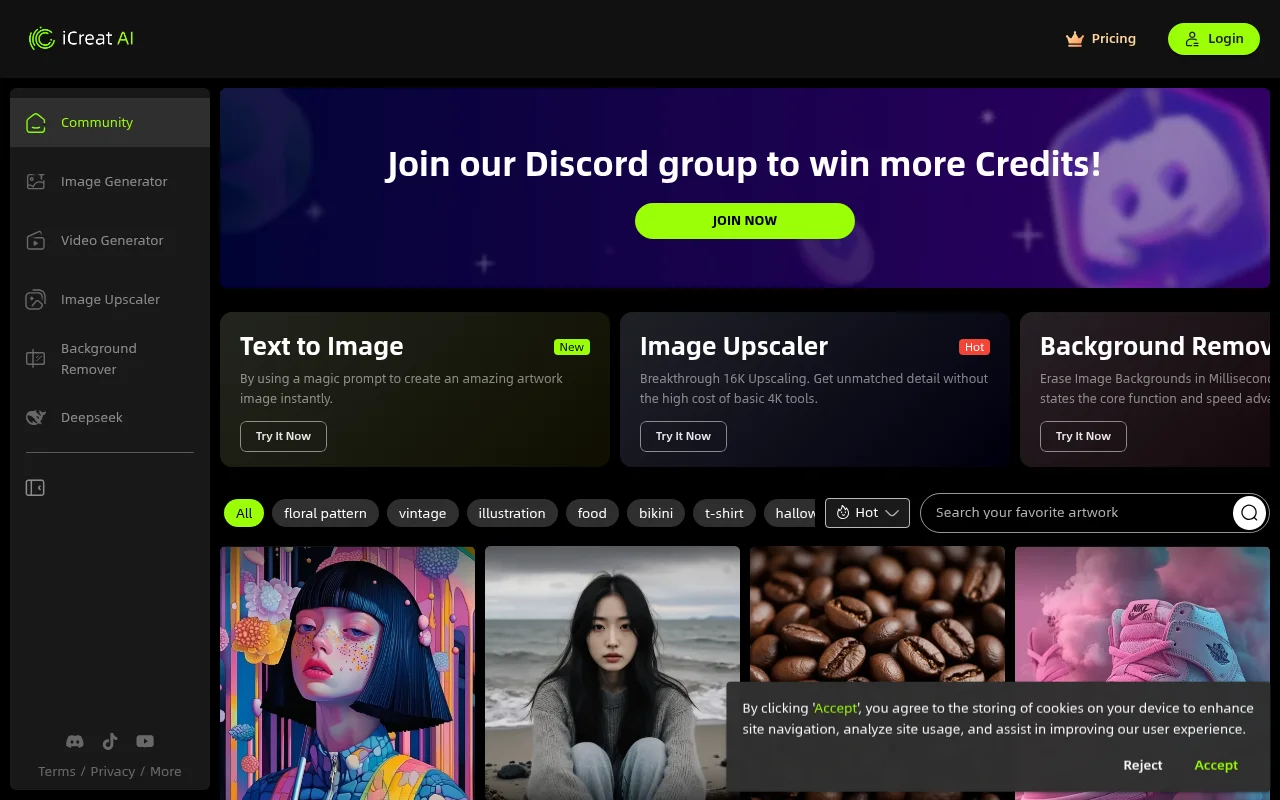
Screenshot archived from the listing page, for preview only.











