
Humanize AI
Rewrites AI drafted text into a natural human styleTurn machine written drafts into text that reads like a person
Highlights
What you can do with it
- Polishing an AI drafted blog post before it goes live on your own site
- Changing the tone of AI drafted marketing or business emails
- Reworking a rough AI first draft into a version that reads more naturally
How to use it
- 1 Open the Humanize AI website in your browser.
- 2 Paste the AI generated text you want to rewrite into the input area.
- 3 Run the rewrite and wait for the humanized version to appear.
- 4 Read the output and check that the meaning and context still match your original.
- 5 Copy the result into your document and edit anything that does not sound right.
Who it is for
Pros
- Free access option is stated on the site
- Aims to preserve meaning and context instead of replacing the content
- Works in the browser, so nothing extra has to be installed
Limitations
- The site lists a feature described as bypassing AI detection systems, and using rewritten text to avoid AI detection at a school, publisher, or platform may break their rules, with consequences falling on you
- The tool depends on an outside service, so availability and features can change
- Free rules and usage limits may be adjusted over time
- Rewriting does not check facts, so you still need to verify every claim yourself
What Humanize AI is
Humanize AI is a free online tool that rewrites AI generated text into a style that reads like natural human writing. According to the site description, it uses algorithms that keep the original meaning and context while adding a more natural, human touch. The tool is presented as a way to turn machine drafted copy into text that flows more like a person wrote it, and the site lists a free option among its access details. It is aimed at people who work with large amounts of written content and want to change the tone of machine output without rebuilding every sentence from scratch.
What you can do with it
- Paste AI generated text and get a rewritten version that keeps the original meaning and context.
- Adjust drafts for blogs, emails, marketing pages, school work, and social posts.
- Keep a consistent human voice across a longer document in one pass.
- Use it as a second step after an AI writing tool produces a rough first draft.
Who it is for
- Content creators and bloggers who publish often and want a more natural voice.
- Marketing and business writers who polish AI drafted material before it goes out.
- Students, developers, researchers, freelancers, and other text heavy roles named on the site.
What to watch out for
The site lists a feature described as bypassing AI detection systems. Using rewritten text to avoid AI detection at a school, a publisher, or a platform may violate their rules, and any consequences fall on you, so treat that use with care. The tool depends on an external service, so availability can change without notice, and free access rules may be adjusted over time. Rewriting also does not guarantee that facts in the original draft are correct, so you still need to check every claim yourself before you publish or submit anything.
FAQ
Is Humanize AI free to use?
The site lists a free access option for rewriting AI generated text into human style content, though the exact limits can change.
Does it keep the meaning of my original text?
The description says the tool keeps the original meaning and context while adding a natural, human touch to the writing.
Can I use it to get past AI detection at school or on a platform?
The site mentions bypassing AI detection, but doing so may violate school or platform rules and any consequences are yours, so use it with care.
Why it is free
What the official page says: 免费
Free limits, trial length and features are decided by the official site and can change at any time.
Product preview
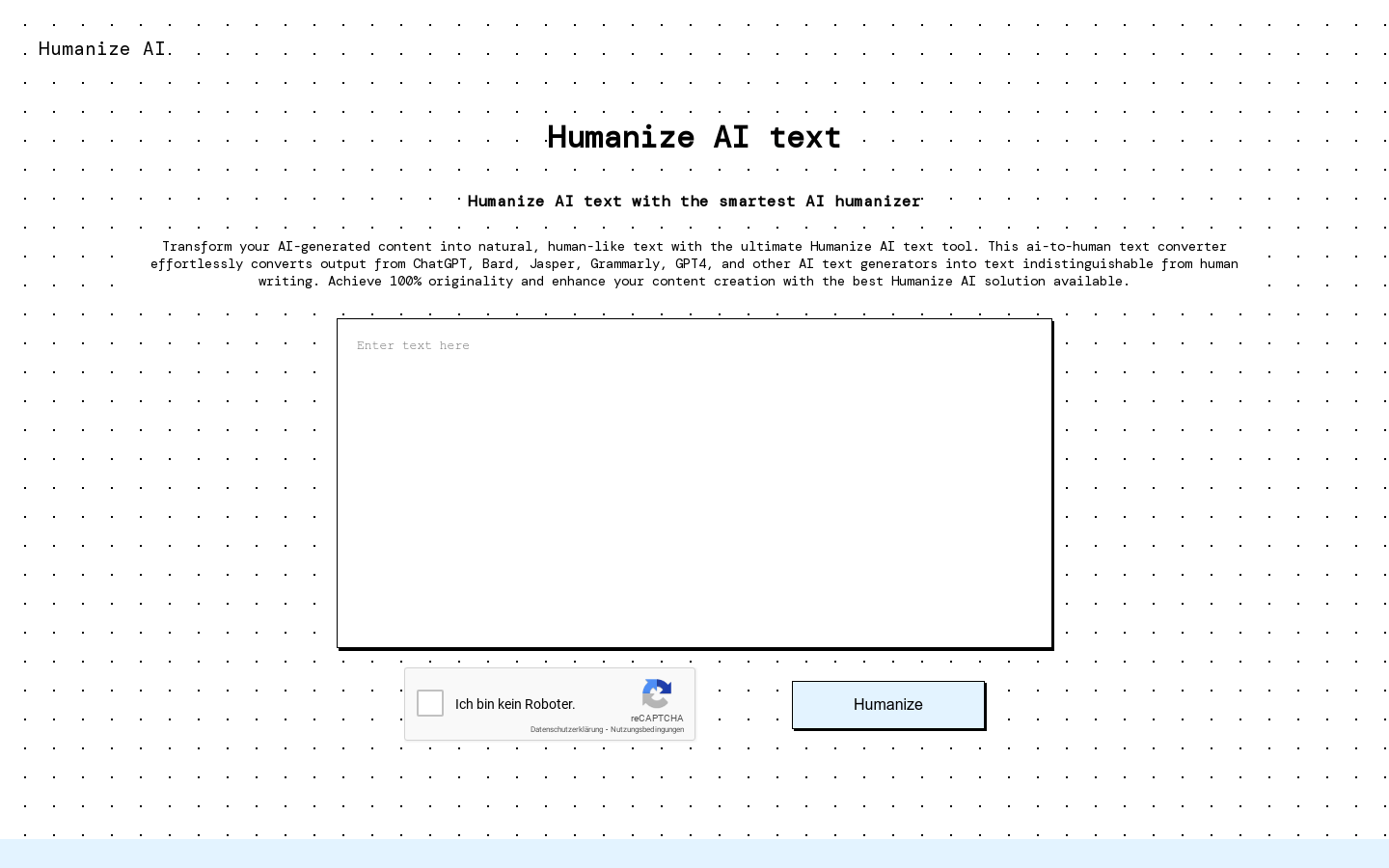
Screenshot archived from the listing page, for preview only.











