
HEIC to JPG Converter
Free HEIC to JPG converterConvert HEIC locally, no upload
Highlights
What you can do with it
- Convert iPhone photos for printing or editing
- Batch convert a shoot into PNG for a project
- Turn HEIC files into WebP for web pages
How to use it
- 1 Open heic.ai in your browser
- 2 Drag in the HEIC files you want to convert
- 3 Choose the output format
- 4 Click convert and wait for local processing
- 5 Download single files or a ZIP batch
Who it is for
Pros
- Free with no registration per the site
- Local processing keeps images on your device
- Batch conversion saves time on large sets
Limitations
- Free access and limits can change
- Conversion quality depends on your browser and device
- Large batches can be slow on older hardware
- It relies on browser support you do not control
What HEIC to JPG Converter is
HEIC to JPG Converter is a free online tool at heic.ai for converting HEIC files into more common formats. The site says output can be JPG, PNG, WebP, or PDF, and that all processing happens in your local browser rather than on a server, which it presents as a privacy advantage. Listed features include instant conversion, batch processing with single-file or ZIP download, multi-platform use across Windows, Mac, iPhone, and Android, quality controls for size and compression, and the ability to keep working offline once the page has loaded. The site says no registration or payment is required.
What you can do with it
- Convert HEIC photos to JPG, PNG, WebP, or PDF
- Batch convert a whole shoot at once
- Adjust quality and compression settings
- Work offline after the page loads
Who it is for
- Photographers handling iPhone HEIC files
- Designers converting batches of images
- Anyone who needs a quick, private conversion
What to watch out for
Because processing runs in your browser, speed and stability depend on your device, and very large batches may be slow or memory-heavy on older hardware. The site describes the tool as free with no registration, but free access and limits can change at any time, so check the current page before you rely on it for a deadline. Local processing is a real privacy plus, but it also means there is no server-side fallback if your browser struggles with a file, so keep your originals safe. Test with a few files first, confirm the output quality meets your needs, and treat the free offer as a snapshot rather than a permanent guarantee.
FAQ
Is HEIC to JPG Converter free?
The site says it is free and needs no registration or payment.
Where are my files processed?
The site says conversion runs in your local browser, so images are not uploaded to a server.
Which formats can it output?
JPG, PNG, WebP, and PDF are listed.
Can I convert many files at once?
Yes, batch conversion is supported with single-file or ZIP download.
Why it is free
What the official page says: for free
Free limits, trial length and features are decided by the official site and can change at any time.
Product preview
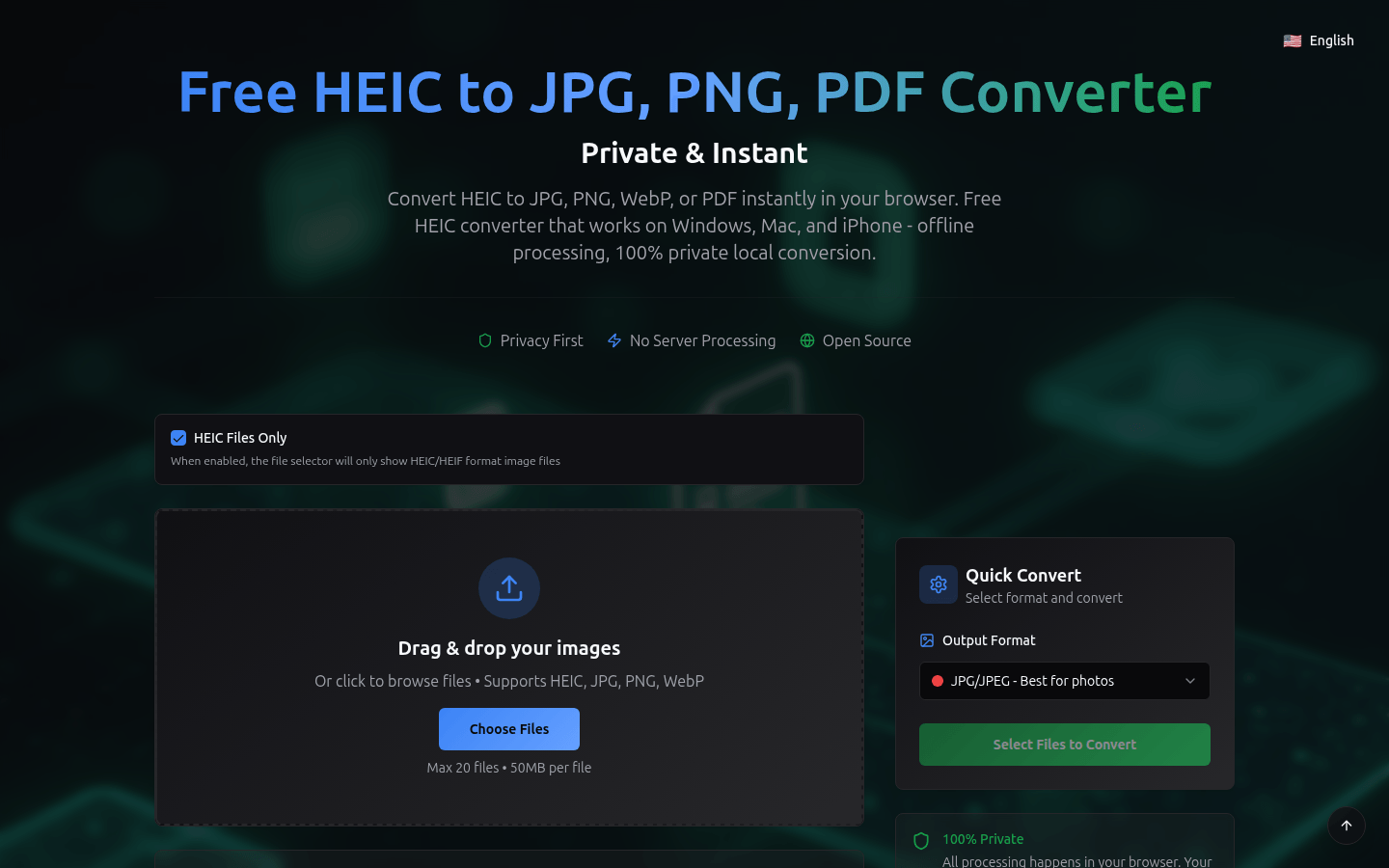
Screenshot archived from the listing page, for preview only.











